
Ability to sample MULTIPLE surrounding points in geometry nodes
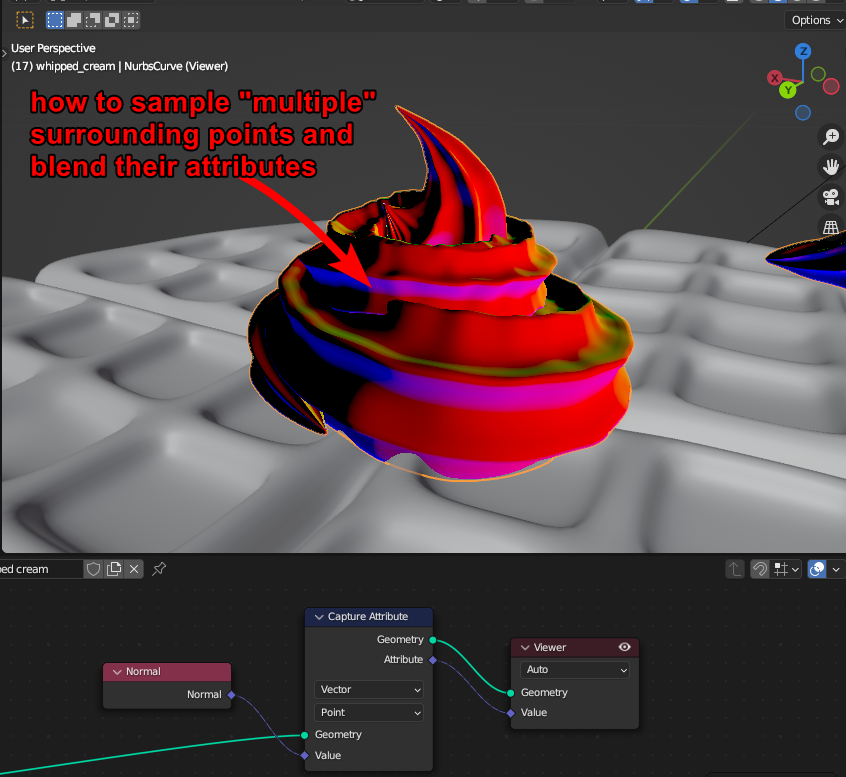 I'll preface by saying im not amazing at geometry nodes, but i have not been able to find any method to sample many surrounding points at once.
In my case i would like to blend the normals around the interesecting geometry, so it looks smooth.
Sample nearest and the other sample functions are meant to sample a completely different mesh, but there's seemingly not many ways to sample stuff on the same mesh.
Things that would be useful
Blend surrounding attributes
Your inputs:
- geometry
- which attribute you want to blend. (normal/color/ect)
- radius from the point to surrounding points to sample
- blending amount
- selection
Read Intrersecting geometry
returns the faces which is intersecting with other faces. basically a selection mask
Your inputs:
- geometry
- size, adjust to have faces surrounding the interescting one also being partially included. It could be used to make like a gradual map from the intersecting geometry and out
list of surrounding points
Like blend surround attributes, it would be great to have fine control over all surrounding points. maybe outputed in a list with an index eachother. Together with the new "repeat node" it could be a good asset maybe.
1 Comment
Geometry nodes is not designed for such task. You need something like boolean node what can merge all overlapping faces.