
Window closure using a RMB drag.
It should be possible to join (close) areas/windows by dragging with the Right Mouse Button from any of the area
corners.
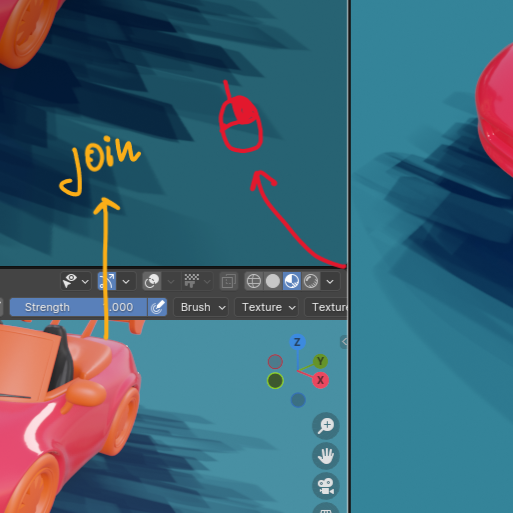
I really like the freedom with dragging and creating new areas by using the Left Mouse Button and adjusting the viewport size on the fly.
But closing them is very finicky and using the right click context menu is slower.
5 Comments
You can also right-click anywhere along the border between the two areas and select "Join"
But you can with the left mouse button.. 😕
What I'm missing?
You're not missing anything. I've used blender for the last 4 years and I still cant reliably close areas with left click drag.
It might be user a slight error, but I find the join gesture very finicky and unreliable. I often end up creating new areas instead.
Adding the joining function by using a RMB drag would remove the ambiguity between the "new area "and "join areas" gestures.
i think the problem is the ui. it has no indication that to create an editor you must click and drag on the inside corner of the editor, and to close/join you click and drag on the neutral area outside of the editors.
at least if the cursor changed (one cursor for create and another for join) when you hover on those areas it would help a bit
Yeah, now that you mention it (it was in fact user error). A little icon in the area where the join gesture starts and a different cursor would suffice.