
Auto "Overlap" Animation Modifier for curves?
Isn't right-click select where projects come to die? Anways
As much as I don't want to say this, "This is a Maya thing"
So I am sure Blender can knock this one out of the ballpark. Performing this kind of task in Blender is a little time-consuming.
I was thinking maybe "Curve Modifiers"?
Personally, if I can do the animation from scratch it always good to exercise those animation muscles. Sometimes you just need to get all those little dodads done and dusted.
An alternative and the way the industry is headed physics on rigs. I'm sure we've all see this, just a bit of inspiration.
Maybe also because of C19 we need to extend the year of updating animation tools. Its been more of a year of updating modeling and sculpting tools which Blender has been more than capable of for 10 years. God bless the sculpting project though.
Link: youtube.com/watch
3 Comments
You can get pretty much similar, what that maya script does with wiggle bones addon. FPS is low, because it's unbaked - so it's pretty much non-destructive at the begining.
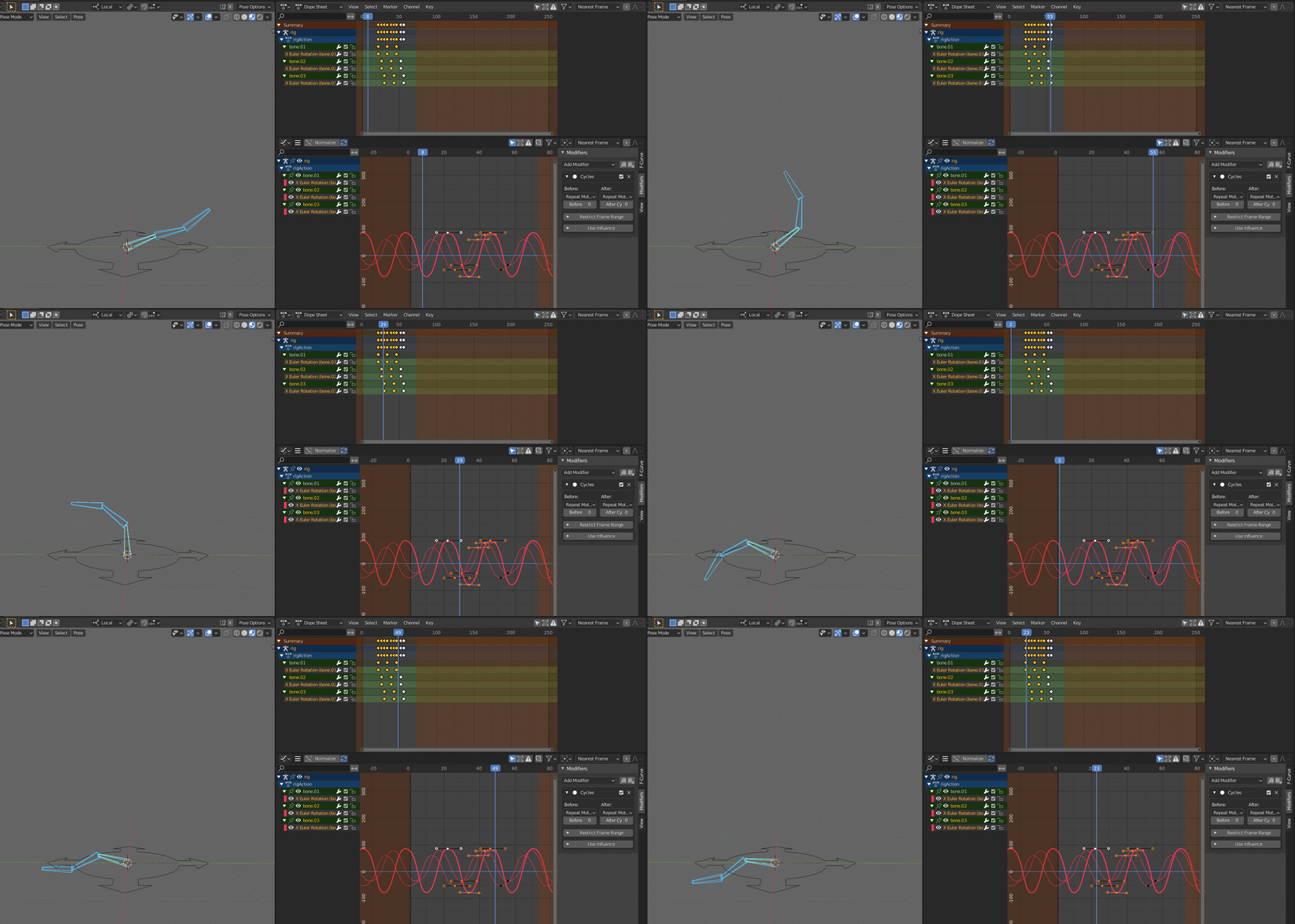
Basically this maya script just copies curve from source, scaling and offsetting it. Maybe it's handles orientation - don't know for sure... You can easily repeat it in BL.
But what I like in your suggestion is that we can use modifiers to link data from other channel, and manipulate it with other modifiers: offsetter, lattice, time stretch and etc. And yeah, maybe ot would be helpful to create basic tailed motion stuff or other dependencies.
So more love for animation modifiers! {attachment ikWGbg2tLngif} imgur.com/a/vW8DI7D
on the other hand, what I don't like in maya's plugins is that it seems to require a baking, which is a big no no for me. I want to keep my animation clear and editable. Modifiers are made for that, so hopefully if should be possible with some offset modifier.
A simple modifier that would allow to simply "offest" a curve, on X or Y, with the usual influence & frame range restriction tools.
Combine that with some UI that allows to automate the setup trough an fk chain, and that's it.
* @-L0Lock- * Maybe it can be even like multires modifier - you just select channel you wanna reference. It creates some kind of buffer curve you can offset and even add new keys)) But it always relies on referenced curve.. Sounds silly but anyway))
It's like layers, but for channels.