
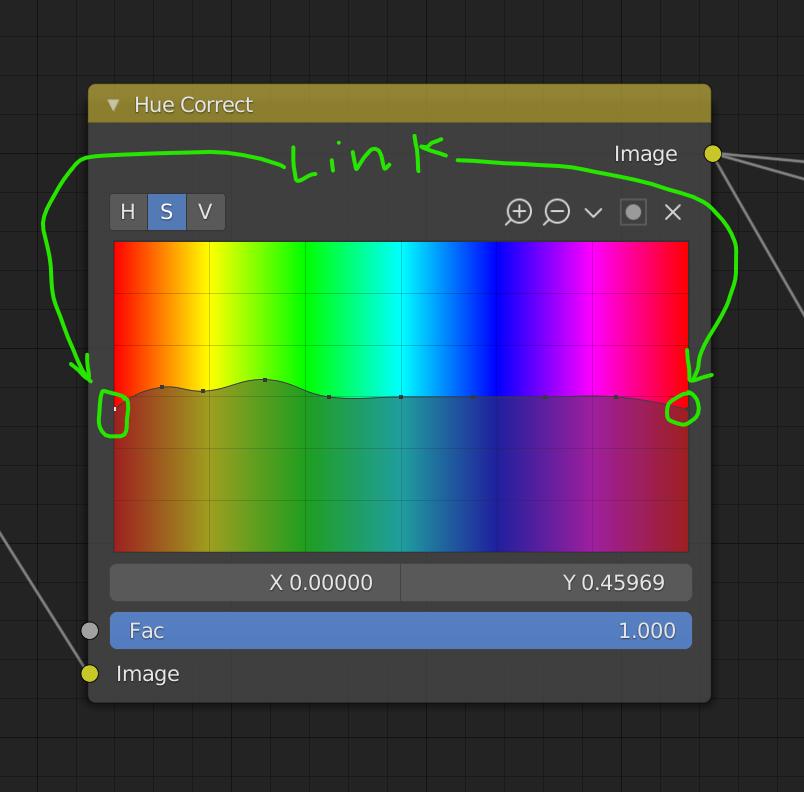
Link the left and right RED channels in "Hue Correct," node.
Not quite a bug, but a major papercut. In the "Hue Correct," node, there are 2 dots for adjusting red, one on the left, and one on the right. You can end up with some weird artifacts if they are not set to the same value, so it would be nice if they could be linked together to move as one.
2 Comments
Just found this, I recently implemented it here: projects.blender.org/blender/blender/pulls/117114
Here is an example of the type of artifacts I am referring to when I try to desaturate the reds. The left image is if both the left and right are at the same position, the right image is if the left dot is slightly higher {attachment examplepng}