
Lock 3D Cursor
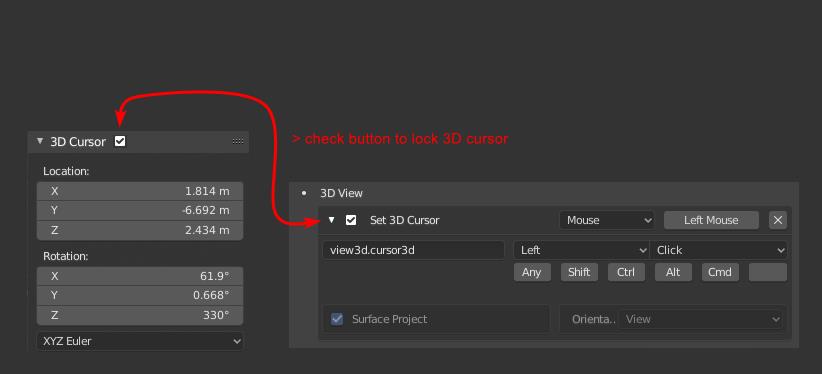
It would be nice to have the ability to lock the location of 3D Cursor. One way to do this is to enable/disable the Hotkey under 3D View (view3d.cursor3d), but with a checkbox button in the 3D Cursor panel it would be much easier. Or similar to the transform lock. A lock for each axis...
Example:
After placing the 3D cursor on exact location in 3d view, on the grid or with snap to a surface, etc., i want to realign some objects in my scene, but without moving my placed 3D cursor by clicking into the 3d viewport.
And than make some scaling from cursor or align something to the cursor. If i could lock the 3D cursor, i can make my adjustments and don´t need to carry about the cursor.
For durable location remember we have empty objects! If needed! But this is a much faster way and would also be familiar with the existing transform lock.
This would also be important for the 3D Cursor post:
blender.community/c/rightclickselect/3Rdbbc/
2 Comments
Why would this be nice? It would be a good idea to include that in your proposal.
* @Jason van Gumster * Yes you are right! It is done!