
Real time zoom for working window
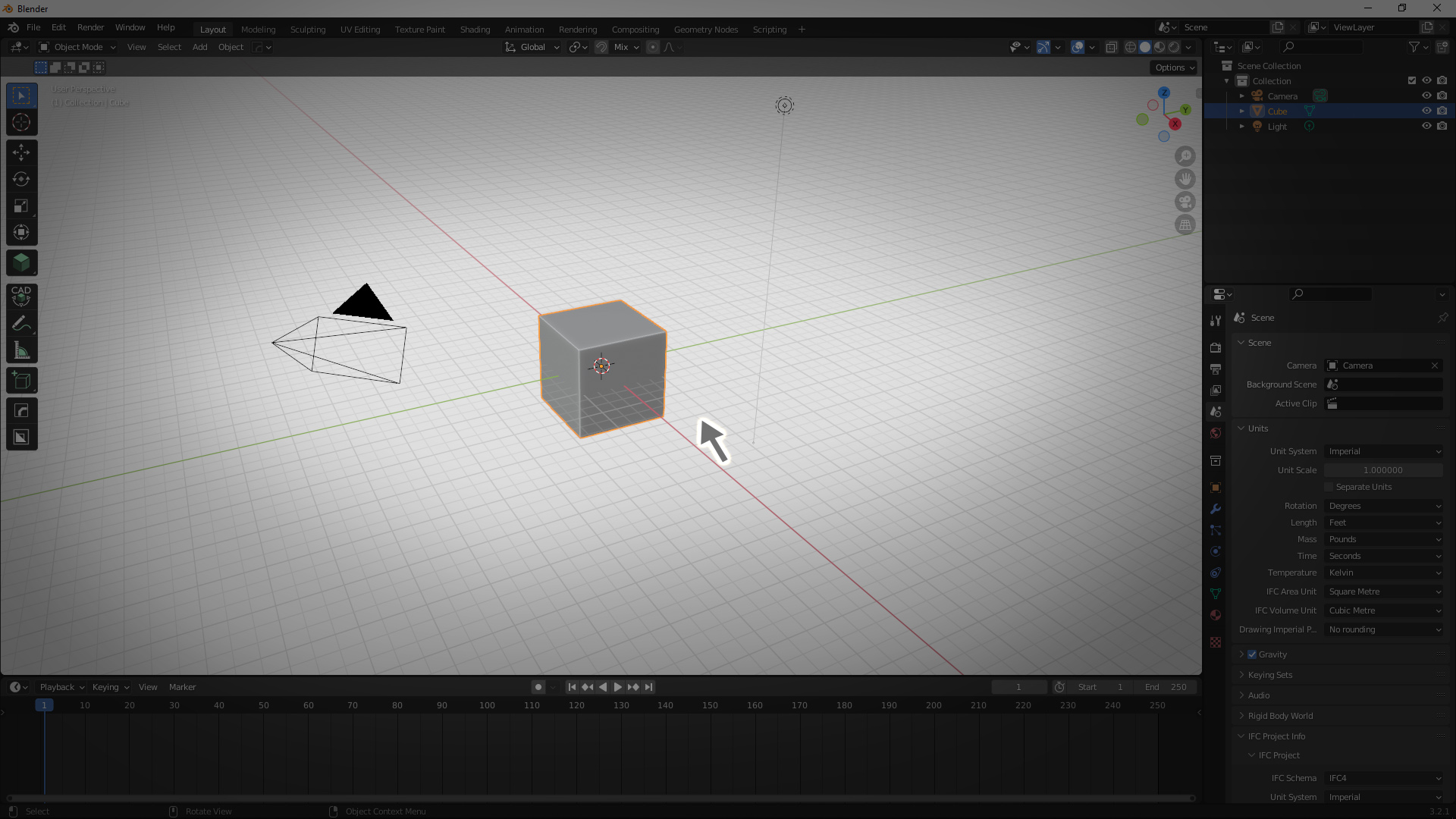
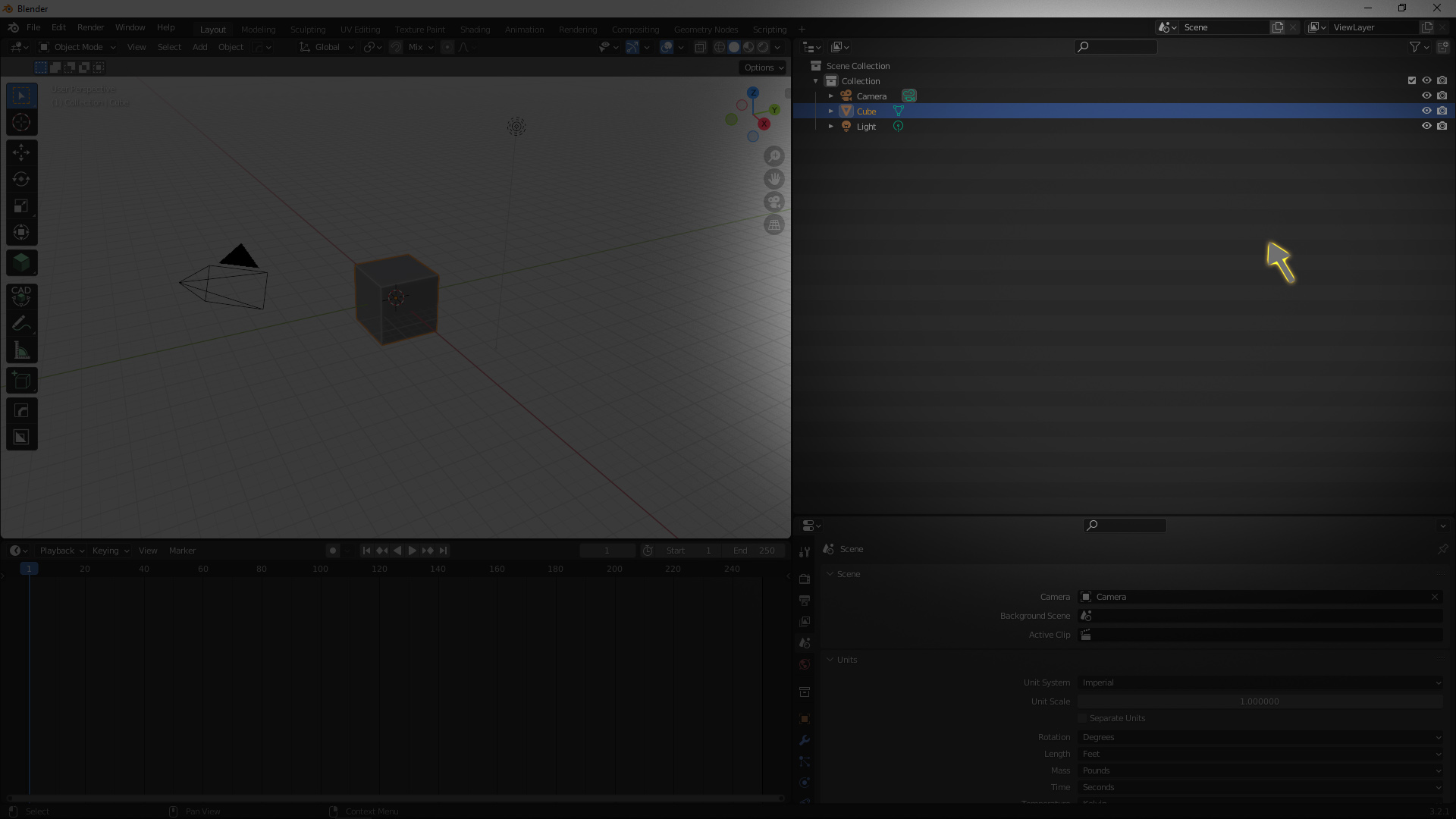
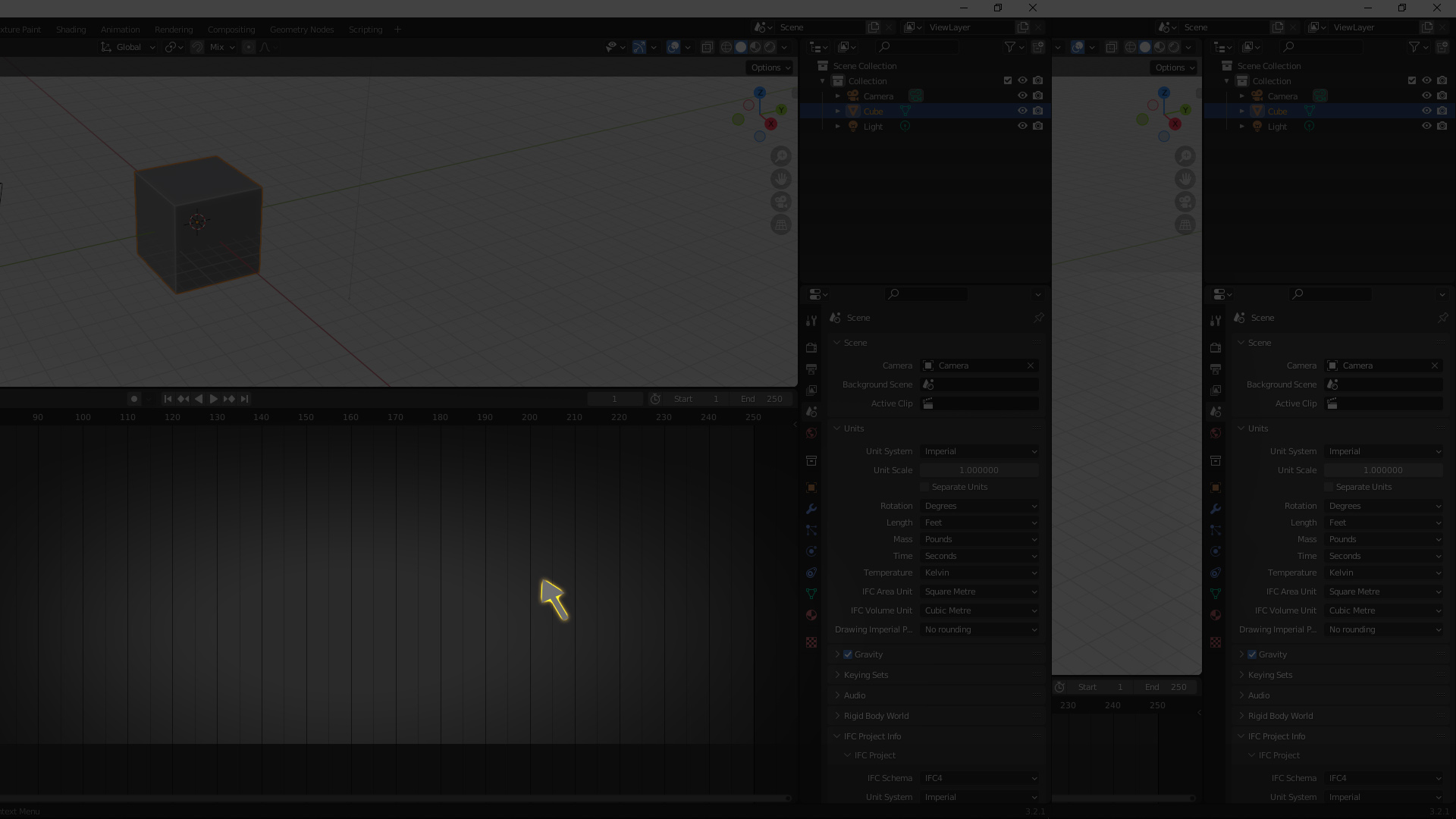
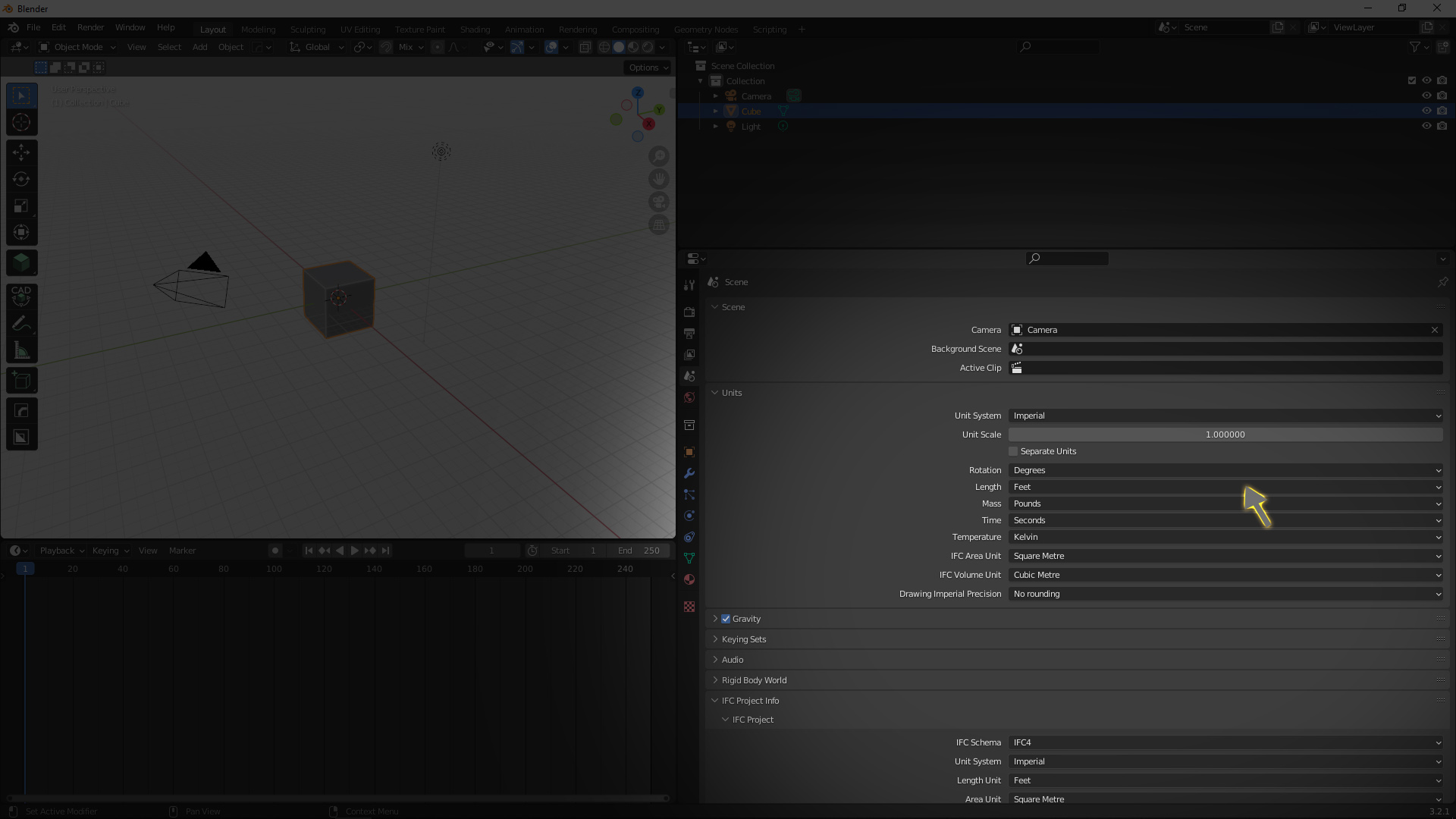
it feels very conjusted when we work in small windows especially in geometry nodes, even just after adding 8-10 nodes we start to panning more and more. So a good solution i see is real time zoomable window so the window we are working on should have maximum screen coverage. However, we can also pin some window so they dont get affected by this behaviour. below you can see how they will work, the working window will be define by position of mouse cursor
Another solution is swap the windows with any hotkey like Shift+Q or any mouse or keyboard combo but the action should instant not like we have to move our mouse precisely over corner to find perfect spot to change the cursor and click on it.
The amount of how much each window will zoom can be set by internal or by user.
4 Comments
Work with heavy geometry in Cycles viewport. Forget to pin it. Drag mouse over 3 editors, Cycles viewport refreshes 3 times -> instant freeze. Just no.
I'm not convinced this should be in vanilla Blender especially enabled by default. But maybe this might be good for an addon?
Uhh, already a thing? Hover mouse over area and press Ctrl + Space to maximise it... Unless I misunderstood and you talking about something else.
it maximize one window only and at the same time you have to press the hotkeys also. what i am suggesting is when you just hover your mouse over any window it just get larger, really helpful for making changes in specific windows simultaneously.
I really like this idea but because of "zoom" in title I was expecting something else. This is just windows "scale".