
Development - Script Explorer (in the sidebar of the Text Editor)
When a script is very long and contains too many classes and functions, I find myself scrolling too much to find what I need to work on.
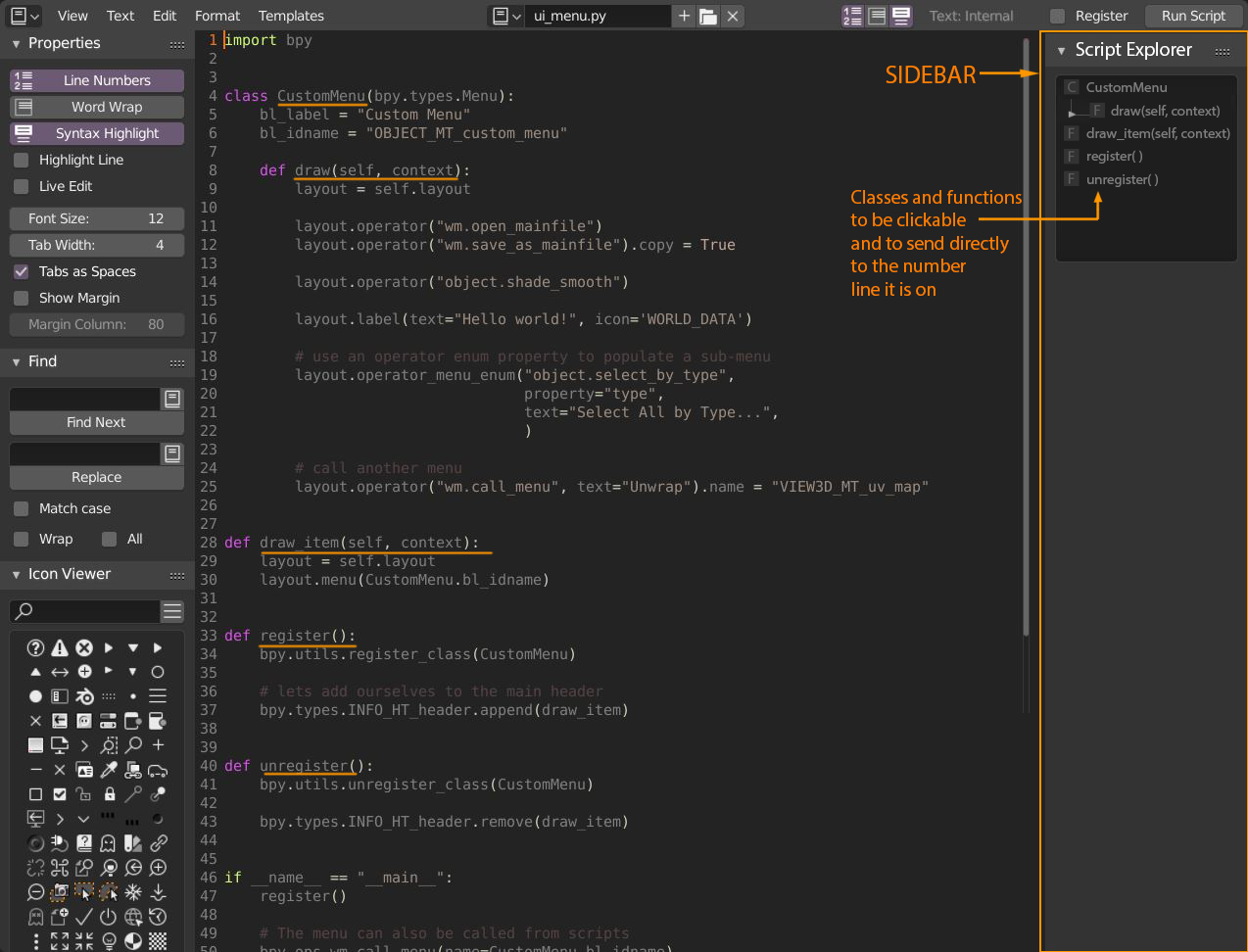
A "Script Explorer" could be added in the sidebar of the Text Editor, scanning all the classes and functions that are in that particular script.
Here is an example with the (short) "ui_menu" template:
3 Comments
I think having a real "find text" tool in the editor would also help.
You could try the Code Editor add-on which has a minimap: github.com/K-410/blender-scripts/blob/master/2.8/code_editor.py
also a tree structure that allows you to hide the classes, etc ...and then shorten and make complex scripts more legible... .. it would not be bad
but maybe this is a topic for another feature request..