
Better subdivision settings
Can we use the mouse wheel to determine the number of subdivisions like ring cutting, or like ctrl+ b bevel use the degree of mouse movement to determine the number of subdivisions? and Can the subdivisio
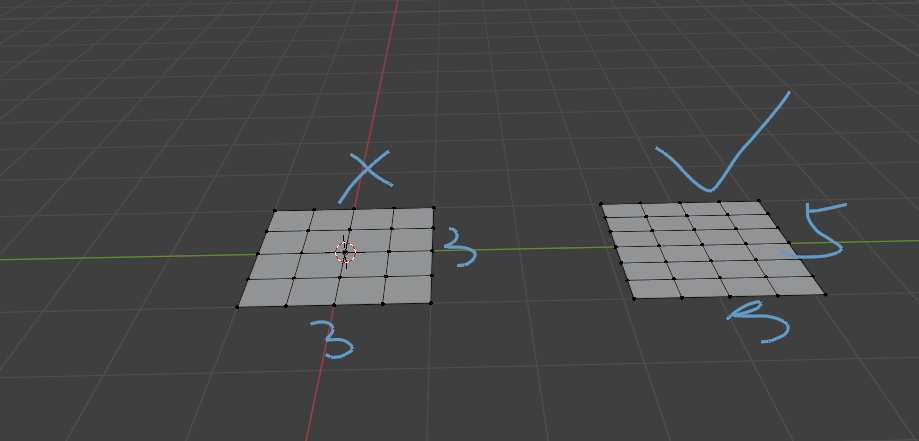 n be set to be the same as the lattice, with different resolutions for u, v, and w,
3 Comments
ctrl+R?
Yes, plane ctrl+r can achieve this effect twice, but I hope Blender can be simplified into one step. We only need one operation, otherwise it will be very frustrating to insist on two steps, especially when we operate in large quantities. It should be noted that subdivision is frequently used
And this is only for subdividing the plane. I uploaded the image of the plane just because it can convey some of my ideas more simply. If it is a cube that needs to be subdivided, you need to press Ctrl+R three times to complete the operation that should have been completed in one go. In addition, it is not easy to change after Ctrl+R. and if I want to uniformly change the resolution of u v w again, I have to press Ctrl+X to merge the edges and then repeat the operation with Ctrl+R,