
GRAPH EDITOR: Add F-Curve Modifiers Shortcut - please Add Options
F-curve modifiers are great tools for animators! Sady, they are very hidden and not very user-friendly when you want to add them to multiple channels at once (which is almost every use-case).
I recently found out this shortcut to add F-curve modifiers to multiple Channels at Once! YEEY! (shortcut CTRL+SHIFT+M)
BUT!!
The pop-up does not allow you to tweak any of the settings.
Therefore, if you want to add Cycle Modifier and change the settings to Cycle with Offset, you need to do this manually for each channel anyways.
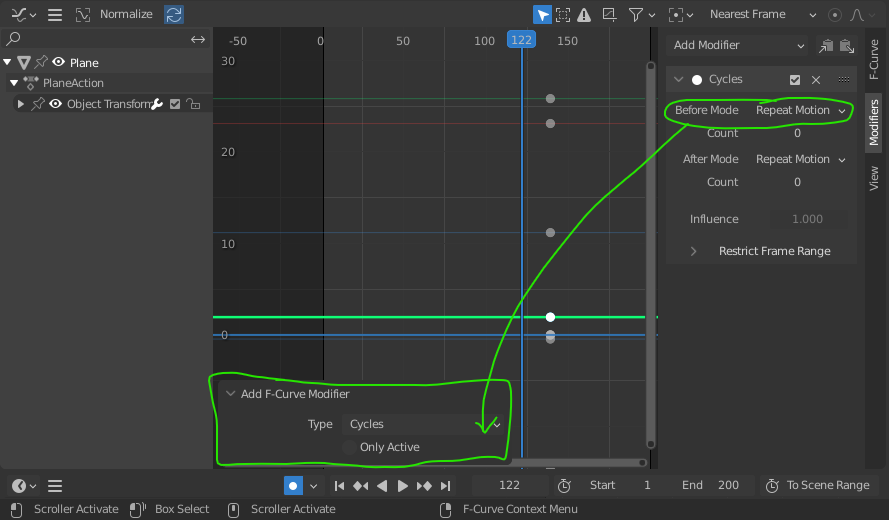
Please, include the options to each modifier in the pop-up, otherwise we are stuck with default settings. Thank youu!!! <3
2 Comments
I haven't used these modifiers for a while, but normally Blender allows you to change shared settings across the selection by holding the Alt key while making changes.
If you select multiple curves or channels with the same modifier, does Alt work? If not, that could be another part of the feature request.
Hey thanks for the ctrl + shift + m technic!