
Add Toggle to Show/Hide Specific Assets in Node Editor Add Menu
The Problem:
In your asset library, if a catalog contains a nodegroup asset, it gets appended to the Node Editor's Add menu. Currently, it does this for
your entire library
, without any option to turn it off for specific catalogs. This leads to the problem where any user that has a decently-sized Asset Library would automatically have their Add Menu clogged up with all their assets.
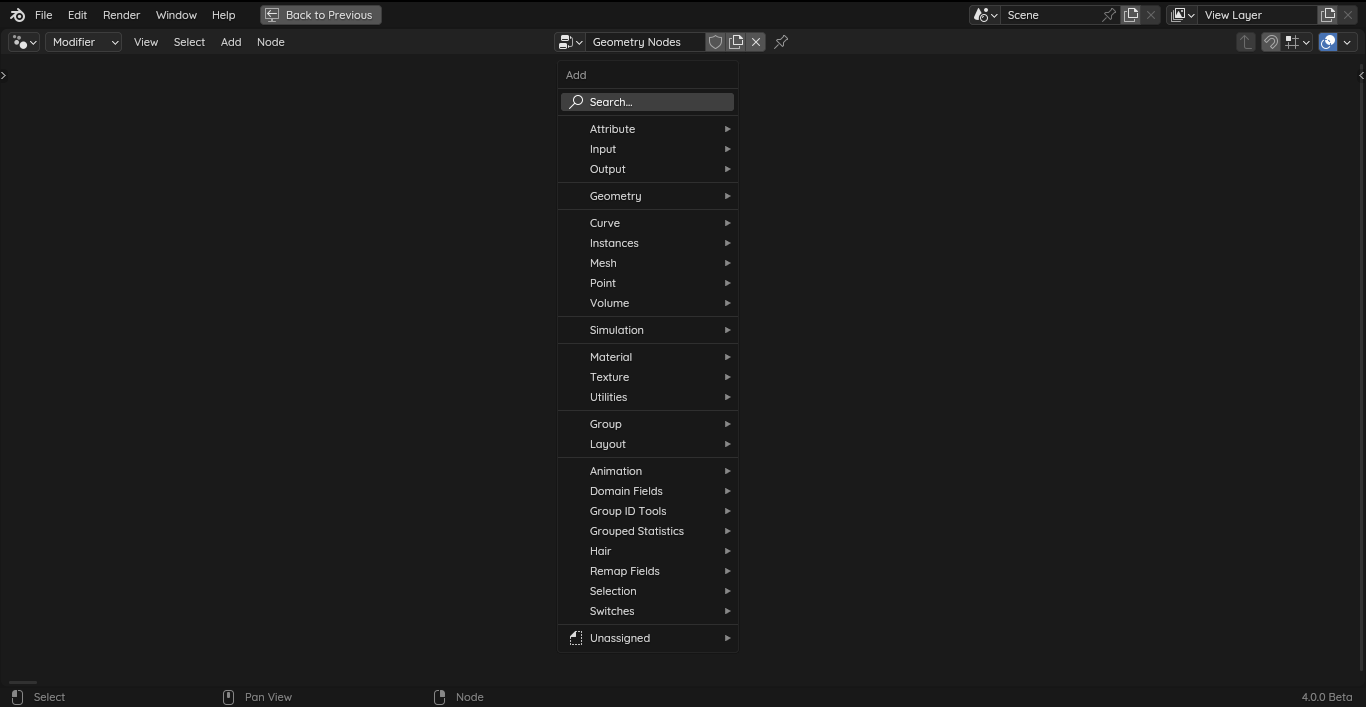 For reference, the image above is how comically tall my Add Menu looks
(after I tried slimming down my asset library)
.
If I had the choice, most of these assets shouldn't be on the Add Menu. As the nature of assets is such that there are always a few you frequently use, and a lot of them you rarely do, but they save a lot of time on the rare instances you have to use them.
Why the Add Menu currently feels bad to use:
-
Not all assets are used frequently, so them being in the Add Menu ends up unnecessarily adding extra bulk and noise without much purpose.
-
Having more catalogs makes this problem worse, but sorting assets into different catalogs is how you organize the Asset Browser. So you end up having this relationship where the more you try to organize your Asset Browser, the more unwieldy your Add Menu becomes to use.
-
You can nest all your catalogs into one main catalog so that it only appears as one row in the Add Menu. But this adds an extra tedium that makes it just a little bit more annoying to access your assets (in both Asset Browser & Add Menu)*.
(I acknowledge that there's always a layer of subjectivity to these assessments, this is just my personal experience and feelings with interacting with the Add Menu.)
Possible Solution:
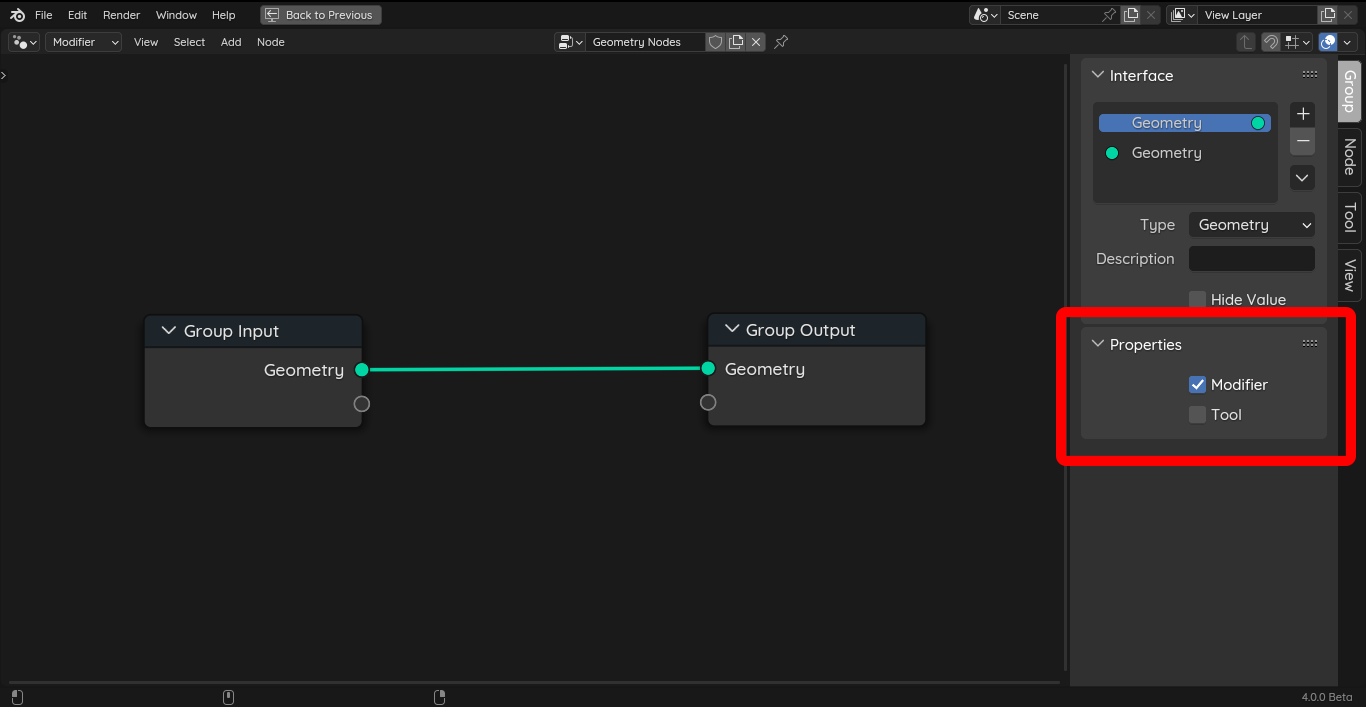 There are already
'Modifier'
and
'Tool'
flags that filter which assets appear in the Modifier Menu and in the Edit/Sculpt Modes respectively.
Something in the vein of a
'Show in Add Menu'
flag or similar would be an adequate solution for the problems I mentioned above. I think it would be ideal if it's an opt-in flag, so by default, asset catalogs don't get appended to the Add Menu unless you explicitly want them to.
(But if other users disagree, another option is to have it be up to user preference as to whether it's opt-in/out)
It's not really important for this toggle to be in the same place as the
'Modifier'
and
'Tool'
flags, as those two are specific to Geometry Nodes while this one should ideally be available for all basic node editors. It may even be worth pondering if this works better as a per-asset or per-catalog setting in the Asset Browser, instead of a per-nodegroup one like the other two.
The important part is to grant some degree of control to the user so that they're able to manage their Add Menus and keep them clean and usable in the way they want to.
Summary: (TL;DR)
- All catalogs in your Asset Library that have a nodegroup asset show up in your Node Editor's Add Menu.
- As far as I know, there's currently no way to turn this behavior on/off. (Not globally, and not per asset or catalog.)
- It would be nice to have the ability to specify if an asset/catalog shows up in the Add Menu, as you end up with an unusably large menu otherwise.
0 Comments