
Octahedral bone custom width and depth
Octahedral bones could have user set value for width and depth (or whatever the axis other than bone length are called).
NOTE - read this before you mark this as a duplicate!
There have been some ideas about setting octahedral bone size, but my suggestion is very specific description of the way bone sizing could be done, and something that could be easily done.
So I decided to add my own suggestion as I've outlined an exact way this could be done - and I can also add images.
Other posts on this topic are too vague, and don't define exactly what they are looking for, and also use vague terminology (radius of bone, when actually talking about width and depth of a bone root).
This method could replace the current way of drawing octahedral bones without any massive changes. And now that bones can be colored in edit mode too, these together would make bones look way more readable.
-- Current situation --
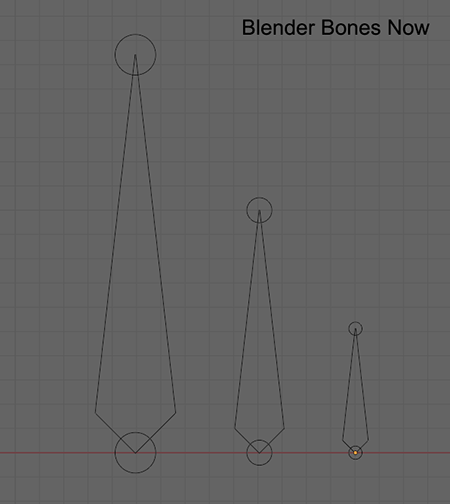
Current Blender's solution is to scale octahedral bone width and depth based on its length. This is sometimes fine, but most often harmful, as bones will overlap and occlude mesh.
Using b-bones mode isn't always a good solution to fix this, as b-bones mode doesn't show to which direction bone is facing along its length.
Blender's current way of doing things - bone width scales by its length:
-- Solution --
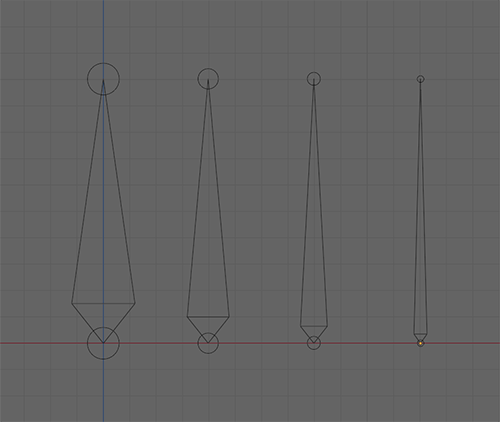
It would be better if octahedral bones could be scaled in very specific manner described below:
- User can set the width of the bone, at least on armature level. Per bone settings could be nice but not a must
- This will make the head of the bone be always a pyrimidal shape, so that its height scales along it width and depth
- Body of a bone is a pyramidal shape which simply scales to bone length
- Start and end joints / shapes of a bone have a diameter that is half of the current width of a bone, this multiplier could be a user set value, but at least joints should be by default smaller than the width of a bone.
-- Benefits --
- Armatures won't look messy
- Imported armatures would look more like in other software
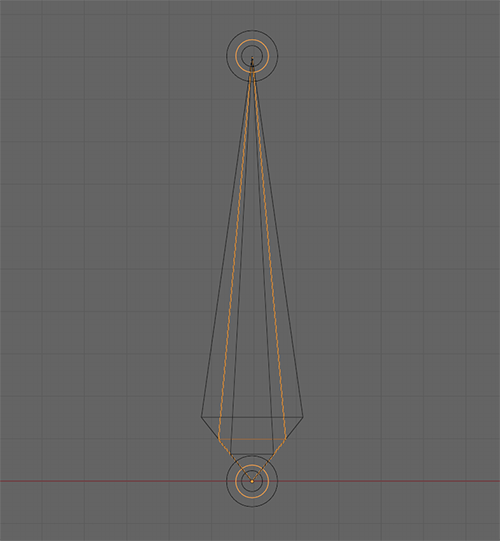
- Overlapping bones can be made to have different width, and yet those would look visually nice and it would be easy to see that different bones exist on top of each other, at least in wireframe mode.
Here are some mockups I made.
- Bones with different user set widths. See how the root pyramid and joints scale:
- Bones with different widths overlapping each other. By scaling the root "pyramid" in uniform manner, shapes this look nice and not distorted, and it is visually easy to read overlapping shapes. Note that joints too automatically keep their scale relative to the bone width:
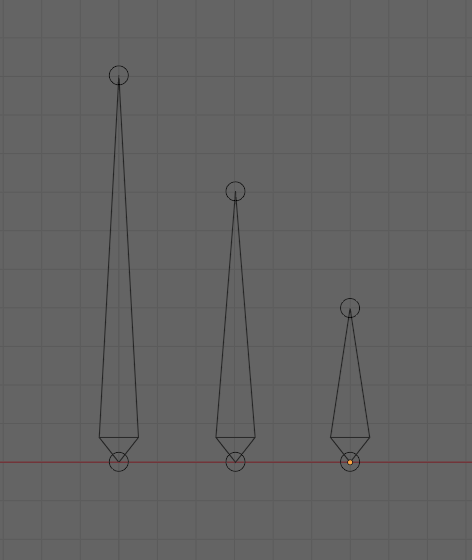
- Bone length doesn't define the width of a bone (like it is now the case in Blender 4.0):
If you have any ideas related to this, please comment below!
0 Comments