
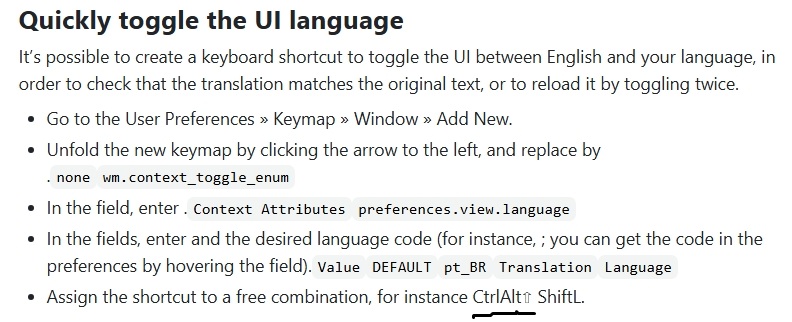
a hotkey for quick language change
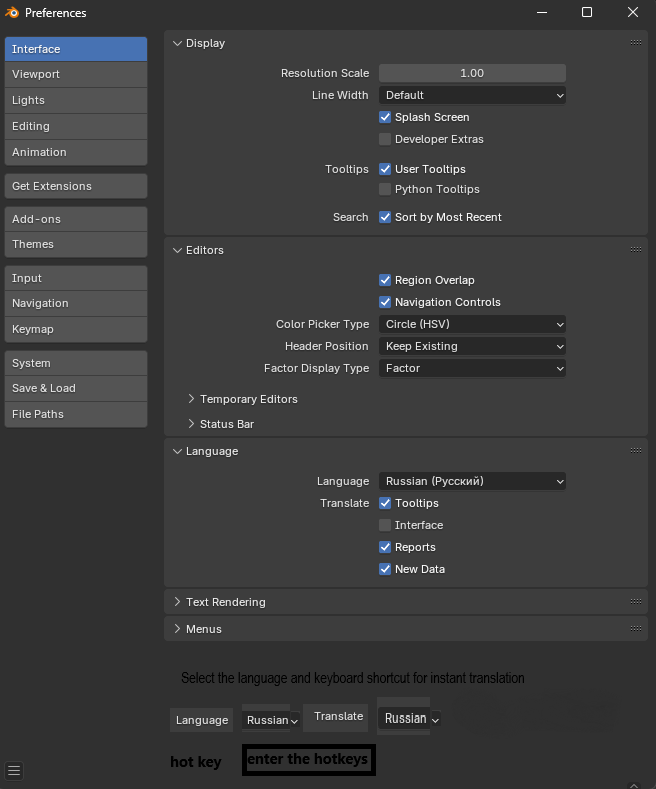
I would like to leave a wish to facilitate the use of a useful function, as in the photo below, only that it be in the form of buttons, an example is attached. Also, please note that there may be a missing space in this article.
This change will allow beginners to quickly adapt to the English language and the habit of using hotkeys.
2 Comments
i don't think writing a extension to add such botton is anything difficult, as far as i know there's a translate extension called BLT, which is developed for chinese users, has added a button to switch blender between chinese and english in one click, you could find it in Blender Extension Market, therefore i don't see the necessity to make it a builtin feature. Or i just misunderstood your idea...
Thank you for your reply and your time. However, I dare say that this extension only supports translation from English to Chinese and back, and I meant the purpose of any language supported by blender. As far as I understand, you cannot assign a hotkey for this action. In addition, it will be completely unclear to beginners how to use it, because the extensions page, like many others, lacks any description, hence another suggestion, to add at least a brief description of the extensions, which could also be available from the add-ons selection menu in the blender itself.