
Knife tool: Use stepping to create a line with exact dimensions (e.g. 10cm, 20cm, 30cm etc not hands-free)
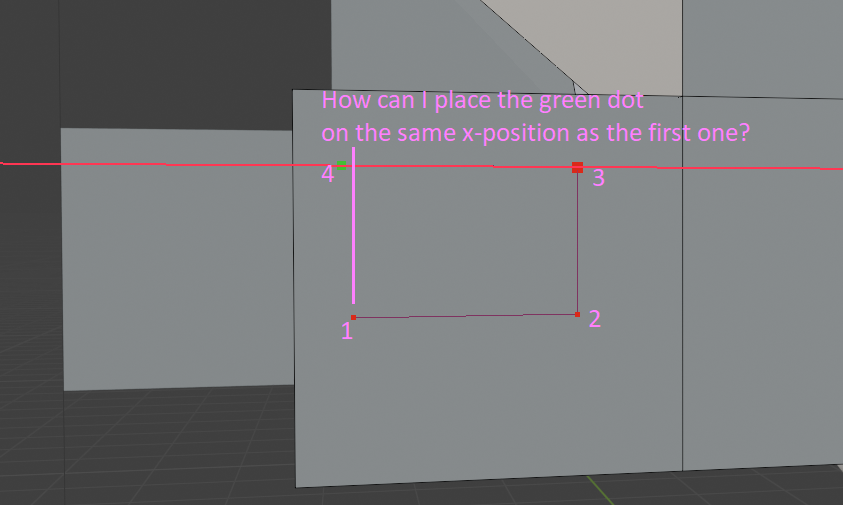
I just want to cut a window in my cube with the knife tool. I lock the axis to get straight lines, with works great, until I come to the fourth point:
I would be nice to have snapping here. But even better would be a "stepping", so that my lines are always 10cm, 20cm, 30cm and not 0,534654352 or 0,312424524 something. I asked AI and Google but couldn't find a way to achieve, but couldn't find a way to limit the length of my lines to specific step lengths.
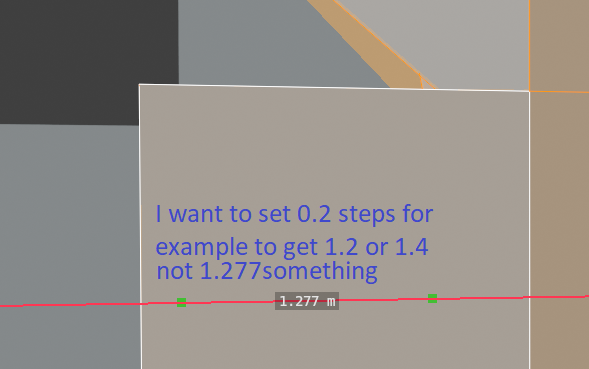 For example it's hard to achieve even a simple shape like that with the knife tool with exact dimensions (!).
2 Comments
Could you just add a plane that is the correct dimension to your object and place it in the area? I'm sure there is more to this than just wanting measurements to be consistent though, so maybe I am missing something. Snapping would be welcome, but actual measurements would be along the lines of display edge length overlay turned on.
It's more about the stepping, yes :) The example with the plane shape is just an example that this simple example cannot be done with the knife tool which is a shame because it's such a great and powerful tool but not very precise and reproducable :)