
Extrude Mesh Node inconsitency in Faces Mode
When using Extrude Node in Faces Mode it does not extrude the way we would expect like when performing the same operation in edit mode:
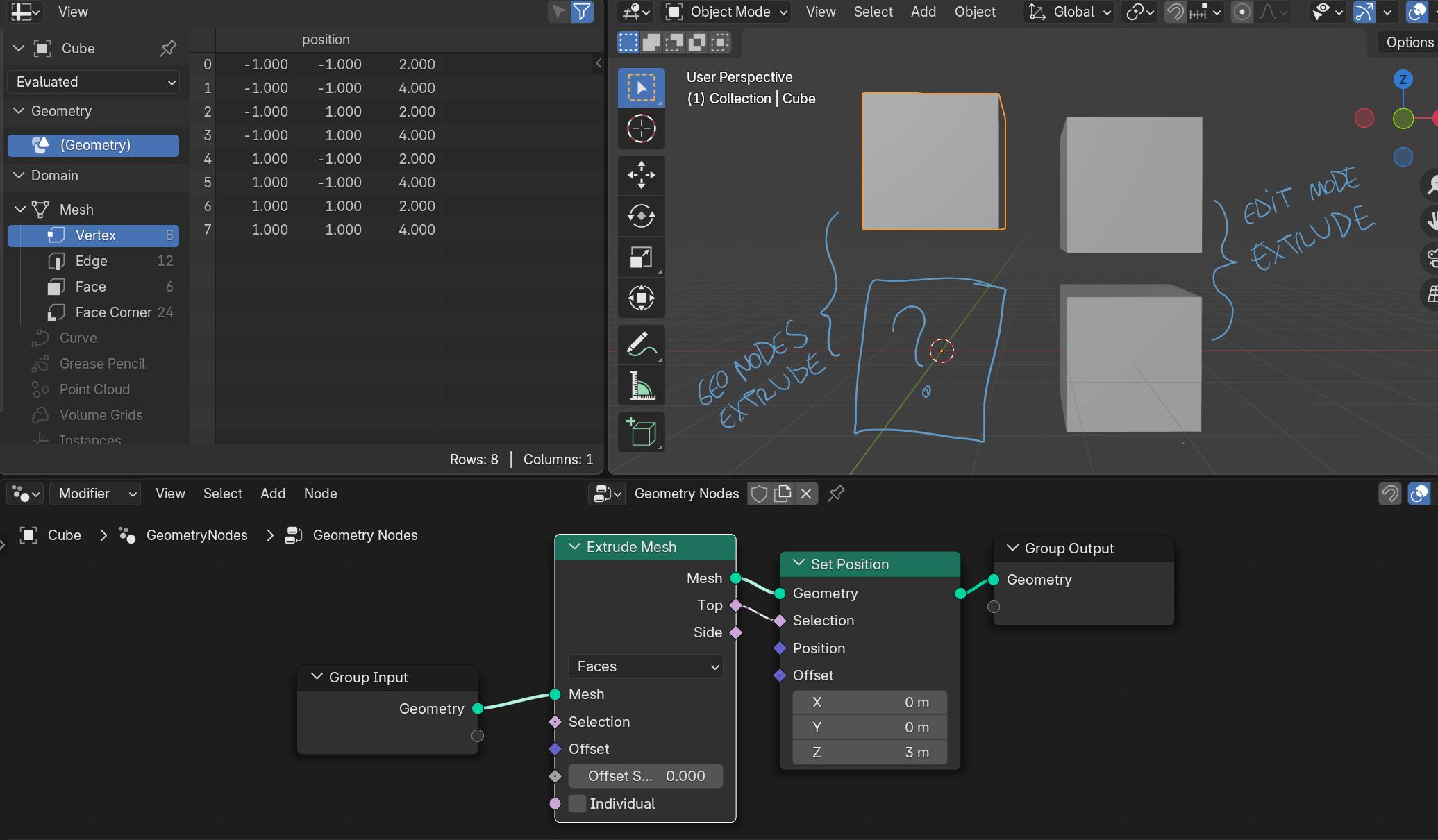
Q: What does Extrude Node do in Faces Mode when Individual is deactivated?
A: Nothing! While it has the chance to perform the exact same thing that core features are doing since before geonodes was invented:
What seemed to be a bug ( projects.blender.org/blender/blender/issues/144843 ) seems to be an arguable and counter intuitive design decision:
Not let the user achieve a 'solidify effect' the exact same way it always happened when you perform the exact same operation in Edit Mode.
What do you prefer?
That the Extrude Node, in Faces Mode and Individual turned off performs exactly the same things it always happened in Edit Mode or keep simply doing nothing because "this is like cheating a solidify operation and we thought you should have a node for that but we have no plans to present you it"?
What your thoughts on that? Does this decision makes sense or the mantra "consistency, consistency, consistency" does not apply here?
3 Comments
I don't think it's a bug, it is "different" you're right. But it has different behavior and the behavior you expect is reproducible sooo yeah lol. There should be a new node (eventually one day) solidify, it's not quite the same as extrude, crazy rabbit hole but yeah :)
Indeed not a bug. This is why the post is here. :)
Think: why we CAN perform this in edit mode trough the Extrude Mesh operator then? Or you allow both or you won't allow any! This is planned inconsistency or feature incomplete !
bpy.ops.mesh.solidify is an operator specifically for achieving a similar procedure. So in Edit Mode we can enjoy the beauty of redundancy but in geometry nodes we are faded on planned design inconsistencies, while development being aware of it? That does not make sense to me.
I think it's mostly feature imcomplete, maybe the devs can correct me