
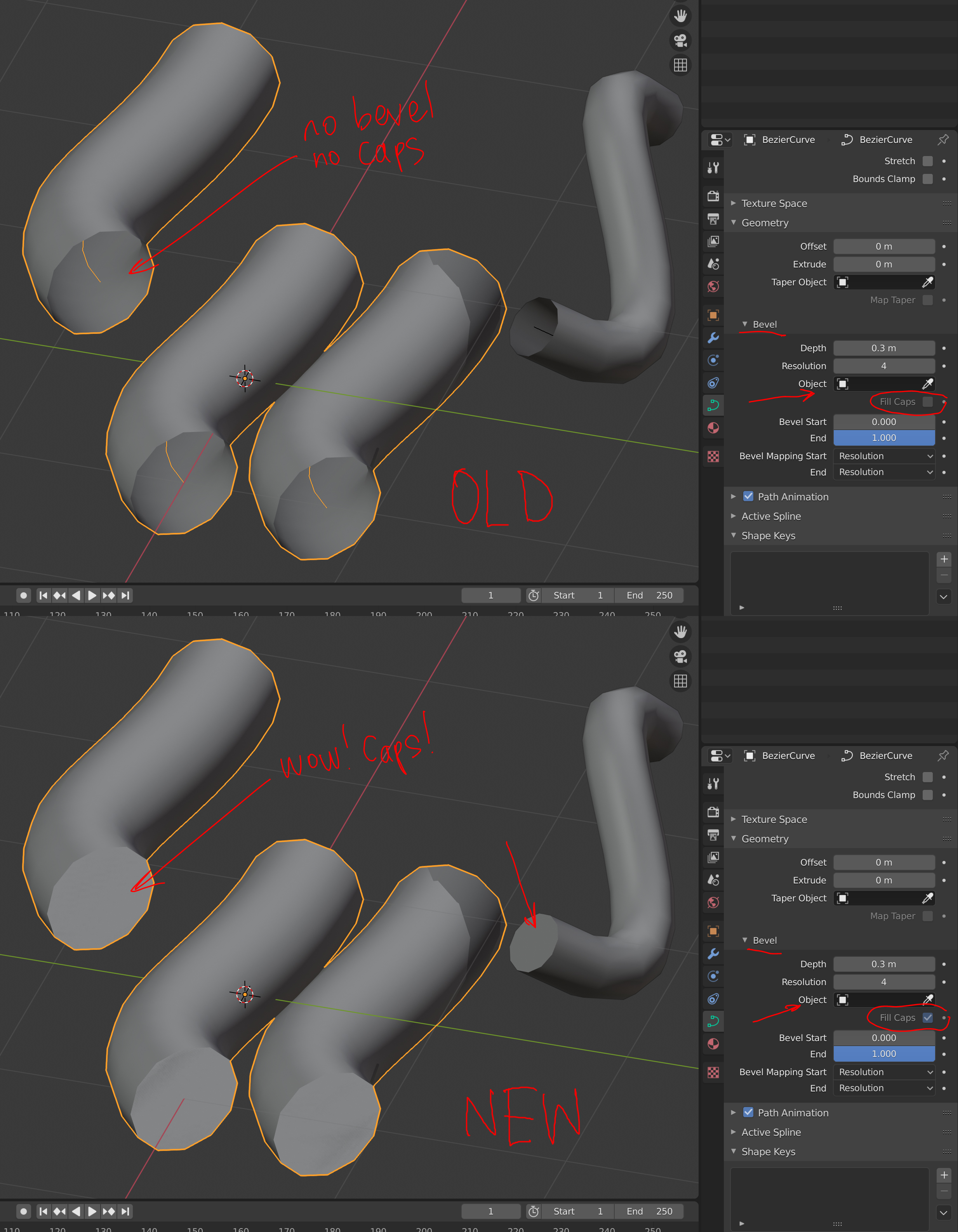
"Fill Caps" checkbox to work with default beveled curves.
The default curve when you have them beveled with Bevel Depth > 0 and no Bevel Object assigned doest'n allow you to have Caps Filled.
I searched through the source code and found that this simple change in the file "displist.c" turns caps on. You don't need to have an extra circle curve assigned as Bevel Object to have nice caps on a curve`s ends.
OLD:
if (cu->bevobj && (cu->flag & CU_FILL_CAPS) && !(nu->flagu & CU_NURB_CYCLIC)) {
NEW:
if ((cu->flag & CU_FILL_CAPS) && !(nu->flagu & CU_NURB_CYCLIC)) {
UPDATE: Have found the solution to have "Fill Caps" checkbox always enabled. File " proprties_data_curve.py "
OLD:
sub.active = curve.bevel_object is not None
NEW:
sub.active = True
Although it doesn't cap Extruded Geometry properly... Sooo... Developers? May we have this option as better than nothing?
4 Comments
developer.blender.org/D8911
* @h.goudey * developer.blender.org/rBa6a0cbcd7492bd8087b6df659c365482614b13e2
Any chance of rounded/hemispherical caps?
Have found the solution to have "Fill Caps" checkbox always enabled. File " proprties_data_curve.py "
OLD:
sub.active = curve.bevel_object is not None
NEW:
sub.active = True