
Improvements needed for Sculpt Trim Tools
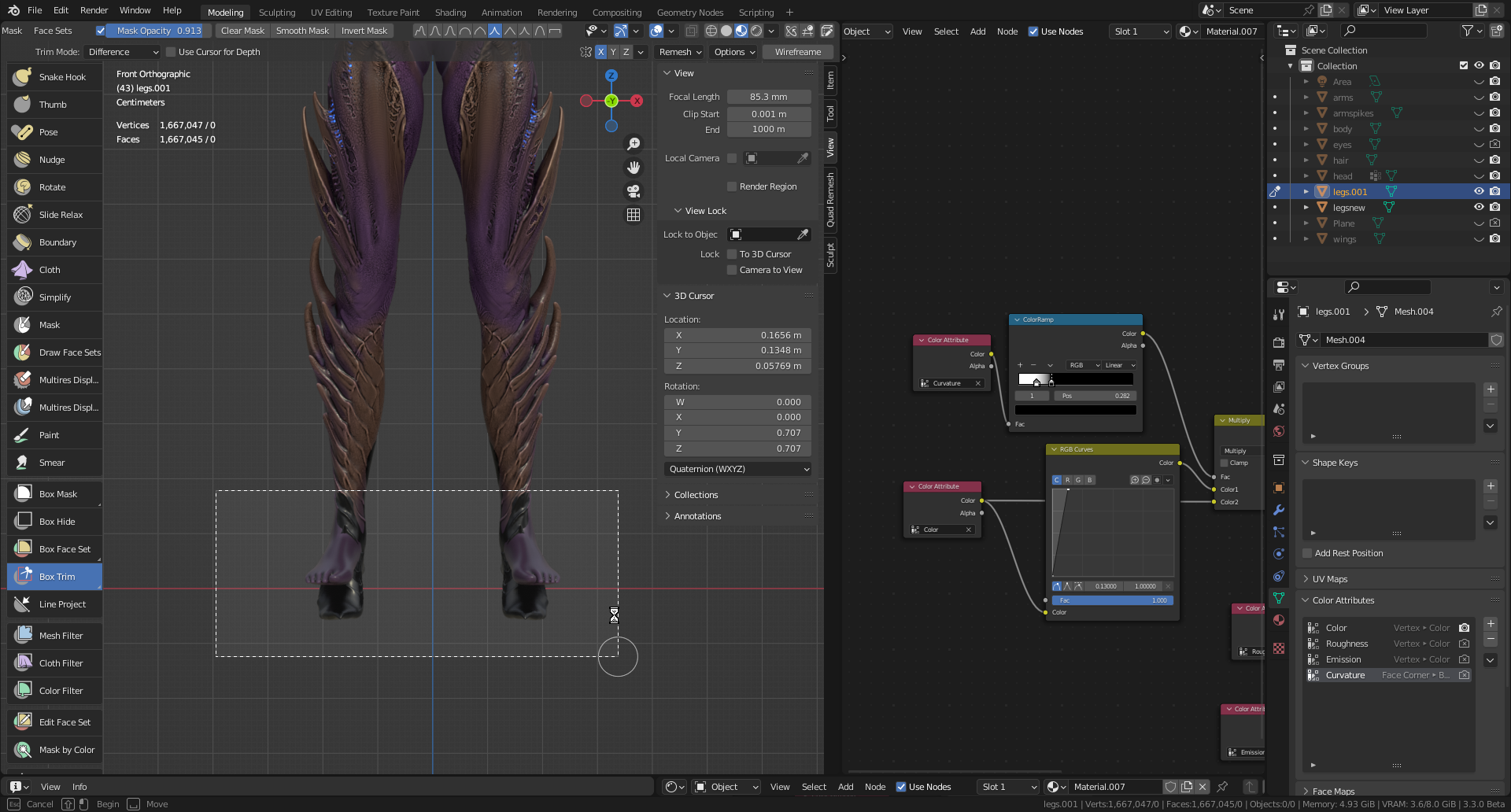 The sculpt trim tools are pretty much unusable on any mesh that isn't a simple cube or sphere. Their usefulness is non-existent.
And these should be considered some of the most fundamentally important tools in sculpting.
On average its taking upto and over 15minutes to calculate a simple box trim on ~1 million high poly sculpt, which to be fair, is alot of polys..
But I can literally export this to zbrush, trim it, and reimport it back into Blender quicker than Blender can trim it natively.
Some kind of improvement, any kind of improvement, would be extremely appreciated!!!
The sculpt trim tools are pretty much unusable on any mesh that isn't a simple cube or sphere. Their usefulness is non-existent.
And these should be considered some of the most fundamentally important tools in sculpting.
On average its taking upto and over 15minutes to calculate a simple box trim on ~1 million high poly sculpt, which to be fair, is alot of polys..
But I can literally export this to zbrush, trim it, and reimport it back into Blender quicker than Blender can trim it natively.
Some kind of improvement, any kind of improvement, would be extremely appreciated!!!
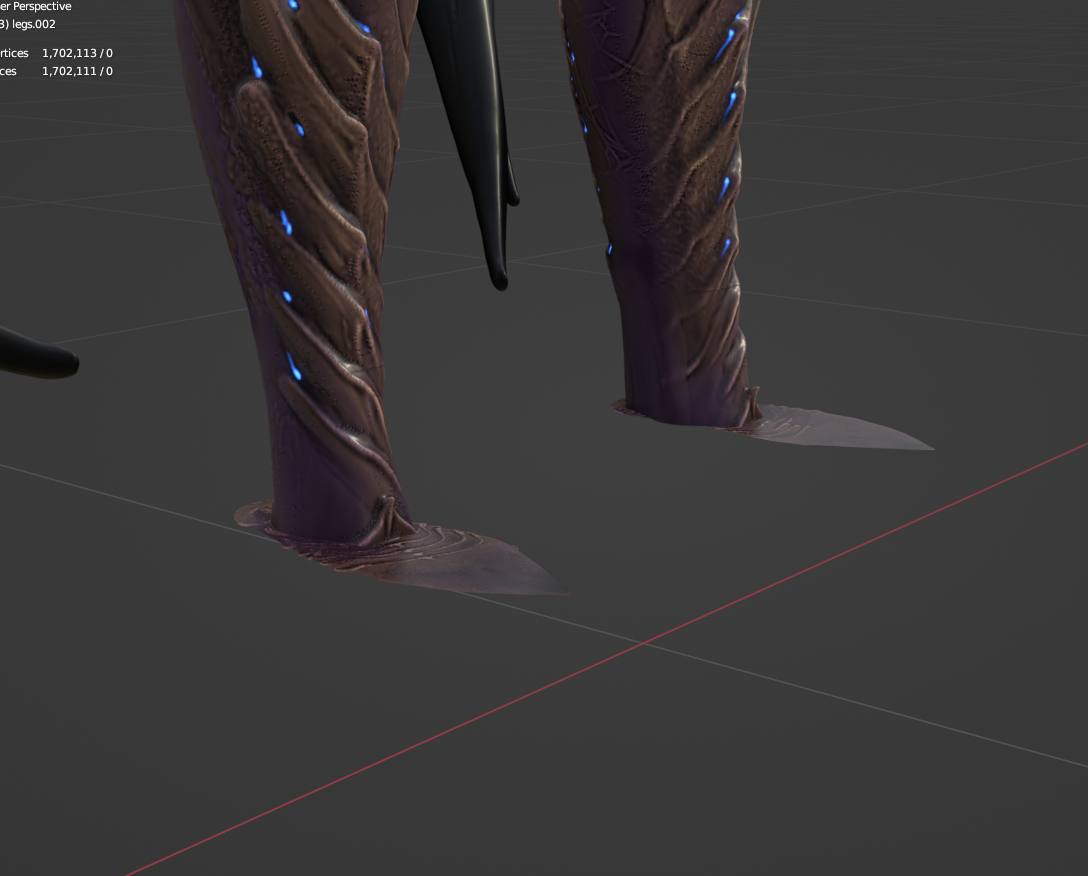 In repsonse to Julien: The project tool just creates more problems than it solves aswell. Theres no way to clean this up
4 Comments
Performance improvement here is definitely planned, but not on any roadmap right now.
An alternative to this is using the "Project" tool, which instead snaps the geoemtry to the drawn line. Afterwards the mesh can be remeshed, which overall is much faster and currently the intended workflow for higher resolution meshes.
The feature that's missing for Project, is to do a "Fair positions" operation on the projected geoemtry to properly flatten it onto the cross section, instead of just snapping it.
Would be great to see it added to some kind of road map. Its pretty essential. Definitely enjoying the other improvements that've been made though. Just other little things like this make the Blender sculpting experience frustating.
Ive updated with an image above about problems with project tool and it not being the greatest alternative.
The only viable alternative Ive found so far is "mask slice to new object" which is pretty much what trim tool should do but just without creating a new object out of the masked slice. Or "mask slice and fill hole". Just a workaround for now if anyone reads this
The best alternative would probably be to draw/lasso/box/expand a face set on the geometry you want to get rid of. Then you use the "Edit Face Set" tool and set it to "Fair positions". Then you click on the face set. This should be the fastest way to do it (Until the trim and project tools get improved).