
PROPORTIONAL EDITING - VISUALIZE AFFECTED VERTEX
Currently, I think it's quite unclear and not immediate the representation of the space affected by proportional editing; in other softwares, you can see instantly which are the vertex affected, by giving a gradient color to them, as in the example
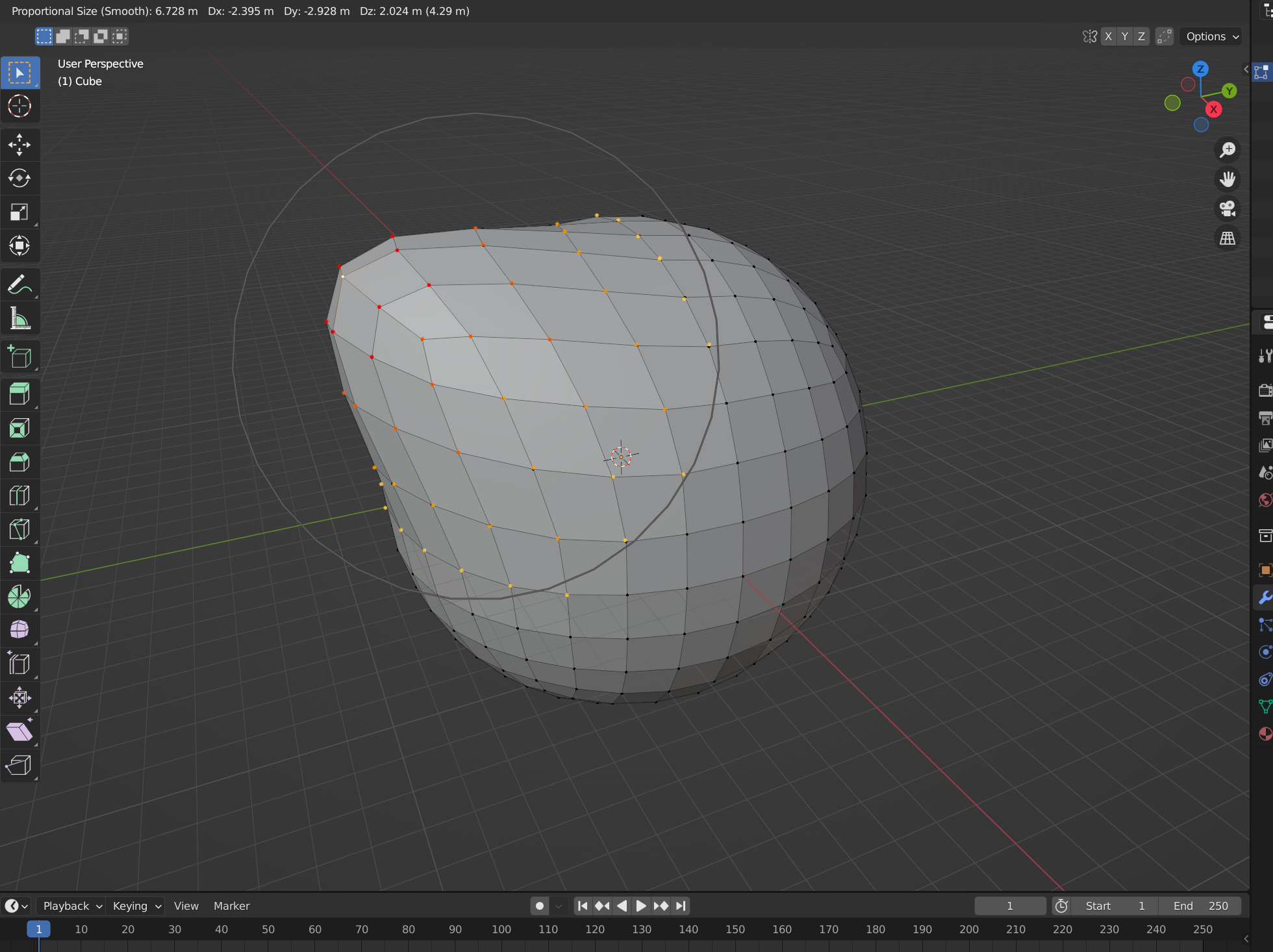
EDIT: maybe the colors I chose are not ideal, but I'd like to point out that having a harsh transition from the vertex that are affected even just at 1% and the vertex untouched is very useful
7 Comments
It actually was in progress back in 2019: developer.blender.org/D4786
But still waiting review.
to check how much area this is affecting, we have to move it. its a must have feature.
Same as it works in MODO, would be nice to have. And in MODO case, it worked on EVERY single tool you could think of, not just move scale rotate.
yes!
I'm actually surprised it doesn't do this already. When you select a vertex, edge, or face in Edit Mode, that selection is highlighted, so why doesn't the same apply to proportional editing? It's inconsistent.
Fantastic idea! :)
That would be so nice, long wish of me to be able to see it