
Linked Datablock - Better Path Management and Display
Linked Collections and Objects currently have very limited displays to where they are pointing (Filepath, Collection)
It would be absolutely essential to have straightforward way to navigate and update paths for links. At the moment you have to do a lot of guessing and navigate through several outliner windows.
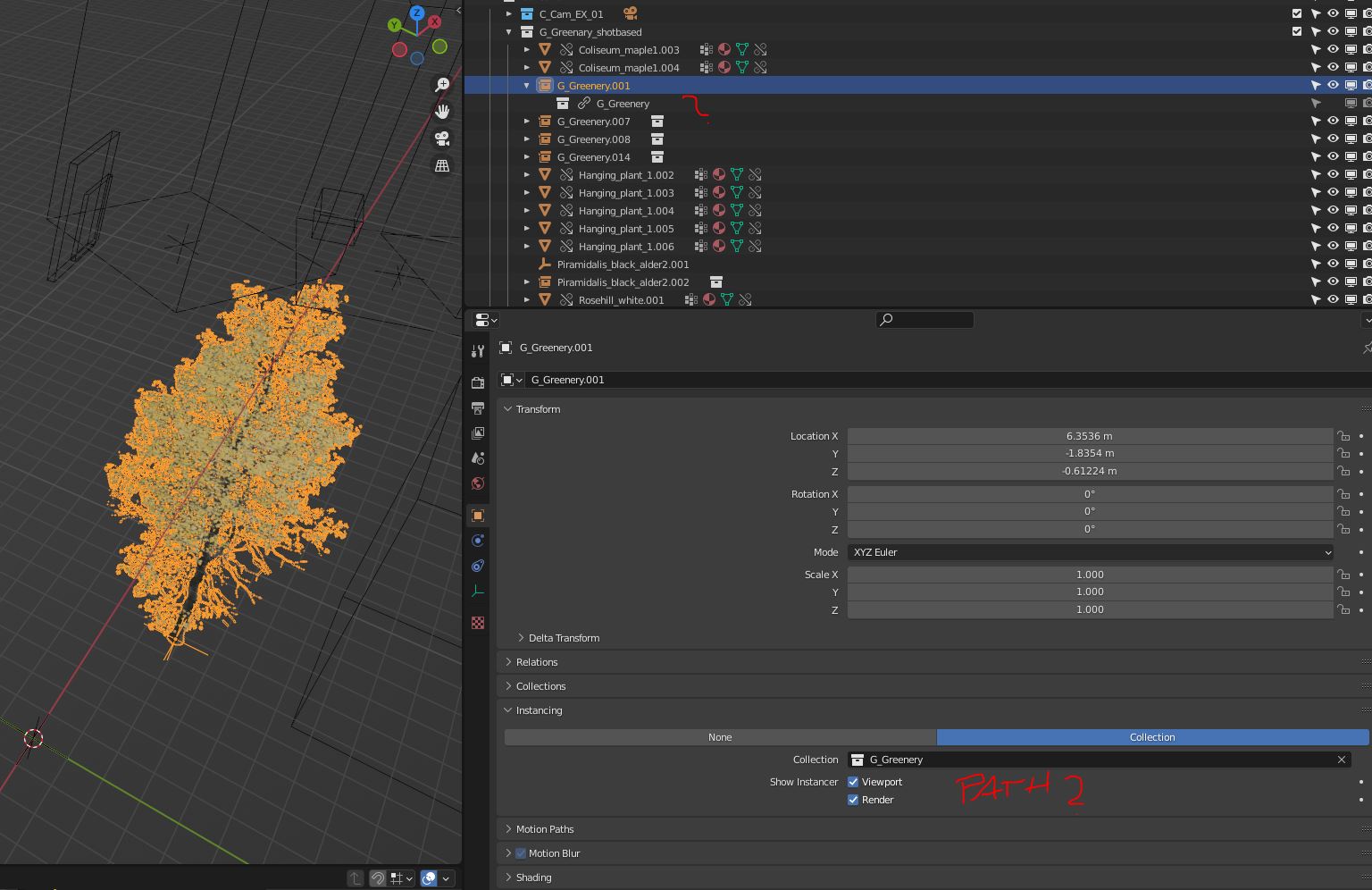
We are currently experimenting with quite heavy scenes and it is almost impossible to find out later where a single assets is coming from.
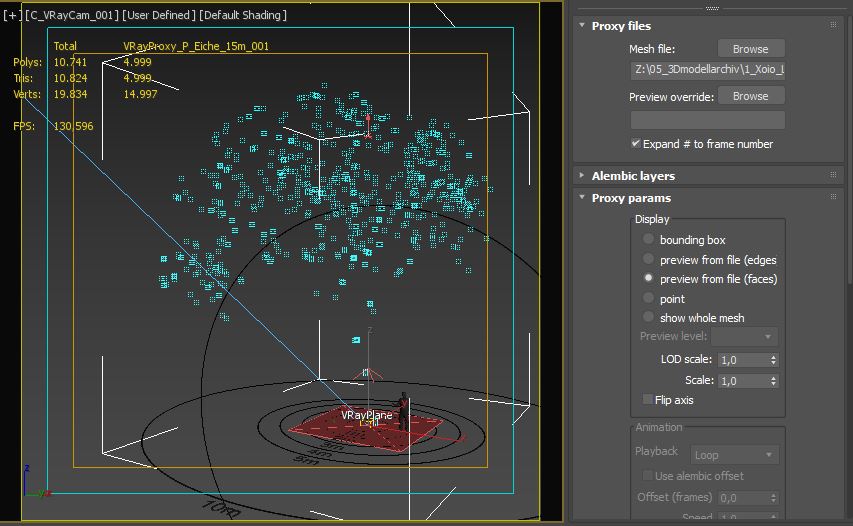
P.S.: This is how Vray handles external Proxies in 3ds-Max - allowing to display and change the Path and several display options for HiPoly Meshes right on the object itself.
2 Comments
The
Blender Fileview in the Outliner contains a list of library paths, but I agree it can be cumbersome to get there.I've run into this in the past and added it to the (built-in) add-on Amaranth Toolset.
On linked Collections it will show the path where it's coming from, if you click on the path it will open that file in a new Blender instance.
Would be good to come up with a nicer solution for this, since Blender doesn't usually do this kind of stuff. What would be a better way to display such info? Perhaps a box with the path but without the click functionality?
Hi Pablo - thanks for taking the time. And thanks for the link - will check it!
We are currently testing a typical Arch-Viz pipeline. To achieve the same level of quality as we do normally in 3ds-Max + Corona, we need a ton of HiPoly assets. Since Blender is (still) missing some real proxy system ( also be very much appreciated for the future ;) ), we have a lot of linked objects. Currently we went away from linked collections, since they were super-obscure after creating. Without linking our scenes hit 500MB+ very fast, which I think is not the way to go. But the linked assets get very hard to manage right now.
This is a VrayProxy Object in 3dsMax:
Coming to your question: The way I know it from Vray / Corona / Redshift:
The instancing / proxy object normally shows minimally:
Clicking the path is great, but should give you the option to choose a different file ( and object / collection) - so you can swap various assets quickly. The most important aspect is to have this info available right at the selected asset and not hidden somewhere in the outliner!
It is to be mentioned that the material is still accessible inside the master scene to tweak (you can override the materials in Blender, too, which is probably enough). Additionally - as far as I understand - a proxy system also helps to keep viewports fast and optimize memory usage while rendering.
Thanks for your consideration!