
Shader editor and Everything Nodes - Proposal
The node editor currently has a lot of weight in blender for the shader editor, and will have a lot more with everything nodes. But it has some design shortcomings and difficulties of use, both for advanced and novice users, especially for the extensive use it will have.
The proposal mainly focuses on making the interface more flexible and favouring user customisation, multitasking and specialisation.
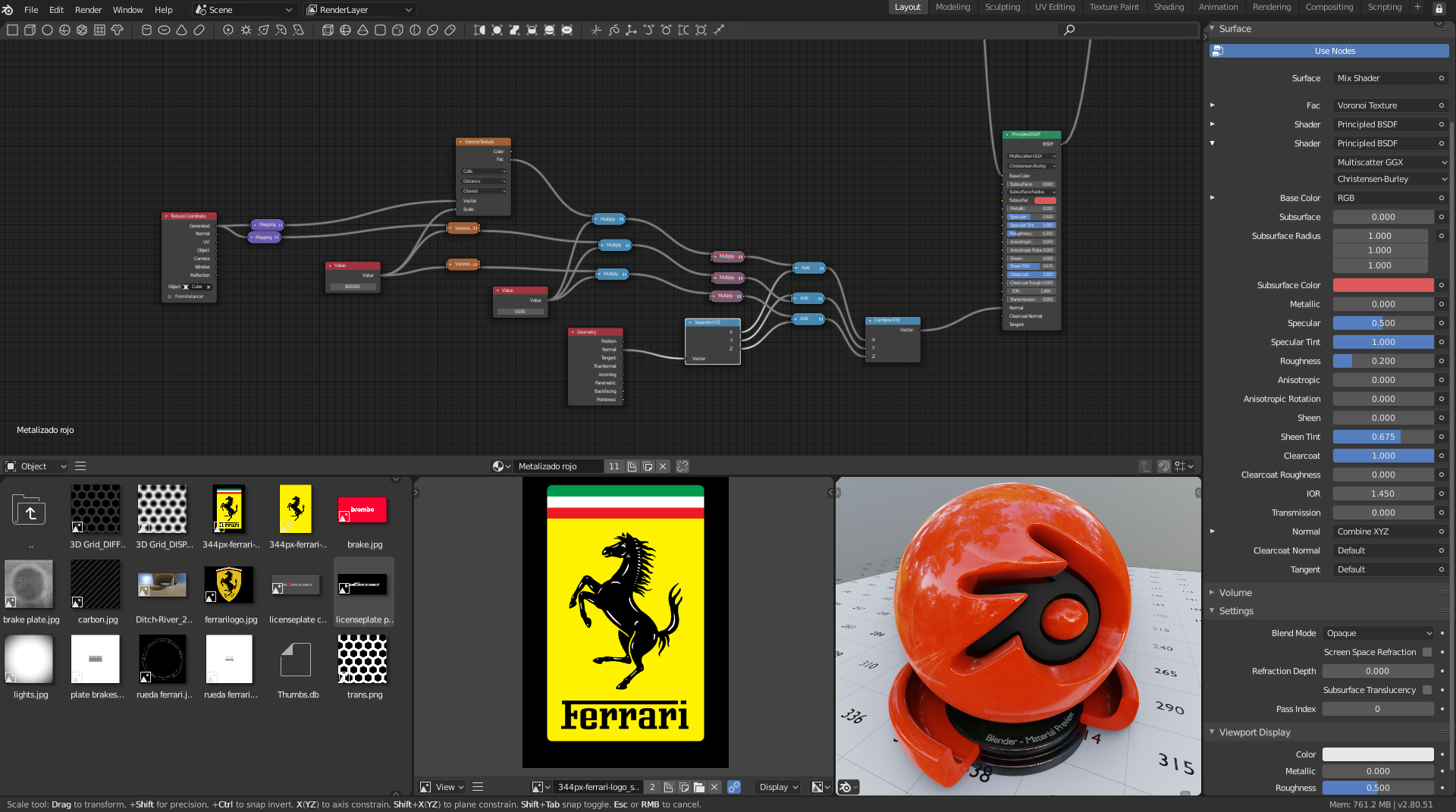
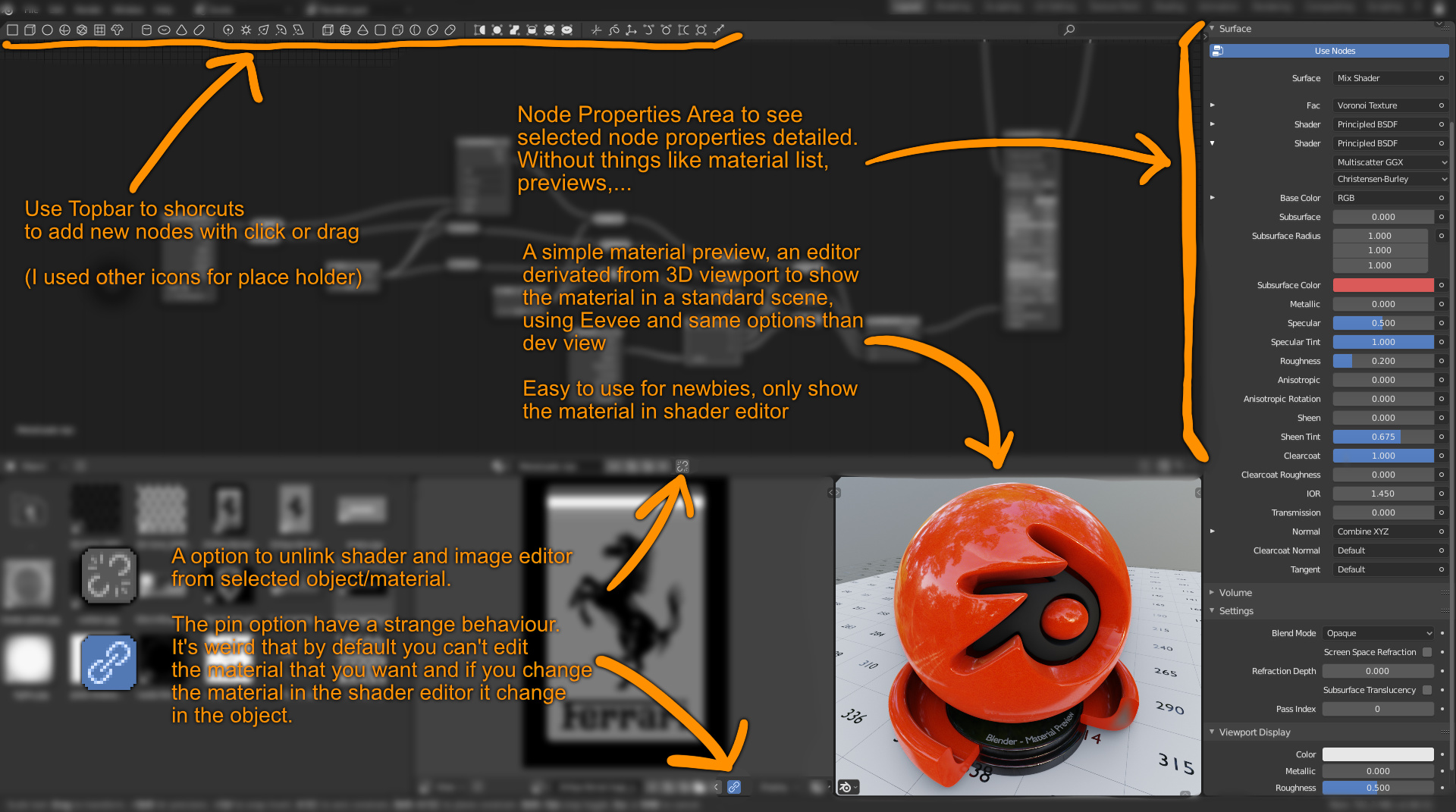
The main suggestions are
Disconnect the node editor from the object and material selected in the viewer or outliner. If a user wants to work a system of nodes or a material… it does not make sense to force him/her to select that particular object in order to be able to work it in another editor. It also leads to errors such as the fact that changing the material you are editing overwrites the object’s material. Besides forcing you to use an outliner, the properties editor,… only to be able to select what you want to edit, using screen space unnecessarily. When it would be as simple as changing the material in the text box below.
Add a new editor for the node properties It is now necessary to have an editor that only shows the properties of the selected node in the node editor. But with the everything nodes it will be something obligatory. And I mean a new editor a part. This would allow you to center the editor for its utility, give it more space, unlink it from the selected object,… Not another new element in the property editor that is becoming a monster that contains everything and begins to be a problem
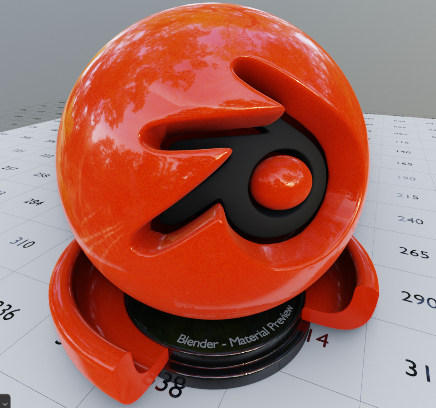
A 3D viewer that makes Material Preview Blender’s preview material today is rather a thing of the past, it doesn’t make much sense to have a panel within the property editor that makes preview material. It made sense 10 years ago with the limitations of Blender Internal, but currently it is superfluous and is not used by anyone. What really interests the user is a 3D viewer with eevee, cycles or the rendering engine he is using at that moment, which are all realtime. Where you can zoom in, rotate,… in a standard scene with very few options and see how your material behaves. If you need something else, the user will change it for a 3D viewer.
The idea is basically a derivation of the current 3D viewer (which I want to believe simplifies its maintenance) where options are removed from the user, can not edit, select, … You can only choose one enviroment, if you see the ground, move the camera slightly. And it can have many uses, not only as a viewer of materials, but even for example as a viewer of particle emitters. Content viewer for the future asset manager and not just depend on a tiny icon.
Topbar by area As you can see there are other ideas in the proposal such as changing the topbar to something specific to each area. This allows many options such as implementing in this topbar the search box that does not make sense in the global topbar. Making it easier for new users… But all this I want to comment on a different proposal and I will not deal with it here.
I have stolen some graphics from jenkm proposal and the blender sphere for material from RObinMarin, in case this one asks.
8 Comments
What I'm missing is some kind of hybrid of the Blender UI and Maya's Hypershade and/or Softimage's RenderTree/Material Manager, so you can see all your shaders in rows, instead of constantly browsing a dropdown.
You should split this up into several proposals.
* @Josephbburg * I know, but i will need 20-30 at theend of the week
* @alberto3d.1984 * Maybe I will do at the end, with all proposals ended
The problem for me is that I like some of your ideas, but not all. I won't vote for a feature that adds icons (read: clutter) to the UI. Other than that, I like most of your UI ideas, in this and the Topbar proposal.
There's a lot of Blender artists, especially the old-school folks that have been using Blender for many years, that believe in a minimal UI, keyboard for everything, text instead of icons. I get tired of seeing the beginner's aids after I already know what I'm doing; using icons is never faster than the keyboard. There's also a lot of people that want a more "visual" way of working, want tools, icons, and gizmos. Some people just can't get used to the shortcuts. There are even some that are disabled and can't use them (they need to be considered, too). It's a balancing act, and the only way to get a feature in is to please both "factions." The key is customizability. And of course all of it has to be easily discoverable.
One more thing I want to say is, it's important for Blender to keep its own identity, For many of us, the appeal of Blender's UI is that it's not like the other softwares out there - the other softwares we quit using because of their awful UI's. Apology for the wall of text, but understand that the UI is a hotly debated issue.
* @Josephbburg * As you will have seen in my other proposal, my proposal tries to improve the topbar, and compared to the UV editor and the 3D editor in the node editor the topbar doesn't make much sense. There is nothing to show in this one, so simply its only function is for shorcuts and the search box. But because there is nothing else to put in it.
And as I say, if you don't like such a bar you hide it and there's no problem. The current layout of the node editor doesn't even have the topbar activated.
But even I, who am from that old school you talk about and a hotkey lover and I don't like simple or iOS interfaces, I can see that a series of shorcuts to the nodes you use the most are something positive and that I would use myself. I'm quite bored of looking for the normal map node, the math node,...
* @Alberto * I agree absolutely. I like how most other apps let you hit "tab" and start typing the name, although I haven't encountered a single one with an intelligent search function.