
Geo Nodes Viewer: Option to not have it be an actual node
The viewer node being an actual node causes me some grief. It adds noodles to the network and behaves like an actual node even though I generally only want to use it as an indicator of what to display.
I propose (as an added option) to have a UI that simply highlights the node that we are viewing with one color, and highlights the node (or nodes) whose attributes we are viewing with another color. We can set this style of viewer using a different hot key (maybe something similar to the current ctrl-shift-click... maybe ctrl-shift-right-click if it is not already being used?)
All of the other functionality (including multiple viewers accessible via hotkeys) should remain the same. I.e. you could set multiple viewers by hitting ctrl-shift-1 or ctrl-shift-2 for example.
There is a small disadvantage to this system in that if you turn off a viewer, it is hard to turn it back on since it would simply disappear instead of becoming disabled. But if that is important, the current node-based viewer would be retained and its functionality would not be altered.
But the advantage would be a simpler node tree without added noodles that you accidentally insert new nodes into etc. It would also be MUCH easier to view at a glance which node is being viewed (either the viewport output or the attribute being displayed).
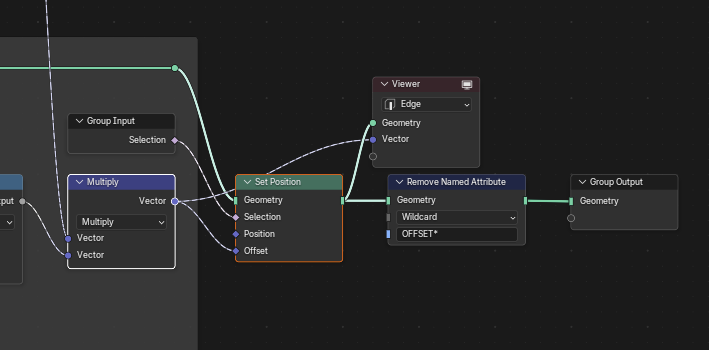
The first image is what the node tree looks like currently. I included it as a reference for what the new UI would look like in comparison.
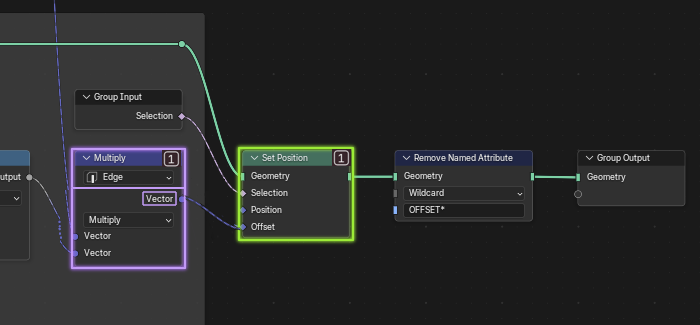
The second image is the same view, but with the new UI. Note: This is a crappy UI that I whipped up. So I am sure the devs could do it much better. But the gist is that it is highlighted to show that it is the active viewer (an inactive viewer could have a less prominent highlight). When viewing data (vs. geometry) it also has an added, temporary dropdown to indicate what domain we are viewing this data on. This would require that the underlying node increase in size to show this temporary dropdown, and that this dropdown would disappear again when the viewer was turned off.
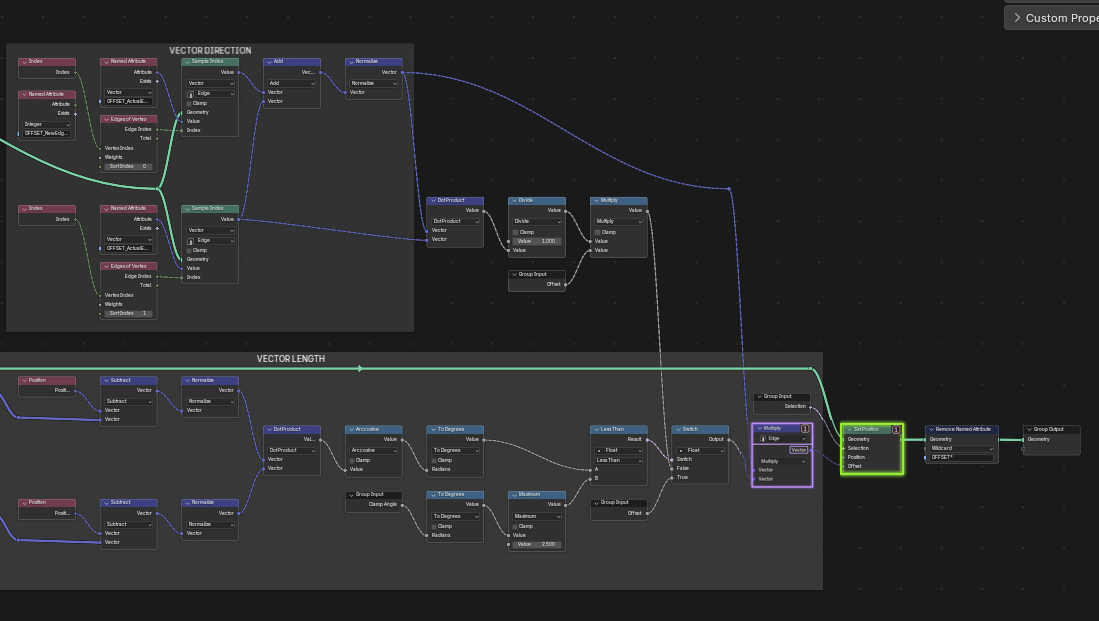
And the final image is a zoomed out view to show how easy it is to quickly see what is being viewed.
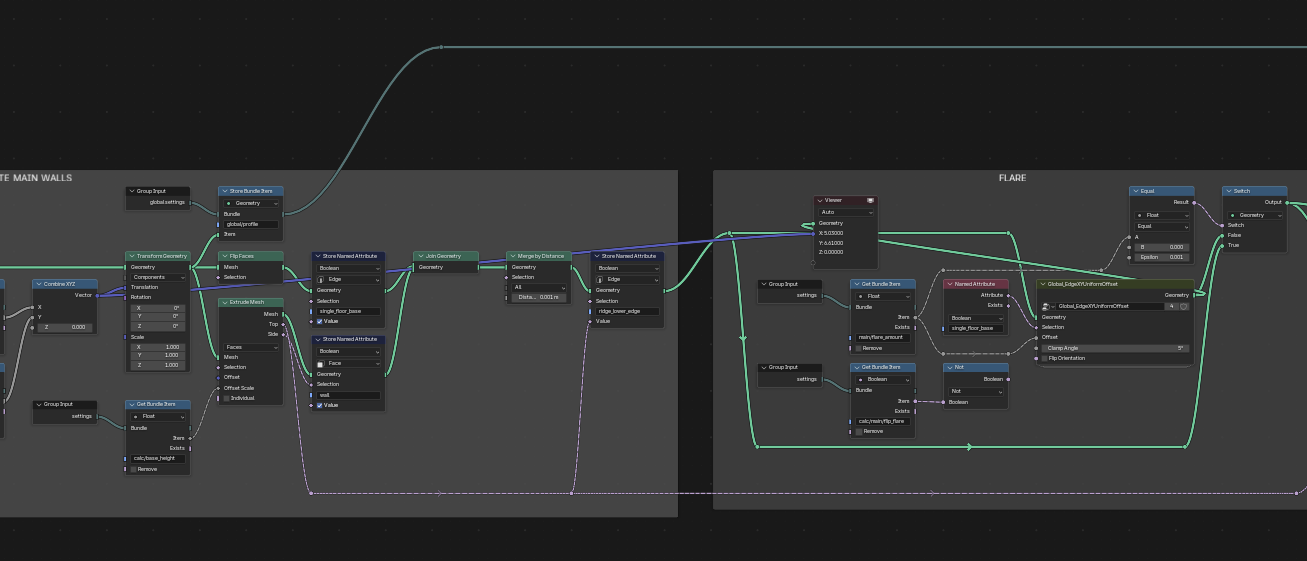
Edit: And compare that to this example where I have a viewer node active, but it is hard to tell at a glance what it is viewing:
0 Comments