
Enter Specific Measurements for Edges in Edit Mode
When in Edit mode and you have the measurements that show the lengths of the edges selected, it would be awesome if we could directly edit those measurements on the screen. This would greatly increase workflow and modeling speed especially when working on objects that need precise measurements. Currently it seems the only way to specify the length of an edge is in object mode, but this only gives you the ability to control the size of the entire object, not individual edges. Along with this I would hope that you could change all the selected edges at the same time in this mode.
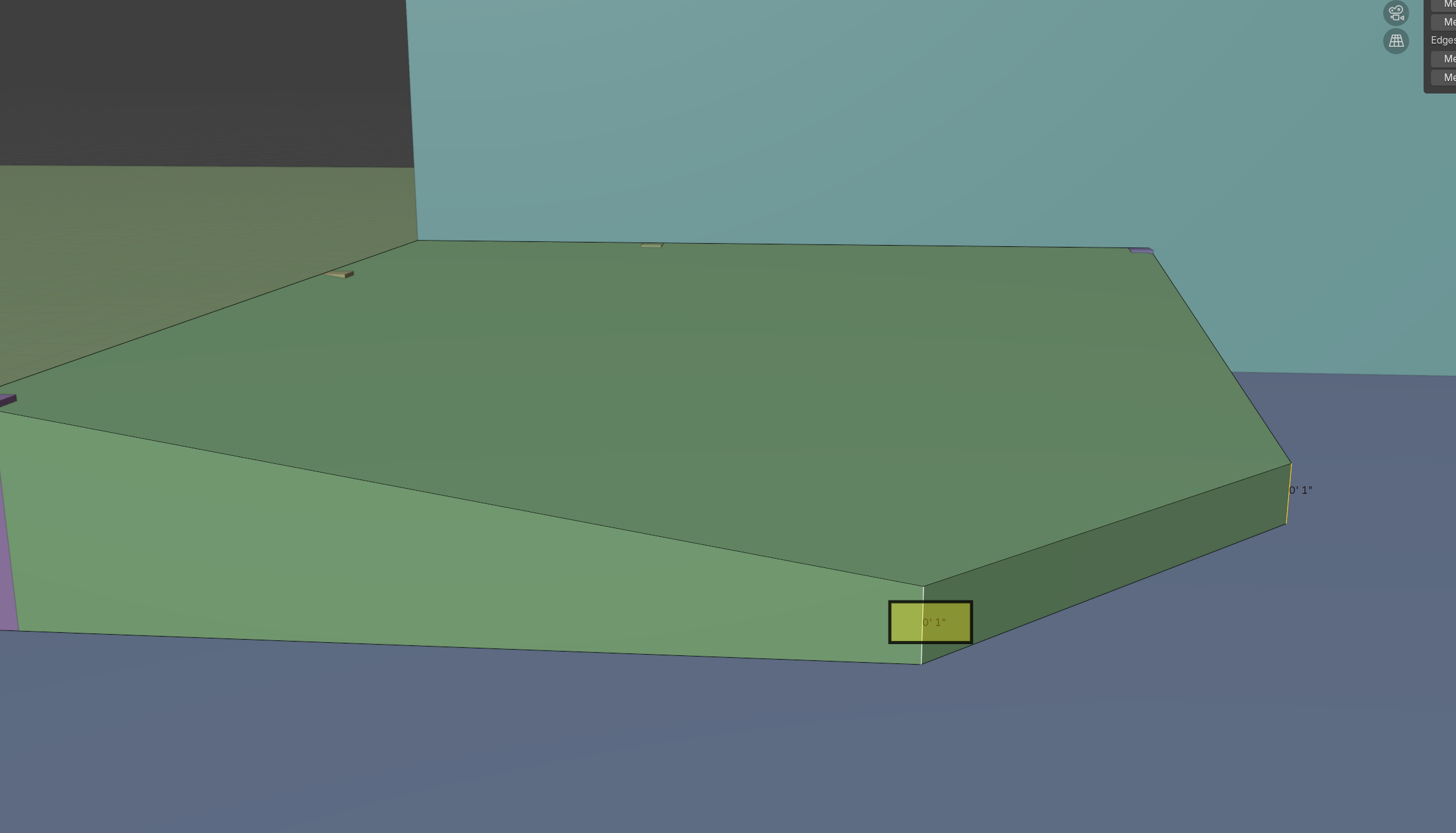
The example below is a screenshot that I added a yellow box to demonstrate kind of what i'm thinking. With both these edges highlighted I could somehow click on one of them and it would become an input box that would allow me to directly change the measurement of the selected edges if I decided I wanted them to be 2" instead of 1". You can change this measurement using an add on called Mesh tools but this would make it so much quicker and easier.
4 Comments
I don't think it is worth to add this to the default blender, however this can be done via python extension pretty easily. Select edge and press a hotkey. One question still remains: where should be the operation center (which point(s) of an edge should be moved)
It's not easily done with python, at least as elegantly as one would want, because the python API doesn't know if a selection in edit mode has changed.
Imagine you had to press an update button, every time you selected an object and wanted to change the coordinates with the transform panel. It's a lot like that.
This overall suggestion has been made in the past, and should be part of main.
I wrote some scripts that work with selected geometry (mainly using bmesh), haven't encountered any need for an update button.
Curious, why would it not be?
We use Blender at work, and use dimensions a lot, this would be a godsend for us.