
import video reference like maya
animator need import video reference for animate if add video to empty image reference
it can very useful
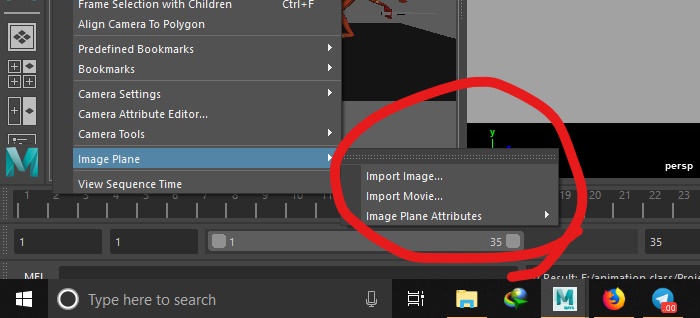
animator need import video reference for animate if add video to empty image reference
it can very useful
6 Comments
As * @Josephbburg * pointed out, this feature already exists in Blender (and has for a long time. So unless you're specifically suggesting a different way to access it, I'm marking this as "Done."
This is already a feature, although it takes a little tweaking. Simply import an image plane as a reference image, and in the file enable movie file filter (top right, there's a bunch of icons, one of them is a film clip). Then, select your move or image sequence. Whenit's imported, it may not play right away, Make sure to check auto-refresh in its settings, and try tweaking a few settings.
I'm describing 2.80, but the steps are similar in 2.79 (although I've had more trouble getting it to work in past versions).
Please take some time to search before posting a feature request.
Actually in 2.80 you can just drag'n'drop the video file in your viewport (works with pictures too).
It will create an image empty object, with the video displaying, auto-refresh enabled by default, correct ratio, etc...
* @-L0Lock- * in 2.80 u can do it in so many ways, u can use image texture on a plane, camera's background image, drag and drop, VSE...etc and blender reads all kind of video formats and images while maya is stricted...this one of the things that i like about blender.
* @-L0Lock- * if only when adding a video, this would be in another time line with diferent time to analyze the video without reproducing the animation
* @Salvador Garcia * You can use the frame offest for that.