
Target Object

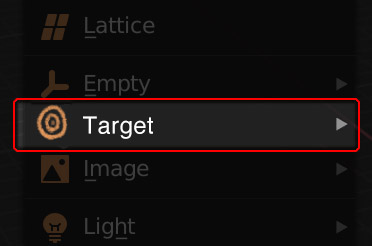
All adding a “Target Object” would do is:
- Create an Empty Object named “Target”
- Automatically add a “Track To” constraint to the camera and/or to the lights, (as selected by the user), which will use the "Target object" as its Target.
- Automatically set the correct “To” and “Up” values in the “Track To” constraint.
 A mockup of the tool shelf. These would be the default values.
Additionally:
- By default, it will add the Track To constraint to the Active Camera,
- If the user has a single Object selected when they add the Target Object, the Target will automatically appear at its Median Point, and be parented to that Object.
- If the user has more than one Object selected, the Target Object will NOT be parented, and instead it will appear at the Median Point of all the objects.
- If no Object is selected, the Target Object will appear at the 3D Cursor.
Ideally, there would also be a way of going back and changing which cameras and lights target your Target, so that the user can change their mind later on, without having to add a new Target, or to manually add new Track To constraints.
The intended audience for this feature is not experienced users, but new users. It’s meant to make the first few hours in Blender feel more fun, by making the Track To system more discoverable. It also saves intermediate users from having to Google the correct Up and To values, or to remember the difference between “Clamp To” and “Track To”.
4 Comments
This looks like something that could easily be done with an add-on (and probably more appropriate as an add-on, as well).
I don't really understand the interest, for an animator it could be practical but it's not really useful for most users of blender. With a simple addon it is possible to move 3D cursor, place an empty and parent or constrain object.
* @anthony.guiziou * I'm not thinking in terms of "here is a completely new feature that will enable new possibilities", I'm just thinking about streamlining the UX, particularly for new users.
Currently there's no way for a new user to know that it's even possible to say, target a camera to a particular object. A big reason that C4D is so popular is that these kinds of features are easy to find.
I wouldn't dismiss something out of hand just because it doesn't appeal to you, as an advanced user.
* @richardhnoble * yeah yeah, I understand, but adding a "physical" target doesn't make sense, but adding an integrated guide/target point would be better, like the area/spot/sun light, which is really practical
It's not that I'm not interested, everything is good to improve blender, but it has to be really useful, as I said for an animator or a cinematic artist it can work, but not for everyone, who will never useful
And add a target for a beginner user... it doesn't make sense they will always go to see a tutorial without thinking about it themselves