
Selection to Loop
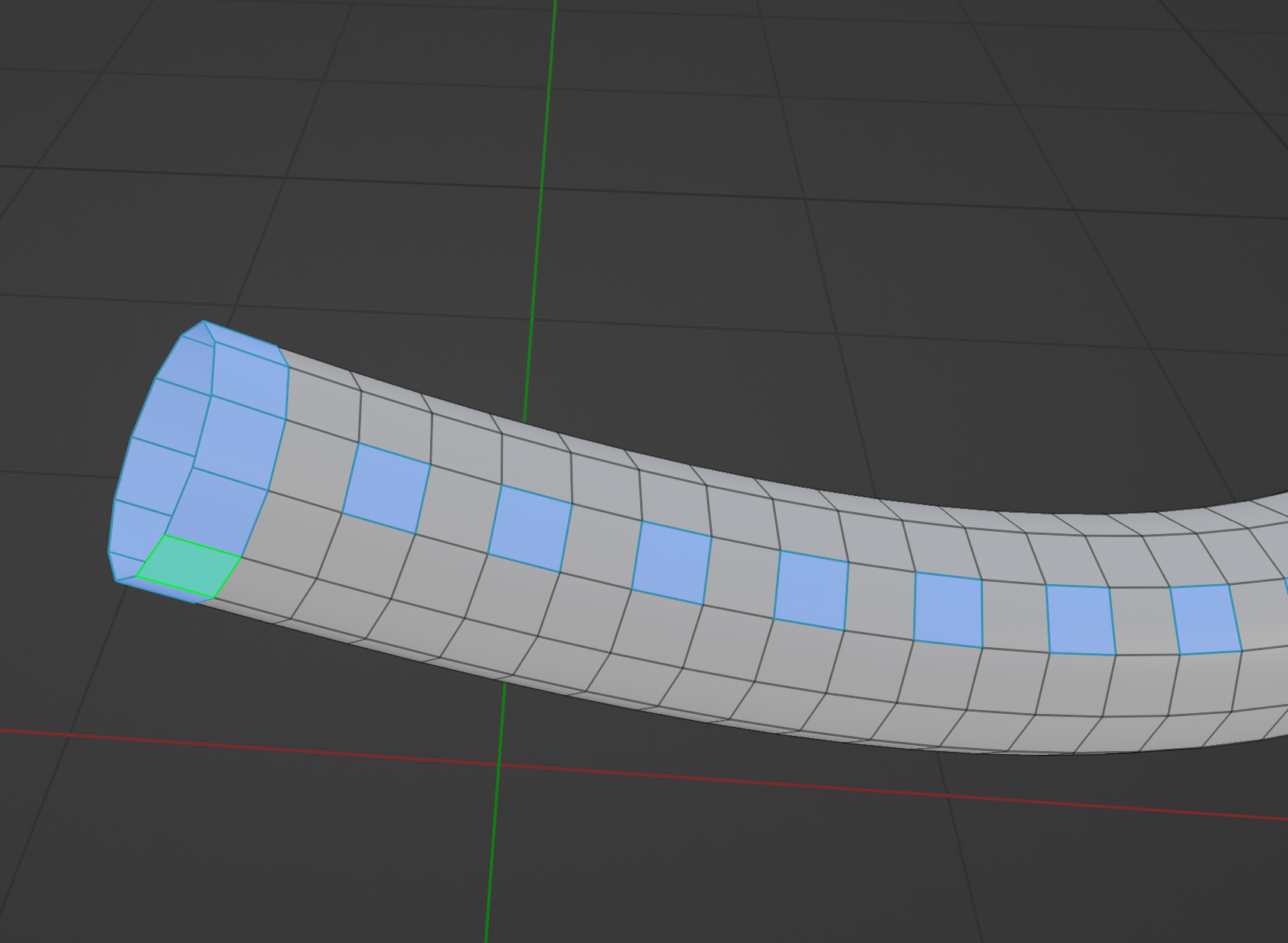
I think it would be really handy to be able to convert selection to loop. I.E. you checker deselect every other on a cylinder and then right-click selection to loop and have an option to flip it just in case it does it wrong. I suck at explaining things let me add a picture.
In this image, I want all of the selected to be converted to loops to extrude. However, I have to go through manually and do it. If I could take the selected and convert it to loops it would save me a great deal of time and headache.
(in this one I have very few polys so it may not seem like a big deal but imagine this divided dozens of times over.)
2 Comments
In these situations i select edges in the desired pattern then use Select>Select Loops>Edge rings, then Ctrl click on face mode icon to expand edge selection to face selection then extrude.
* @yasharjk * Now picture right-click, to loop and done. For edge, faces etc. Quick favorite, hotkey, etc. I am not a coder but considering what you just said it seems a script could be written to do that pretty easily.