
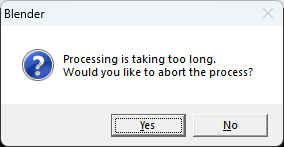
Processing is taking a long time.
Currently, processing can take a long time due to incorrect processing, and Blender may become unresponsive. If you detect that the Blender UI is unresponsive, you can display a dialog box to confirm whether to abort the current processing. Additionally, if the unresponsive state is resolved, the dialog box will automatically close.
3 Comments
You can cancel anything with the ESC key. If Blender is actually unresponsive, I doubt it can display a message about it.
Can you actually cancel anything with esc? For example, adding too many subdivisions with subdivision surface modifier will make Blender really unresponsive, and no progress bar or anything, and if you press esc Blender crashes (at least that is what has happened to me), I do have 64 Gb of RAM.
AFAIK you can when it is responsive. But if it is not responsive enough to take your input to begin with, I don't see how it would be able to show a popup to tell you it is not responsive and give you a button to make it responsive again.