
Alpha Support for Node Title Colors
WHAT?
If you were to look at the node title colors for your current theme, you may be surprised to see that the colors defined in the theme and the colors you see in the Editor may be different. This is because of
this line
that blends between the node backdrop color and the theme color, and uses
that
for your node titles.
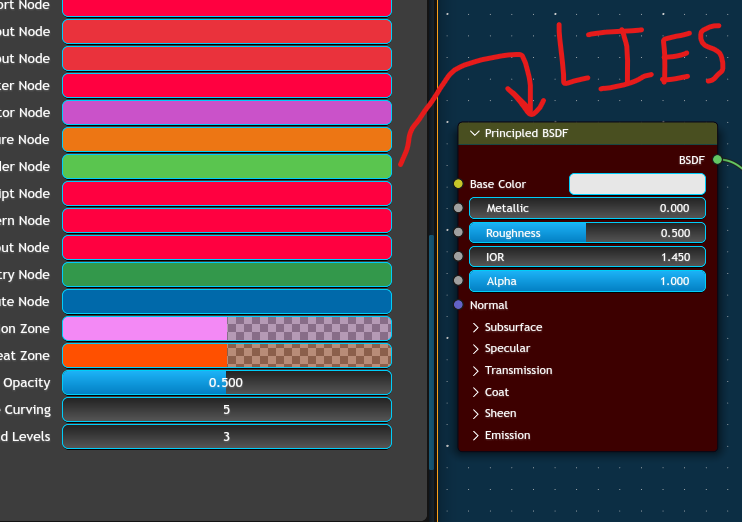 (Disclaimer: WIP theme correctly looks like a WIP theme)
The Solution™
Update the theme colors to have an alpha value.
A value of 1 means that the title color uses only the theme color, a value of 0 uses only the backdrop color, and a value in between blends between the two.
(Something that the aforementioned
UI_GetThemeColorBlendShade3ubv
already does, but it's currently hardcoded to 40%.)
Something Something "backwards compatibility"
Blender should convert all RGB node title colors to RGBA colors, setting alpha to 40% to preserve appearances.
1 Comment
I'm marking this as done. Even though the request is to "Add transparency to header colors", I've decided to just use the exact color the user wants, which achieves a similar result.
projects.blender.org/blender/blender/pulls/140481