
Improved Selection of overlapping or occluded Bones
This is a seemingly small regression that happened during the transition between Blender 2.79 and 2.8.
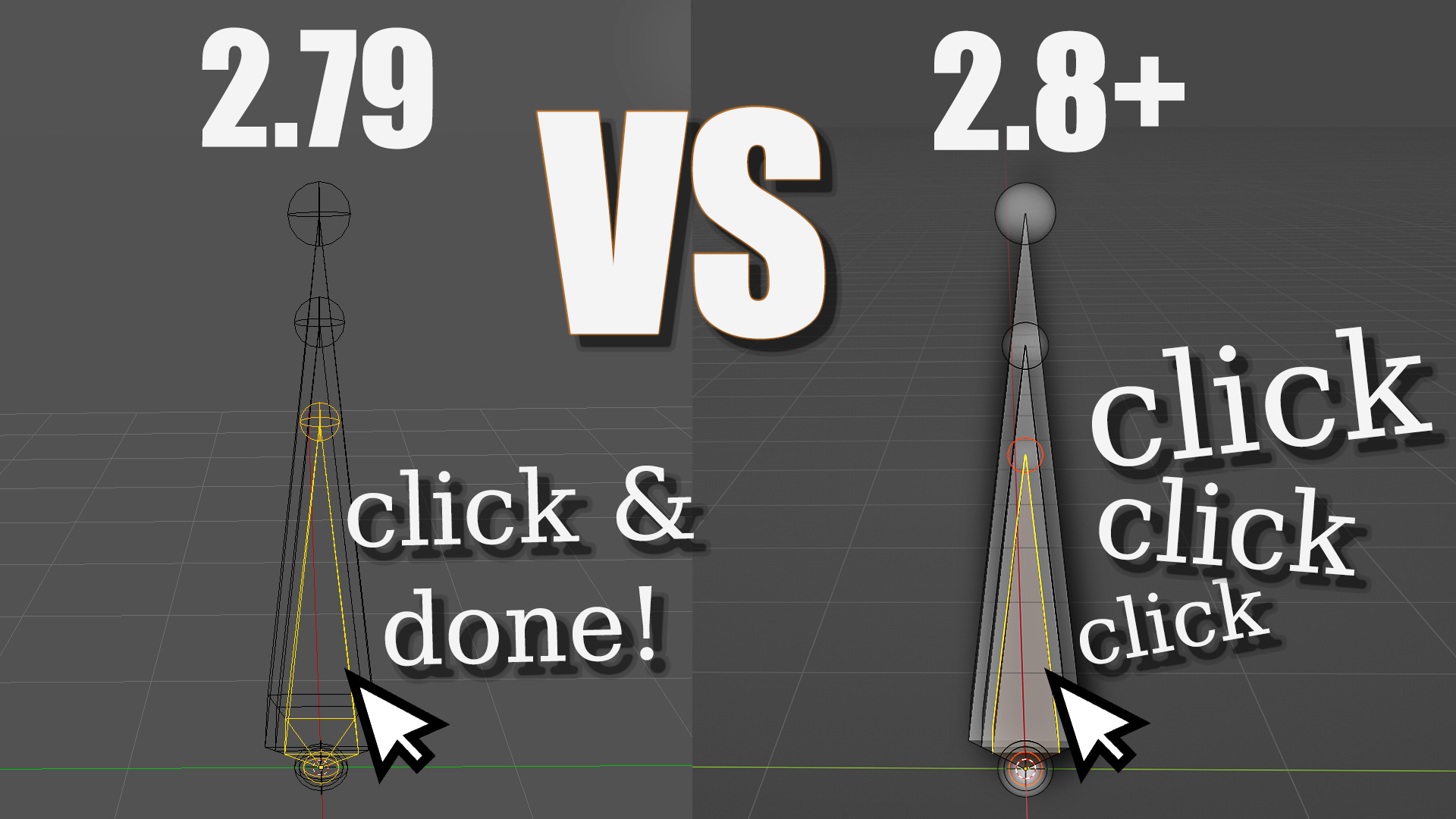
Until Blender 2.79, switching the display mode to Wireframe made Bones fully transparent. And that was not purely a visual thing. It also meant that you could select overlapping bones with a single click by just clicking on the wireframe of a bone.
In Blender 2.8 and later Bones are never fully transparent which also means that you cannot directly select a bone occluded by another bone.
This illustration sums it up. The more overlapping bones there are, the harder it is to select the "deepest" bone).
The alt+click solution
Yes, you can alt+click which makes it possible to select from a list of all bones under the cursor. While this counts as a solution:
- some people don't know about it
- it is much less elegant than a single click
This may seem like a small paper cut, but I would argue that it is a big deal for riggers working with bones all day.
Meshes
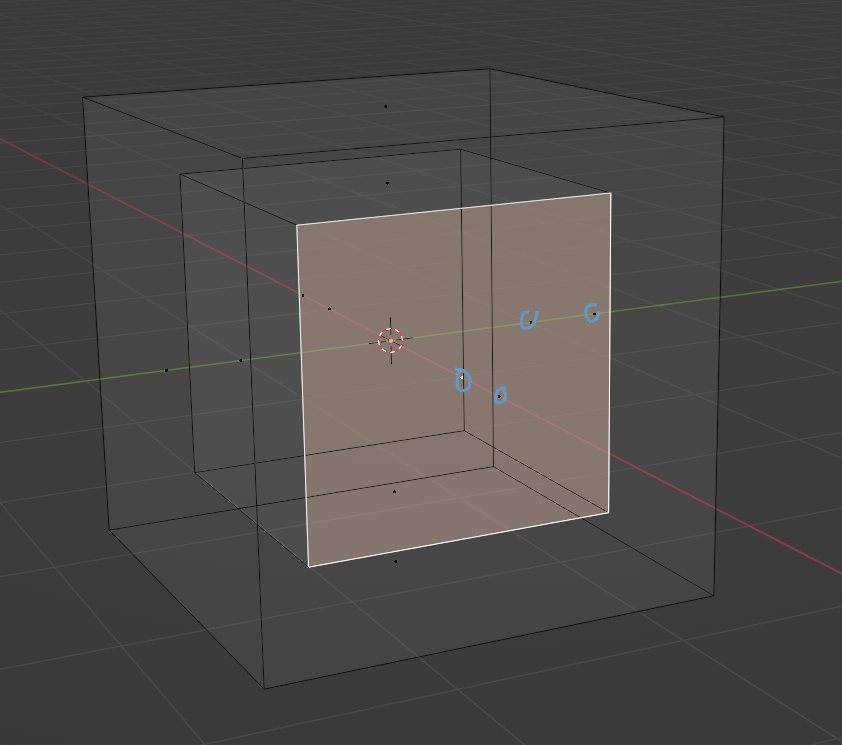
Generally, we can select occluded meshes in wireframe mode. An exception is meshes in Edit mode + Face mode. For that Blender displays a dot at the center of each Face so that precise selection is possible.
Why isn't there a similar solution for Bones?
The proposal
The proposal is to bring back the functionality we had in Blender 2.79. We should be able to point to the wireframe of a bone, click on it, and select exactly the bone we were pointing at.
Alternatively, bones could feature a dot like faces do. However, that is less ideal because fully overlapping bone can be displayed with different thicknesses in b-bone display. Wireframe selection will allow us to select any bone in b-bone mode. Dot selection won't.
I also made a YouTube video about the issue:
9 Comments
I wonder if this wireframe mode not being actually wireframe isn't a bug? It looks like solid view with Xray, and toggling Xray does nothing. Unlike wireframe in meshes that has clearly two distinct displays with and without Xray:
Yeah, exactly. Bones are treated differently for no good reason.
Thanks for the bug report, that was good idea. I see that it was confirmed so maybe we can look forward to improvements in this area.
Yes please!!
Wouldn't it be great if this were just a bug. But it's definitely a pain as it is. Thanks for getting this some attention
Now-ish!
Yes, this can be a major headache!
I literally just made an account to comment on this. It's so annoying that I even thought about changing Blender's source code myself just to get the old selection.
Thanks for your support! Many people hope to see this fixed.
pipipi any news for this feature?