
Ability to highlight heavy meshes in scene
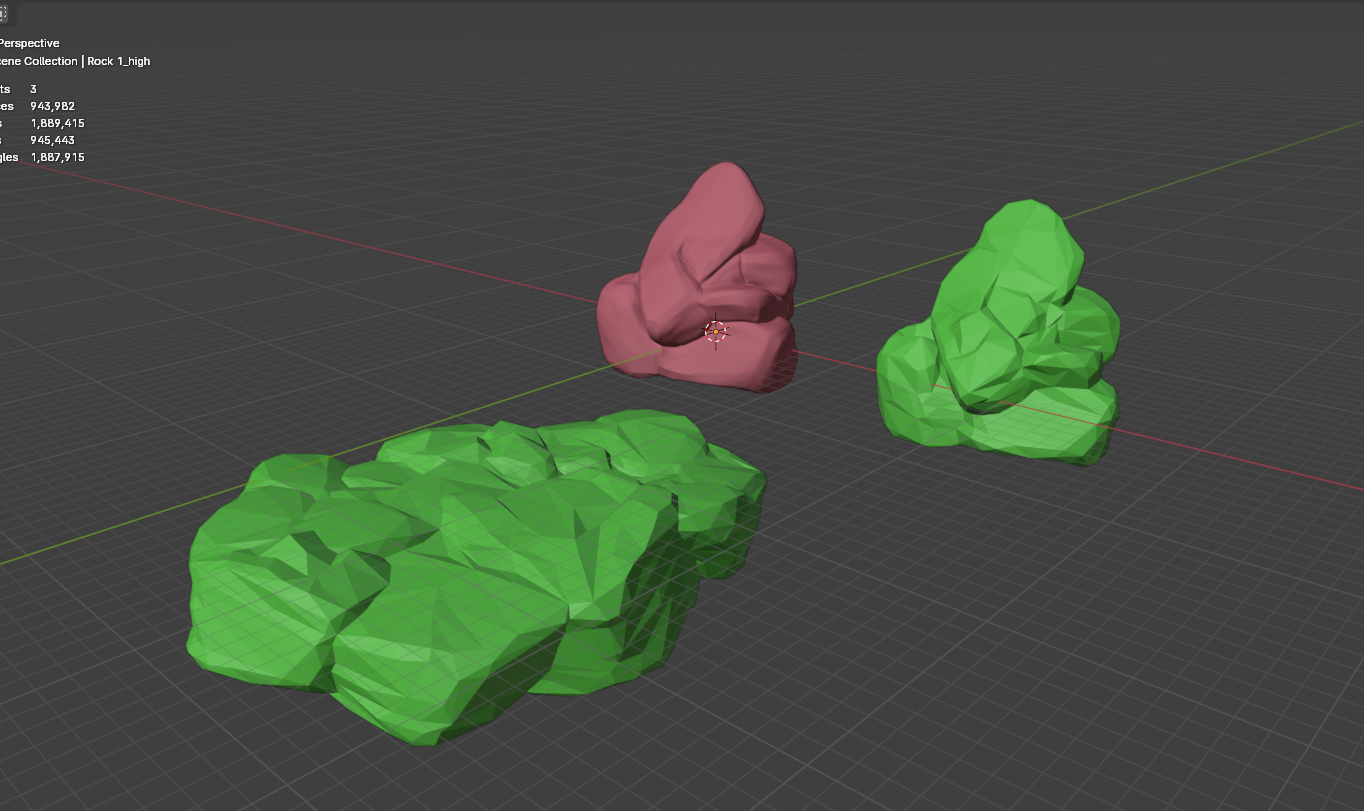
Your stats might say "5,000,000 faces" but thats not very helpful when in a scene full of objects!
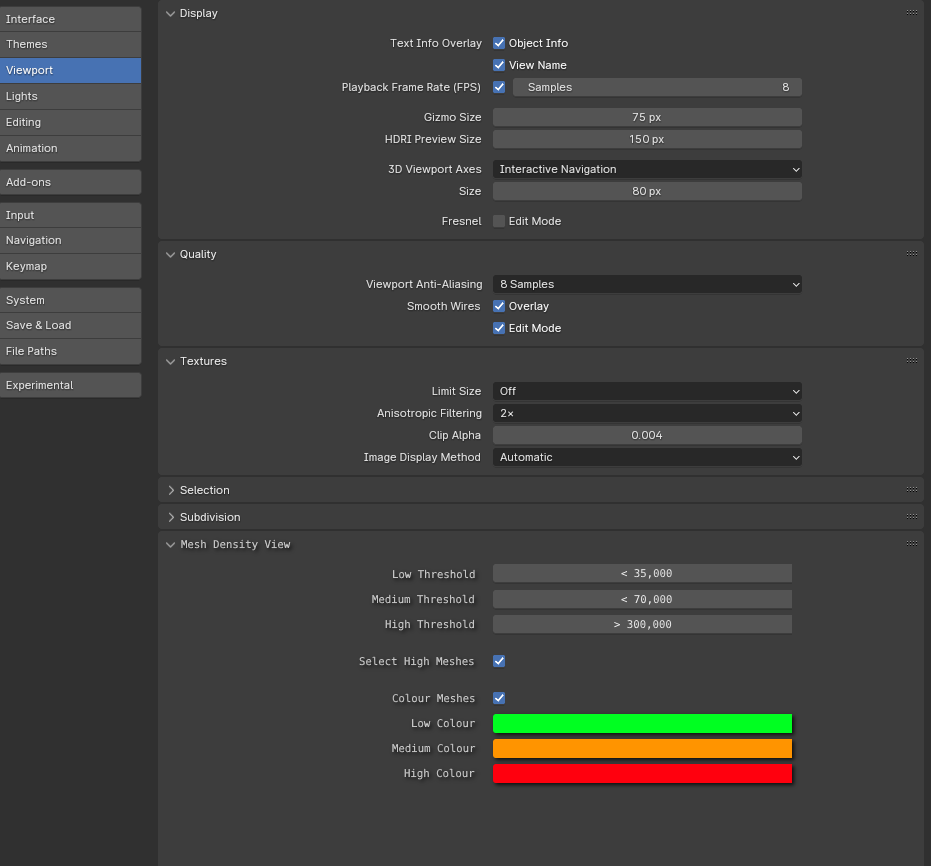
There could be a setting in the 3D viewport that selects meshes or changes the colour of a mesh depending on the face-count, allowing the user to see what meshes are more dense than others.
Users could decide the face-count thresholds the model needs to exceed to determine whether its shown as low, medium or high-poly along with which colours are used.
3 Comments
A good proposal in direction of performance management but is should be completed with similar options for textures/materials/procedurals/modifiers that also make the scenes heavy. Something in the lines of this paid addon: blendermarket.com/products/tooptimize-tools
just go into wireframe mode
I think it would make more scene if there were some scene nodes and you could make your custom viewer.. but I'm not sure I can't get behind this... it's kinda useless. Currently this is possible with geometry nodes but not in the most straightforward way