
[UI] - Arrows (Up/Down/Left/Right) and Tab for navigation.
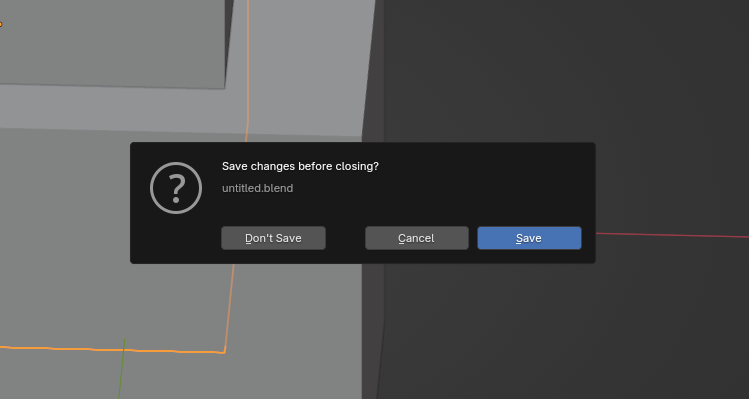
I want to propose a more thought out key navigation in Blender with respect to places that has some overlap with operating systems. Main areas are windows for opening/saving files and exit popup.
In many places (at least in Windows and Linux)
Tab
key is used to switch between buttons or lists in whole applications (like web browsers) or in individual popups like saving/opening a file. Similarly within those 'options' selected with a Tab an arrow navigation is usually possible to change an item on a list or highlight a button.
Blender File Browser could for example use
Tab
to switch between Bookmarks / System / Volumes /.../ main file area / filename / Cancel / Open.
In the same fashion exit popup could use
Tab
for switching between Don't save / Cancel / Save. Alternatively this could be also covered by arrow keys.
1 Comment
Tab and Shift-Tab are traditionally used for moving between controls (fields, buttons, etc. )
Arrow keys are generally used for navigation within a control (selecting items in a dropdown; moving the cursor in a text field).
Mixing the two would create confusion, but I do think Blender could do a better job of supporting arrow key input within a control. OS-native controls have a lot of useful shortcuts, like holding the Shift key while arrowing through a text field to select individual letters, and that's all lost when developers decide to make their own UI from scratch.