
Project Materials View
See all your materials in your current project easier in the materials tab.
Delete materials from project easier.
Quickly assign materials to any object, collection or by name.
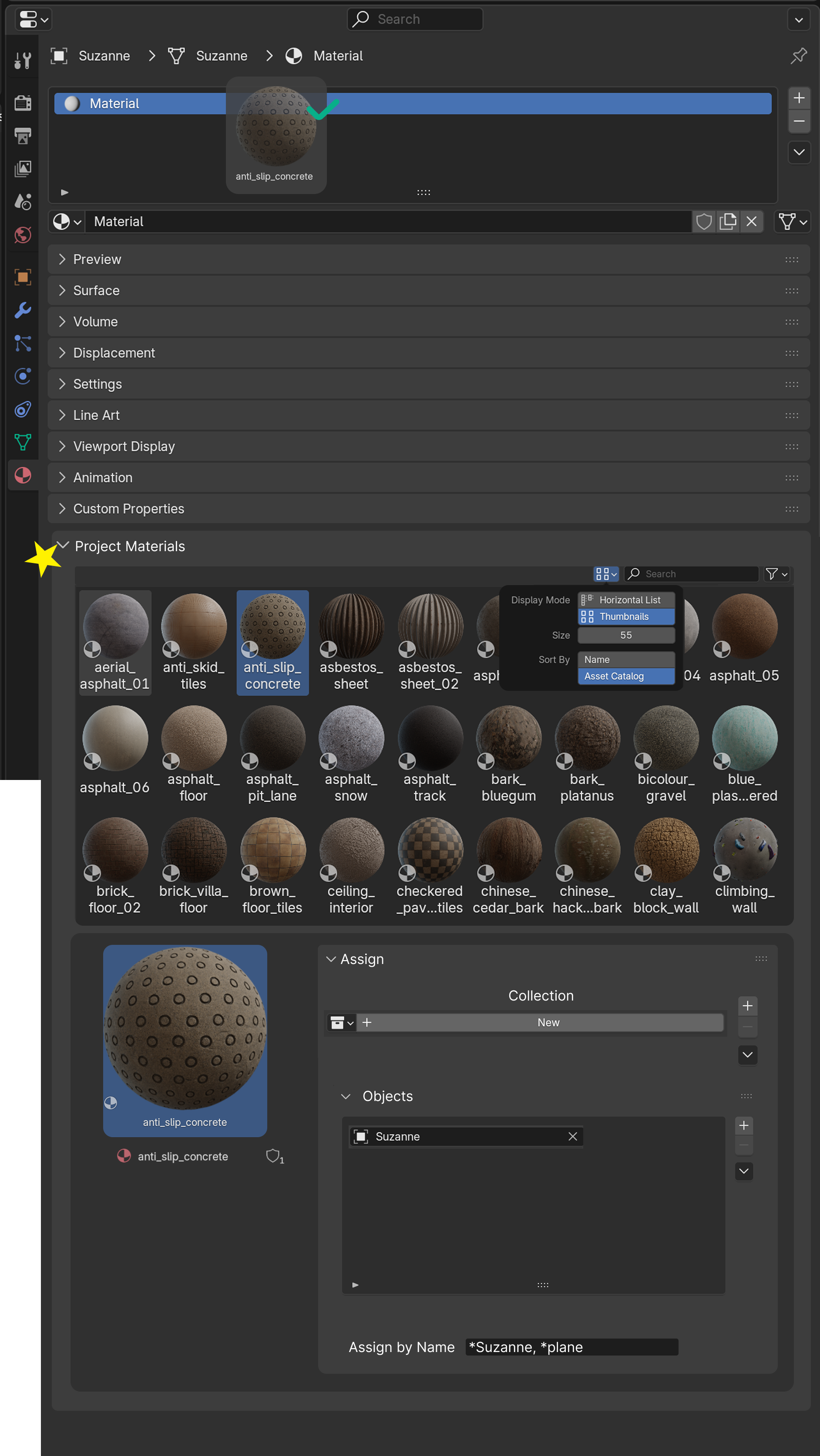
See all your materials in your current project easier in the materials tab.
Delete materials from project easier.
Quickly assign materials to any object, collection or by name.
4 Comments
Also editing the material nodes and previewing the results without actually having to set a material to a certain object. Combined with this would be a huge improvement.
I think this should be one of the options in the shader node tree.
This should be a part of an ultimate Asset Browser /Project Manager that actually deserves the name.
This should be in a tab of its own, or under the Scene tab, as it is scene (or project) dependent rather than object dependent. Adding a material to the currently selected object(s) should be as simple as clicking the assign button, or drag and dropping on the object (3D view or outliner) By default assigning it to the first material slot. But for a single object (or active only) a pop up with a dropdown of the material slots available would be neat.