Add SNAP tools to the 3D cursor in the side panel
English
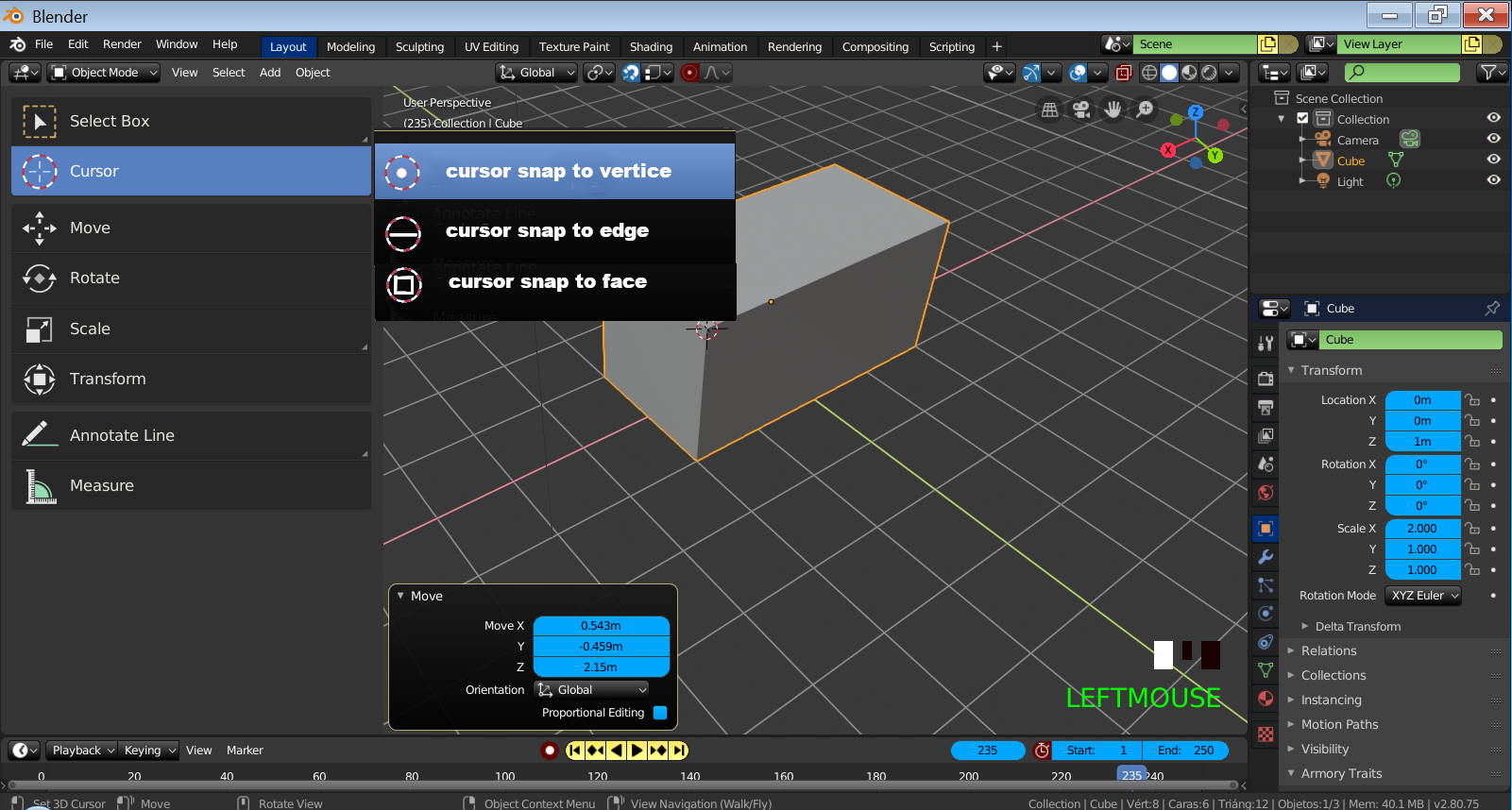
Hi, I was seeing that it is possible to create snap using the 3D cursor tool, however I would like that in the tools that are in the left side panel you have 3 more options that allow us to directly create snap without having to activate the snap and that when you do Snap is always done to the center ... I think it is understood ... For example if you are using the measure tool to create measurements and if you press ctrl it is possible to snap the vertices without having the snap tool activated .. The idea would be to create 3 subcaterias that say.
SNAP TO VERTICE
SNAP TO EDGE
SNAP AT THE FACE
The advantage of this tool would be that when moving the mouse automatically the 3D courses would be aligned to the selection and to the center of that selection I leave a reference image that I made with Gimp
Spanish: Hola estube viendo que es posible crear snap usando la herramienta 3D cursor,sin embargo me gustaria que en la herramientas que se encuentren en el panel lateral izquierdo tenga 3 opciones más que directamente nos permitan crear snap sin tener que activar el snap y que cuando hace snap siempre se haga al centro...Creo que se entiende...Por ejemplo si estas usando la herramienta measure para crear medidas y si presionas ctrl es posible hacer snap a los vertices sin tener la herramienta snap activada.. La idea seria crear 3 subcaterias que digan.
SNAP TO VERTICE
SNAP Al EDGE
SNAP AL FACE
La ventaja de esta herramienta seria que al mover el mouse automaticamente se alinearia el 3D cursos a la selección y al centro de esa selección dejo una imagen de referencia que hice con Gimp
1 Comment
Why not just snap to current active snap setup? Or add separate setup for cursor. Special tool for each snap type????