
Interpolation options for blender VSE
I have shifted toward blender VSE for video editing for a while now and its been great so far but one thing always bothered me in VSE the footage looks pixelated especially around the edges.
If you guys ever used other video editing software like premiere pro,davinci and filmora the footage always looks soft.
I thought it was one of blender limitation well I was wrong.
Blender has this feature but its exclusive to shader editor only
- this is how footage looks in VSE-
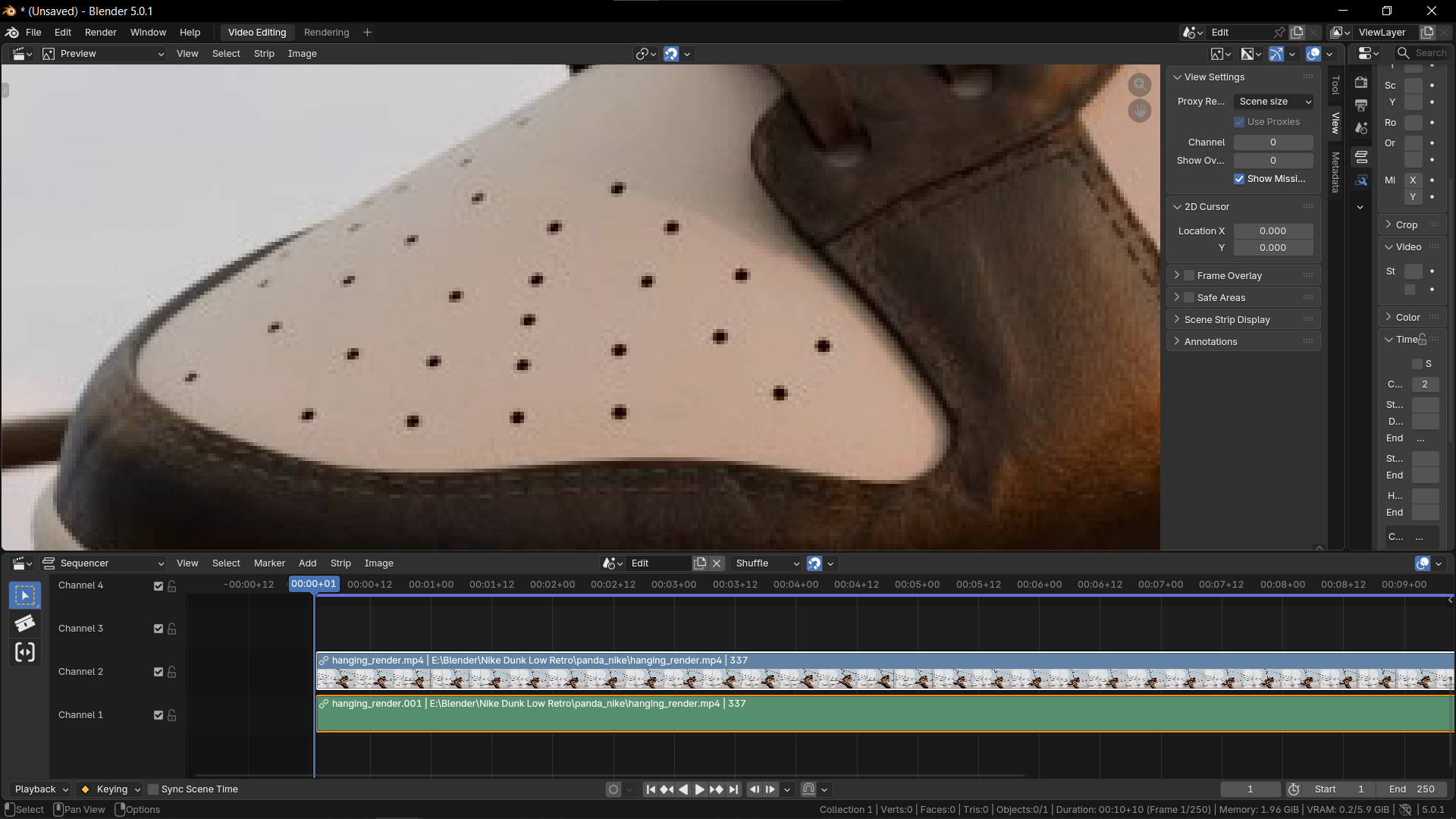 you can clearly see the footage looks really pixelated
- this is how the same footage looks in davinci resolve-
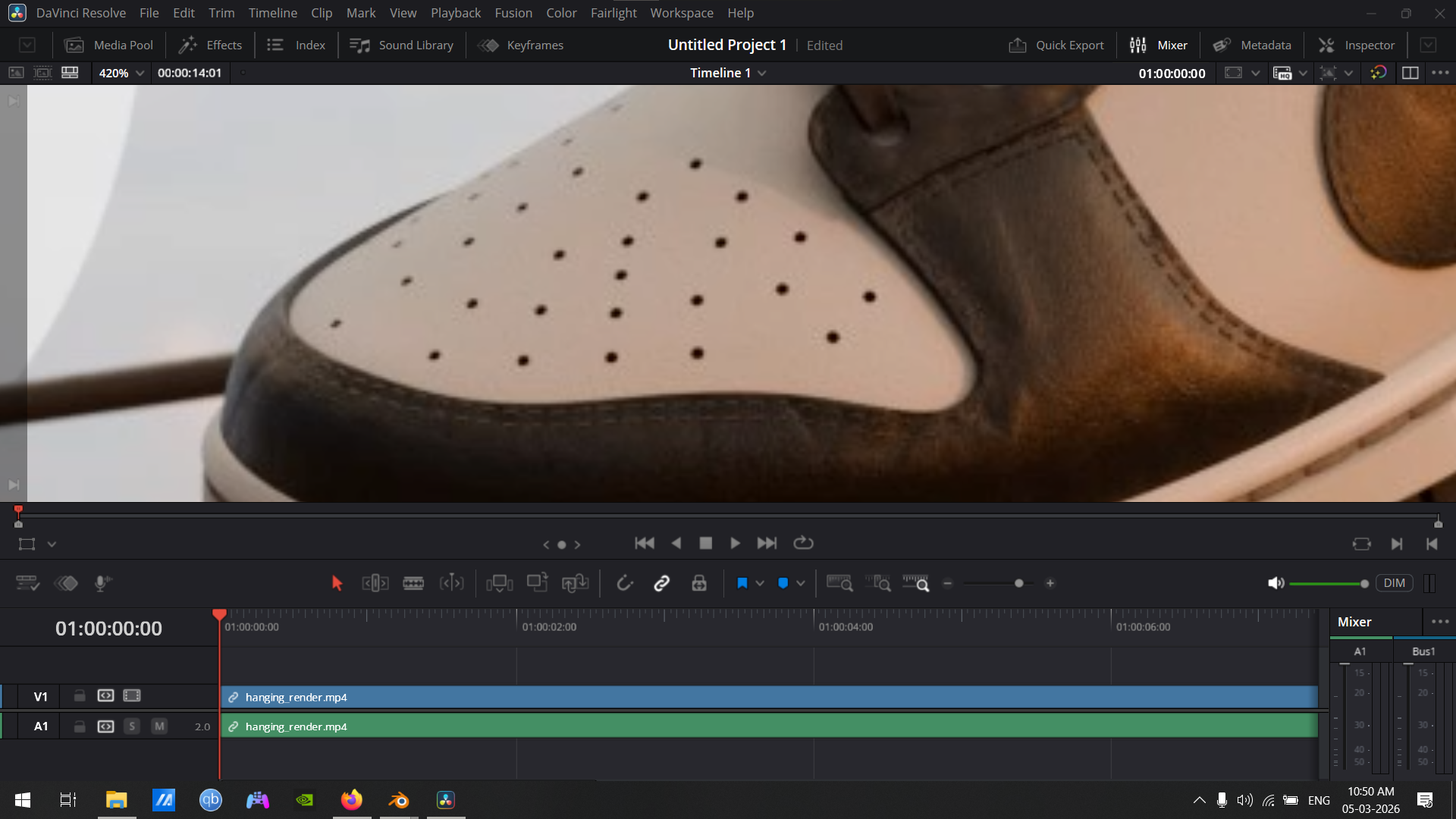 in davinci the footage looks soft
Now look how the footage looks in shader editor
- Interpolation (Closest)
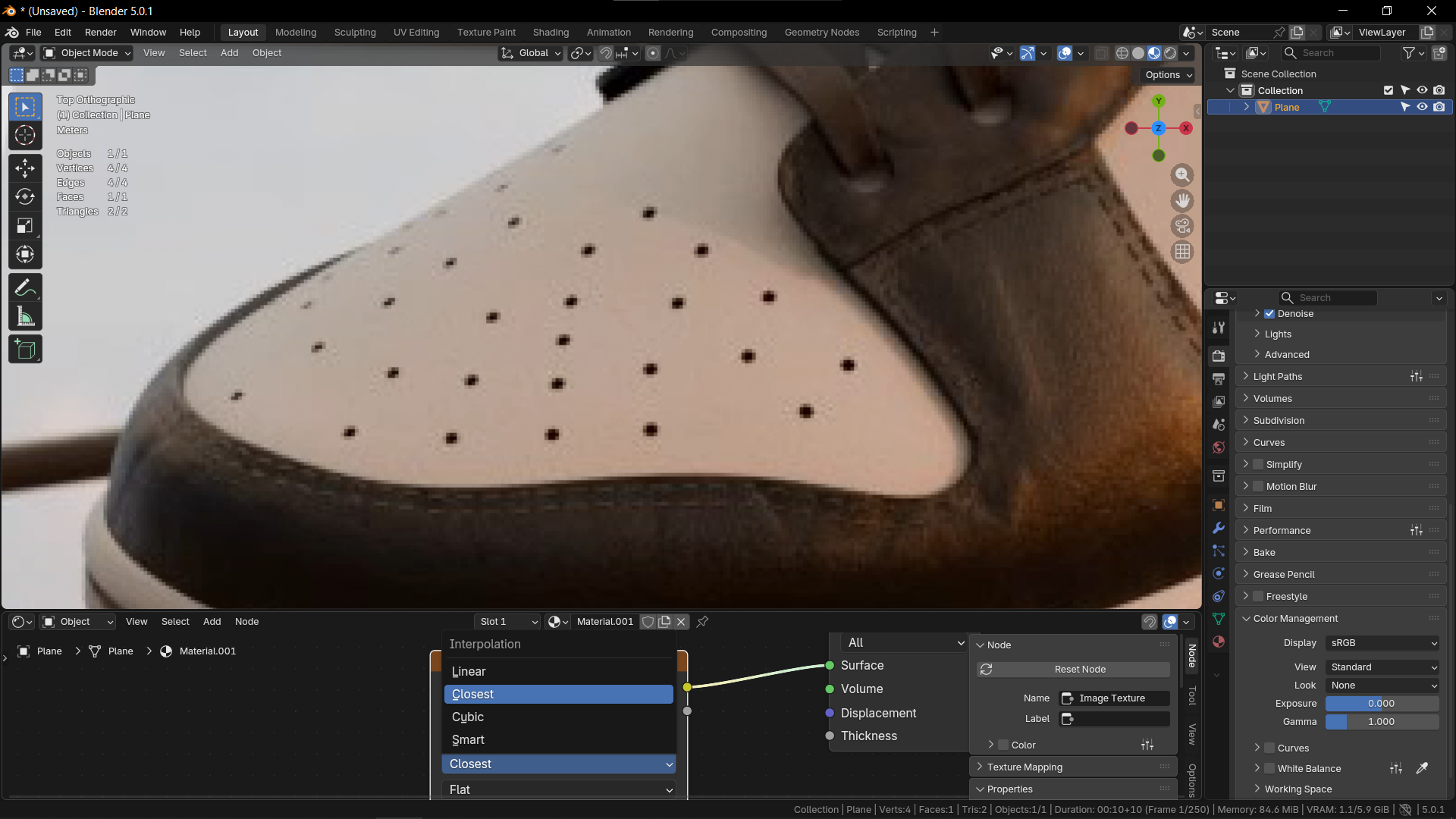 this option makes the footage looks pixelated like how it is in VSE
- Interpolation (Linear)
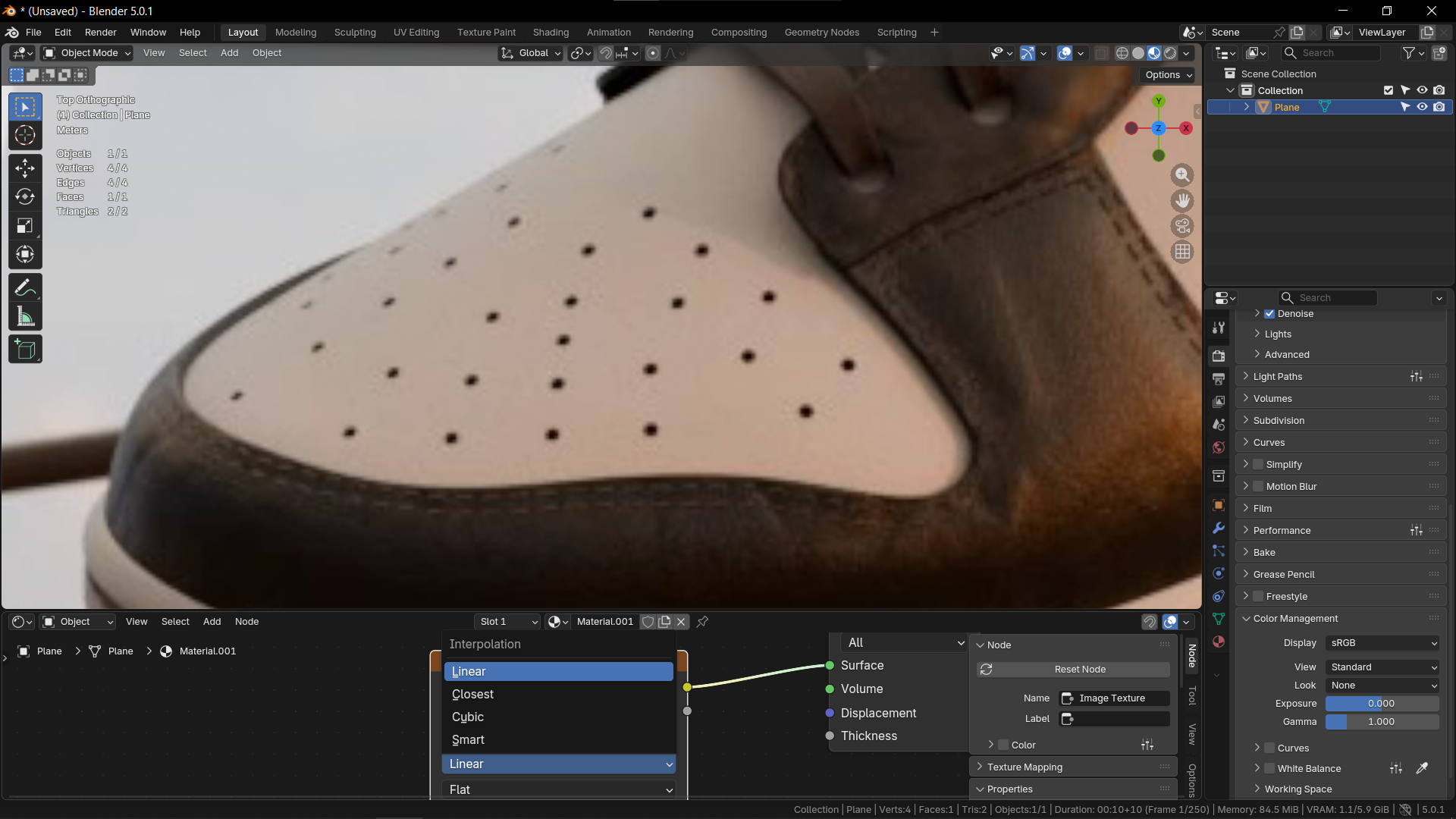 this option makes the footage looks soft like how it is in davinci
- interpolation (Smart)
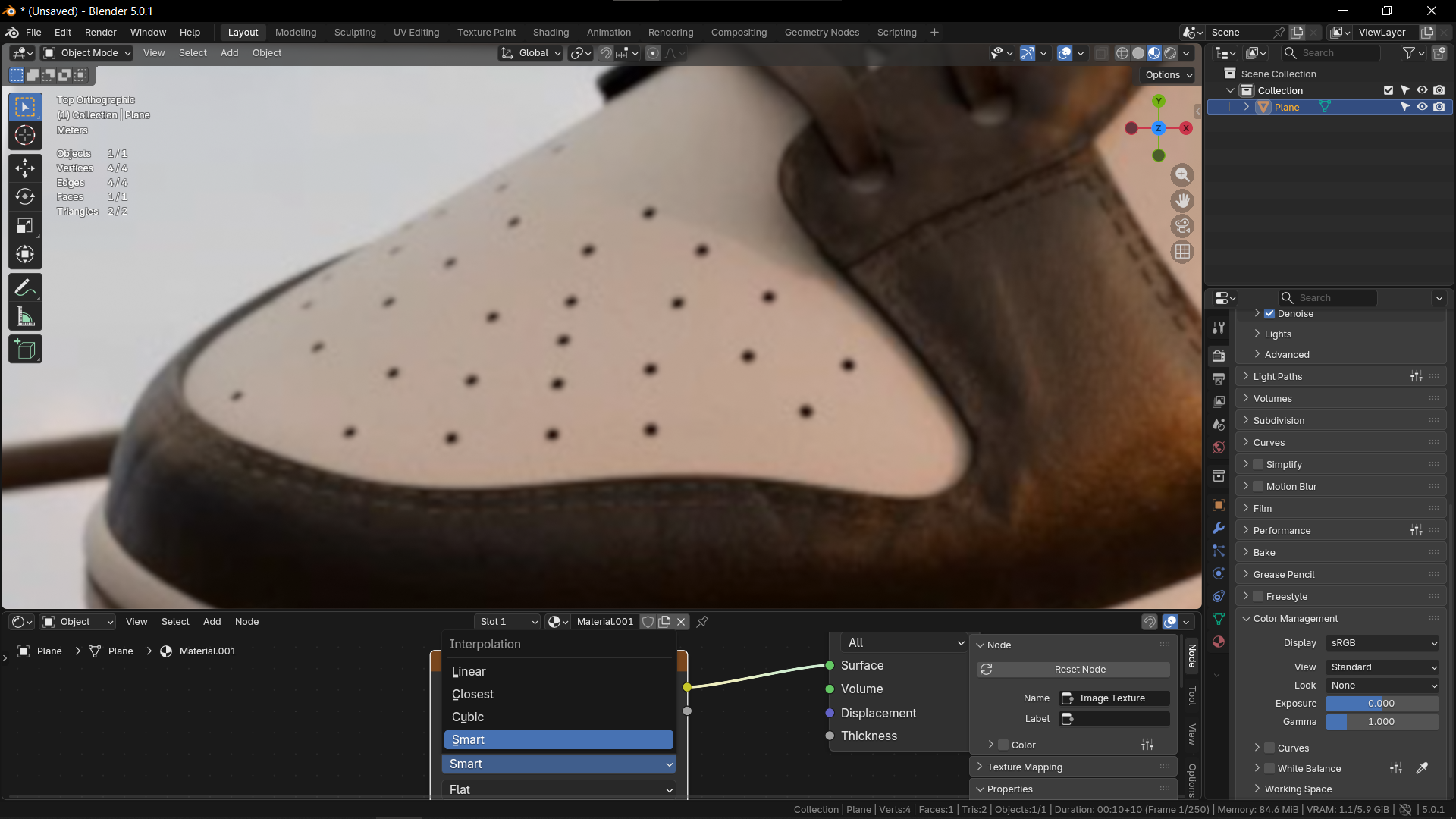 this option makes the footage look even more softer
having a interpolation option for VSE would be a great addition and view setting is a nice place to put this option in.
note that this option should only work in preview window of VSE to make the footage more digestible to work with from a user perspective and should not effect the render output same how it work in other video editing software.
0 Comments