
Shortcut to select whole collection from outliner
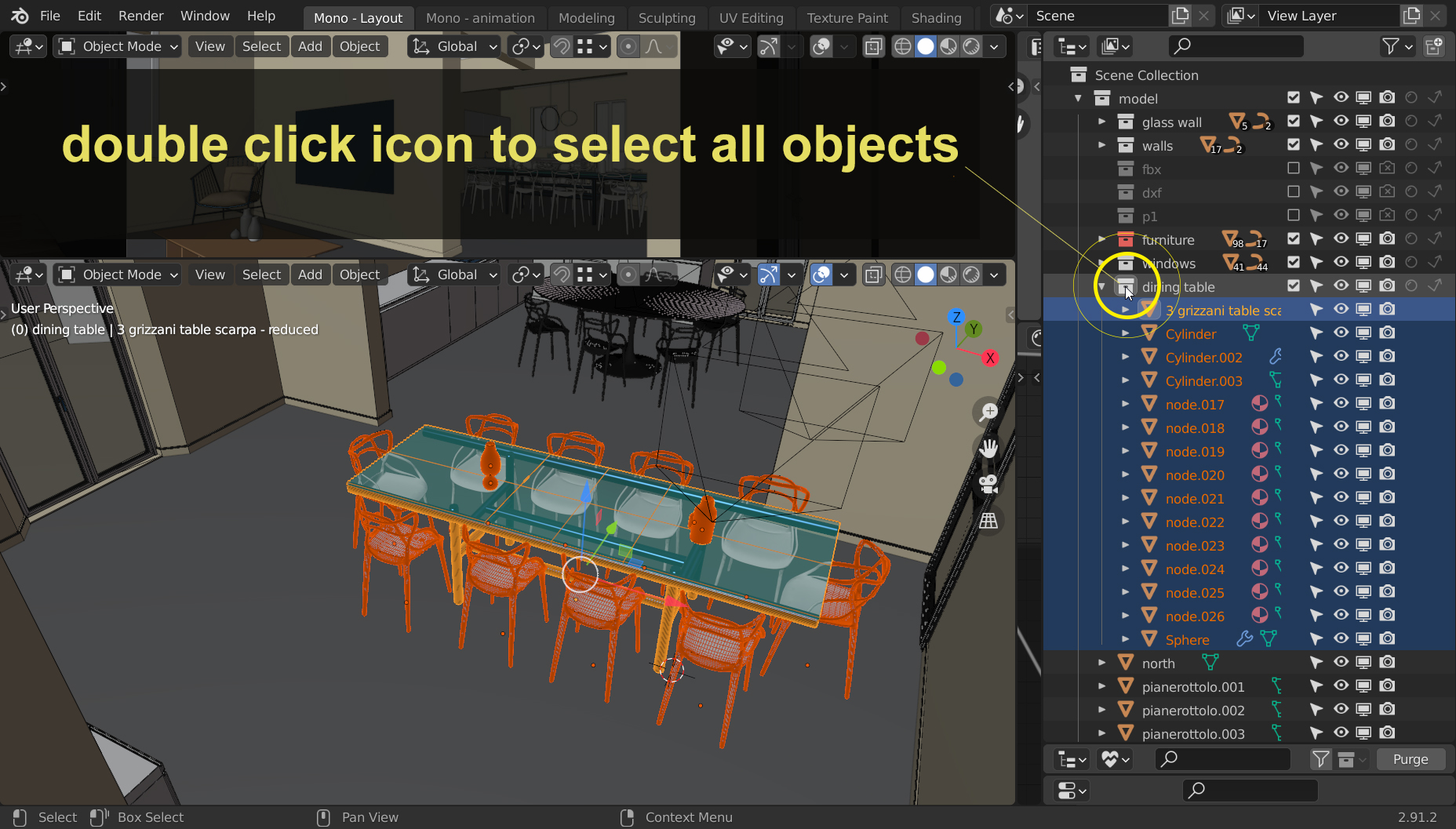
I'm a messy artist, but sometimes I manage to organize the file into a bunch of collections. I know you can right click select on the collection and choose "Select Objects", but I think we can make a shortcut for advanced user in blender stlye.
- I suggest that double clicking the icon of the collection lead to the selection of all the objects inside.
Mockup: ibb.co/JRnL51Z
- PRO's:
It's fast, unobtrusive, currently doesn't conflict with anything... I think we can give it a try!
- CON's:
Double click usually means "open this thing", so it may not be optimal to use for selection.
Currently used hotkeys:
- Double clicking the name = rename
- Ctrl / Maiusc= additive selection
Follow twitter discussion at: twitter.com/monorender/status/1355296366717771776
15 Comments
As a workaround you can:
Assign a Shortcut KEY to this operation, by pressing RMB on Select Objects menu item (yes, right click menu on already opened right click menu) and choosing Assign Shortcut , then entering some keyboard combination. As a quick test Ctrl-A works well.
Or go into Preferences - Keymap - Outliner - Add New and manually create a shortcut to operator identifier "outliner.collection_objects_select" , assigning a mouse/keyb shortcut to this. It seems, that Shift + Double Click works well here. But Alt + DoubleClick doesn't work at all :)
I tested this more, and it needs one additional click, like:
* @ErminOS * Thanks, terrific workaround. I've set my own shortcut, but I feel it always require an additional step. I think the optimal way would be to use only a mouse action of some types.
* @ErminOS * yes, it could be good to do so, Ctrl+Shift+A is my new keymap to this.. thank you
* @monorender * I also tested some unusual shortcuts, like Shift+RMB-doubleclick or OSkey-MMB, but those seemed to not work or be buggy :)
One of Blender's biggest weaknesses compared to other software is it requires more clicks to achieve identical results, in many cases. By making it a single click on the little icon, you reduce clicks to the minimum.
Single click means select. It'd make sense for single clicking the collection ICON to select the collection.
Double clicking the icon should isolate the collection into a local view, which is basically the same thing as opening it.
Single click name to make active collection. Double click name to rename.
yea i was thing about this while ago
Would be very useful
I have written below addon to select all objects in a collection, by simply LMB clicking the collection in Outliner Editor.
bl_info = { "name": "Outliner Collection Select Objects", "blender": (2, 80, 0), "category": "Object", "description": "Select all objects in a collection when left-clicking on a collection name in the Outliner", "author": "Your Name", "version": (1, 0), "location": "Outliner", }
import bpy
class OUTLINER_OT_select_objects_in_collection(bpy.types.Operator): """Select all objects in a collection when left-clicking on a collection name in the Outliner""" bl_idname = "outliner.select_objects_in_collection" bl_label = "Select Objects in Collection" bl_options = {'REGISTER', 'UNDO'}
def register(): bpy.utils.register_class(OUTLINER_OT_select_objects_in_collection)
def unregister(): bpy.utils.unregister_class(OUTLINER_OT_select_objects_in_collection)
if name == " main ": register()
Collection manager provided such an ability (as well as the ability to select several collections)
After the wise feedback from @natecraddock I'm thinking about using double click to "open the collection" that would mean isolate in local view it's object or in case it's a Collection Instance, isolate the object of the source collection.
* @monorender * Interesting. The Local View already shows all selected objects, so pressing the Numpad-Slash after a shortcut discussed above, we can see isolated all objects from a collection. Turns out, there's even a shortcut (M) to remove some objects from Local View.
* @monorender * For me selecting all objects inside a collection should happen in only one click, I find it an expected behavior to have all the objects being selected when clicking on the collection that groups them.
* @slowk1d * What about those collections, that are scrolled out of view in oultiner? That could take more than 1 click :) Would a hotkey invoked popup menu with a list of collections (sorted in recently use order) suit better?
I've reached @natecraddock on twitter and here's his reply: This sounds reasonable to me, though I'd like to consider what else could be done on double click alongside it.
* @monorender * I believe, all this can be packed into Python plugin / operator, which when run (by a hotkey / mouse action on outliner element) could do this: