
[Geometry Nodes] - Edge Loop and Edge Ring Selection
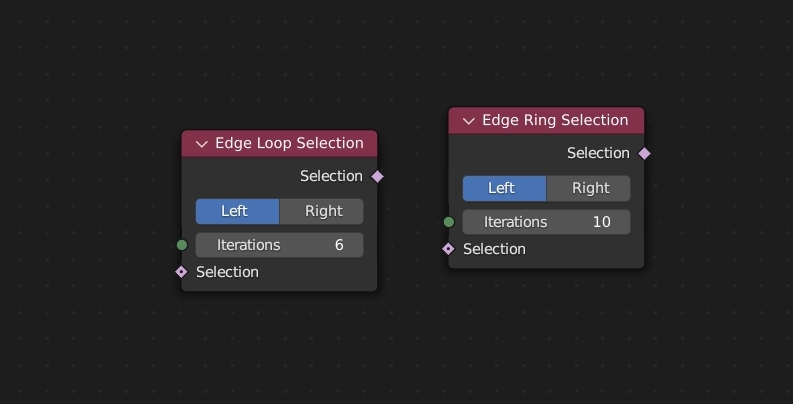
I want to propose two nodes for basic mesh selection:
Edge Loop Selection
and
Edge Ring Selection
. This is especially needed for cases where there is no possibility to store selection in vertex groups because the geometry is created entirely in Geometry Nodes modifier.
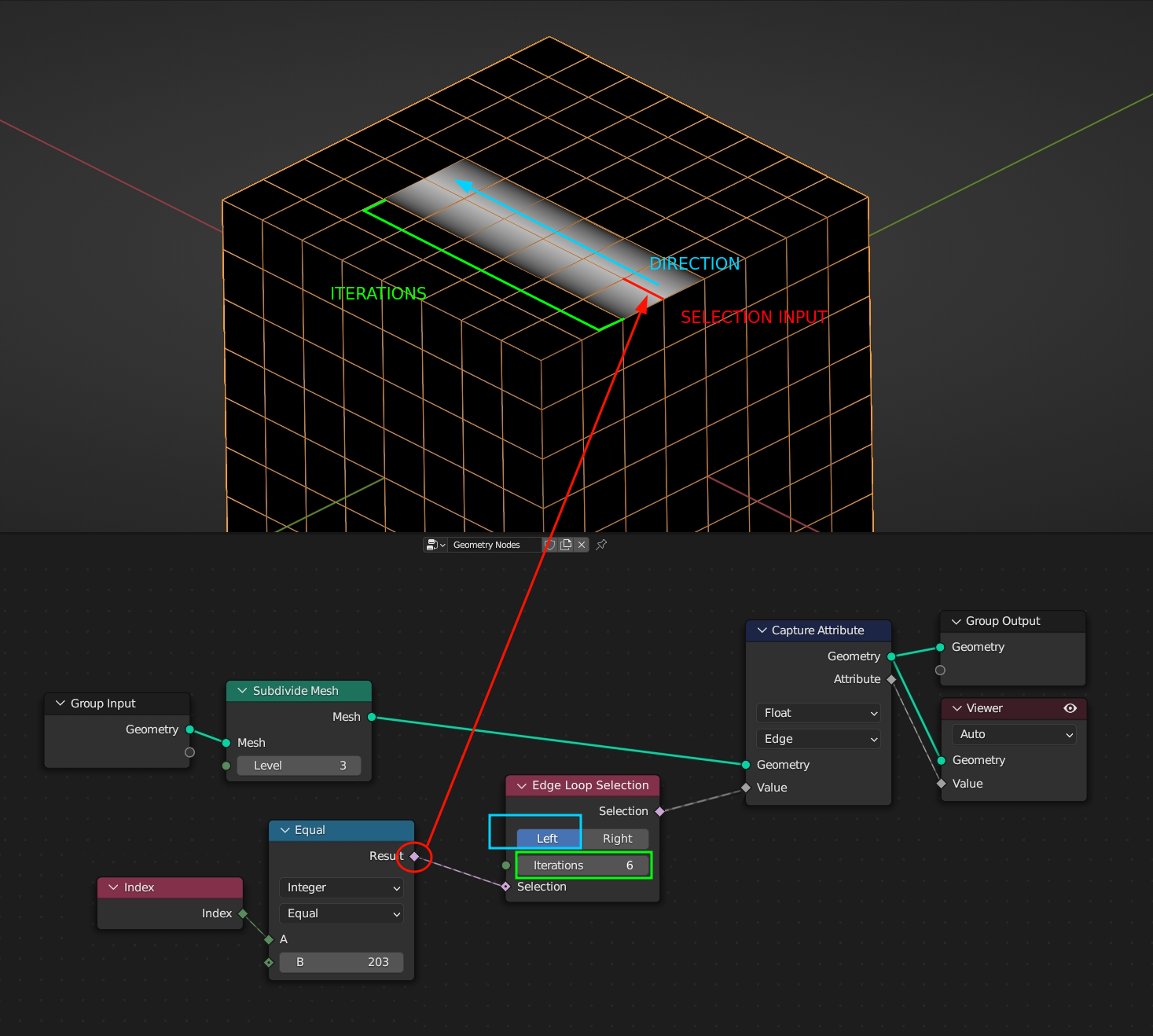
Nodes take selection input and add set number of edges to it depending on the iteration number and direction and outputs it as a boolean attribute on edge domain. Selection should work only on quad-based topology. When selection encounter mesh boundary or an n-gon there should be no more selection segments added.
Chaining
loop
and
ring
nodes can easily give selection of parallel edges. On the other hand running two nodes of the same type in parallel can give the ability to grow selection from one edge in both directions by different amount.
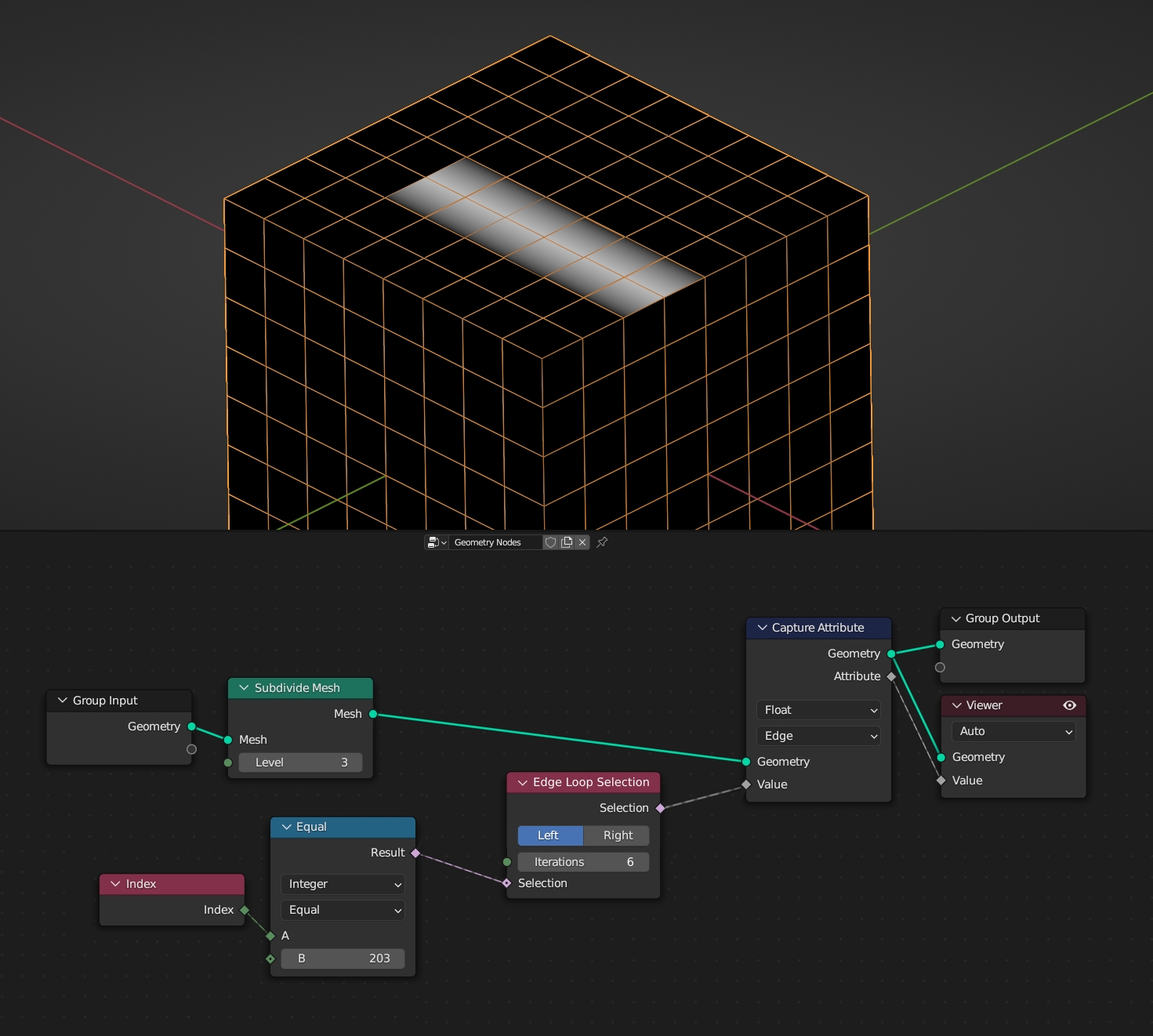
 Simple use case of selecting 6 edges in a loop starting from one edge:
6 Comments
developer.blender.org/D16471
Thanks! I should have search it on phab first. The only difference between this proposal and your work is the ability to select partial loops/rings. This might be a valuable feature.
I've been thinking about this for a while. This may be of high complexity.
I was trying to do this with existing nodes with detecting second neighbouring vertex of edge vertex, but I gave up. What kind of limitation exists here? Is it because of the mesh structure?
he problem is complexity. Speaking specifically about parallel (rather than connected) edges: you must either build a link map and iterate over it. Or build all groups, and then accumulate a new chain of connections for each of them. The main problem: you never know the beginning and the number of all chains. I just haven't found a way to make it all parallel.
It's not quite the same as the node proposed here, but I built nodes for edge loop and edge ring selection, available here: blenderartists.org/t/gn-tool-edge-ring-and-edge-loop-selection/1624785
May be useful to someone without waiting for built-in support.