
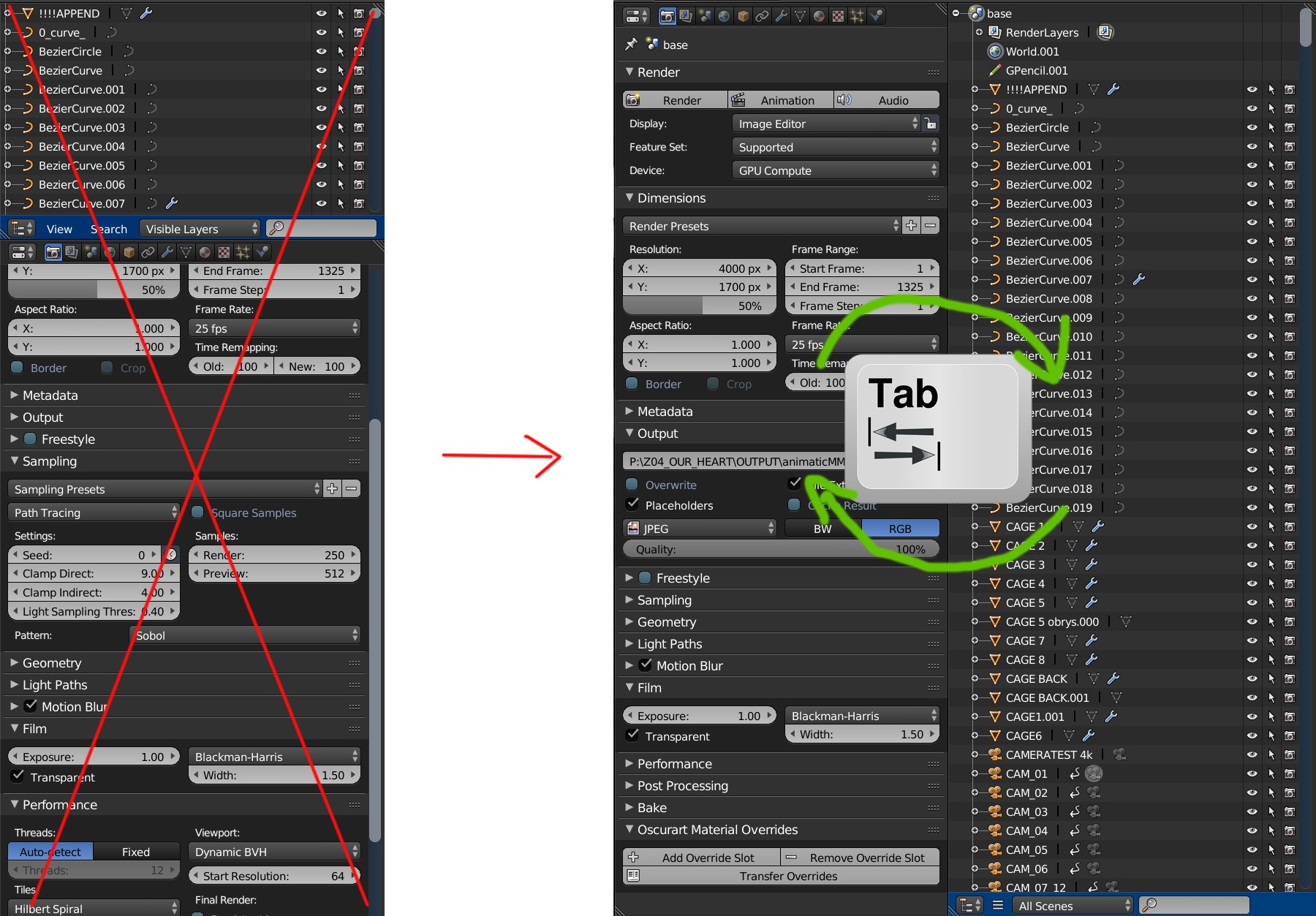
outliner/properties swap
Default layout and shortcuts should be change for better screen space organisation. Simple trick i present do the work. It is possible without coding and it uses tab hotkey which users are used to for changing modes. So simply pres tab to swap outlines and properties and enjoy more space.
6 Comments
blenderartists.org/forum/attachment.php
thank you so much, I actually ended up making a toggle between 4 different editors on \ key and im using it all the time, really speed up my workflow in my tiny monitor!
Personally not a fan of this idea for a few reasons. The main one is that it conflates two editors that are used for different purposes. Combining them may save a little bit of screen real estate, but logically it doesn't make sense and therefore hurts discoverability. Also, <kbd>Tab</kbd> is used in the Blender interface as a means of switching into an editable, subcomponent mode. Using that same hotkey hear doesn't adhere to that paradigm.
I already use that, with an easy tweak in the preferences. Not so sure it should be a default preset though
love the idea, since I have very little screenspace, not sure about making it a default, unless is a very system wide easy way to toggle between editors, but I just implemented what mielnickimateusz suggested myself and will be using it!
Holding ctlr and scrolling with the mousewheel while hovering the icon menu that changes area type allows you to switch between outliner and properties since both options are next to each other on the list. You just need to right click on the header while in the outliner and "flip to top" once. After that is easy to scroll between all area types as long as the header's on top