
Background Images 'Set Scale'
I work as a 3D artist for a furniture company, and use Blender to create realistic images of their products. Hence my job frequently involves working very closely to the exact specifications of real products.
To achieve this I frequently use CAD drawings of the products, and load them in as background images, front/side/top/etc, to recreate the furniture.
But it often takes 5 or 10 minutes of stuffing around with the parameters of the background image to get the positions and scales aligned with what I'm creating. And I've rarely used a CAD drawing as a background which didn't require manually typed increments of 0.001 units in the X or Y coordinate to align, since most of what I create is often smaller than a meter in size.
Some kind of option to set the scale and position of the image automatically would save me a huge amount of time!
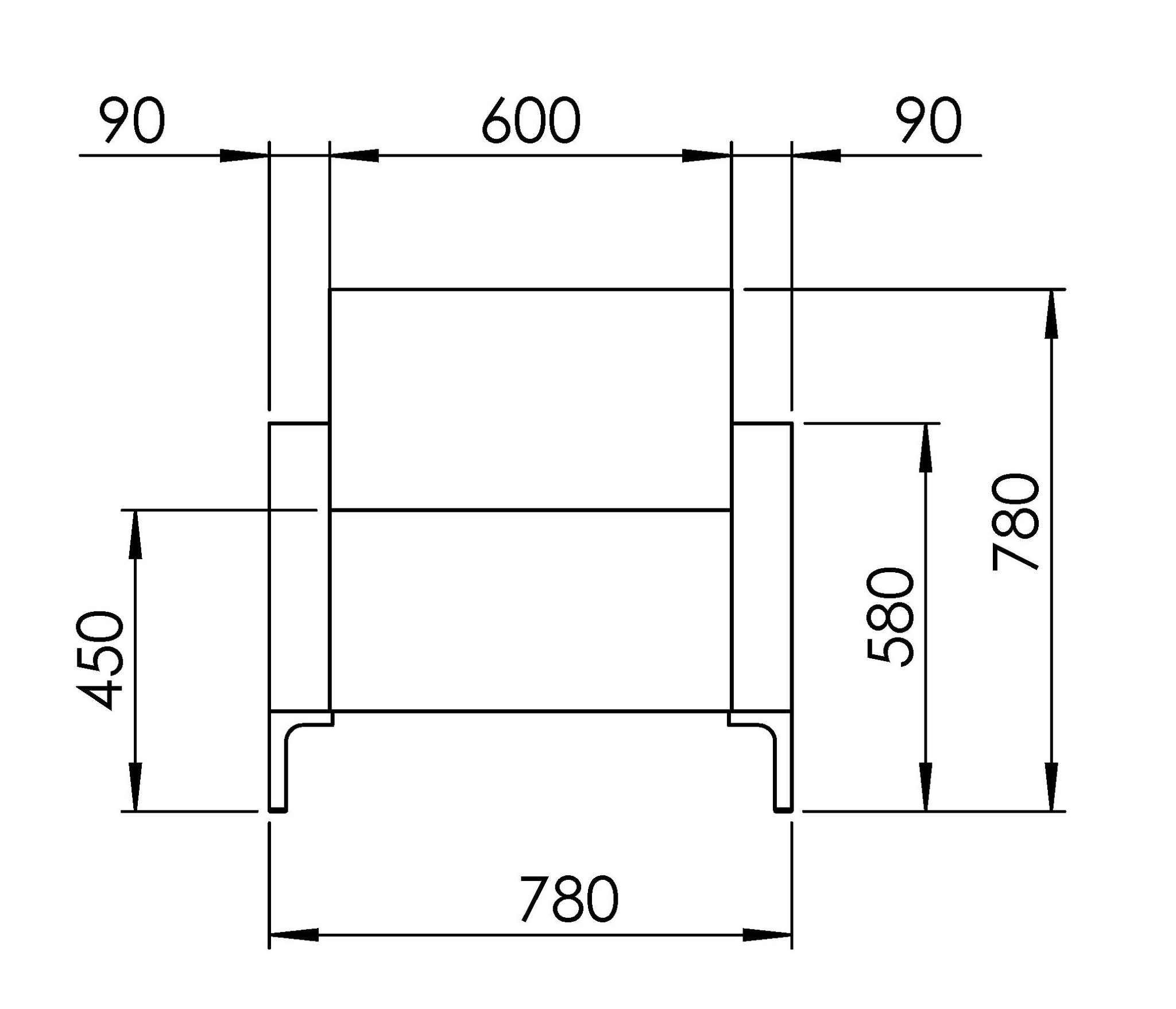
I've attached an example of the kind of images I use.
I'd propose a method along the lines of computing the scale from a line on the drawing. CAD drawings frequently have lines with measurements on them, indicating how long something is. A tool that lets the user draw a line between two points, specify the length of that line (as per what's written on the image), and automatically scale the background image accordingly to make the Blender units match 1:1, would handle scale.
As for automatically setting the position, perhaps an option to select a point on each image and make that the 'middle', and then click 'snap image to cursor', to shift the image so that the 'middle' is positioned at the cursor's location?
I'm open to better ideas on how to do this, anything to make using background images less clunky would be greatly appreciated.
2 Comments
This proposal is likely to meet some resistance as Blender is not a CAD tool (and likely never will be). In any case, Image empties are probably the better tool for the job in this case as they work within the real of Blender's units system and are more easily adjusted to the proper dimensions.
In either case (background images or image empties), you don't need to draw anything or snap to anything. You just need to know the scale of the reference image you're using. You know you need to know if you know the image's PPI. For example, if the image (the whole image, not the drawing in the image) is 600 pixels wide and you know it's a 300 PPI image, then you know that the reference image should be scaled to fit a 2-inch space.
Well even with image empties, I'm still having to put them in and move them around, scale them, etc, switch back and forth between both images to check they're aligned, etc, in order to match the scale of the two images.
I'd argue that such a use case is not strictly a CAD-thing. I only use Blender as an artistic tool, but even in artistic renderings of products you often need to be exact to some specifications. Nearly every car modelling tutorial for Blender starts with setting up blueprint background images, and even in character modelling it's not uncommon to setup background images of front and side views of photos or drawings. An easy way to match scale and align images would be nice.
I appreciate the feedback though, thankyou Fweeb.