
Blender 3 big (Part 2) Retopo Tab
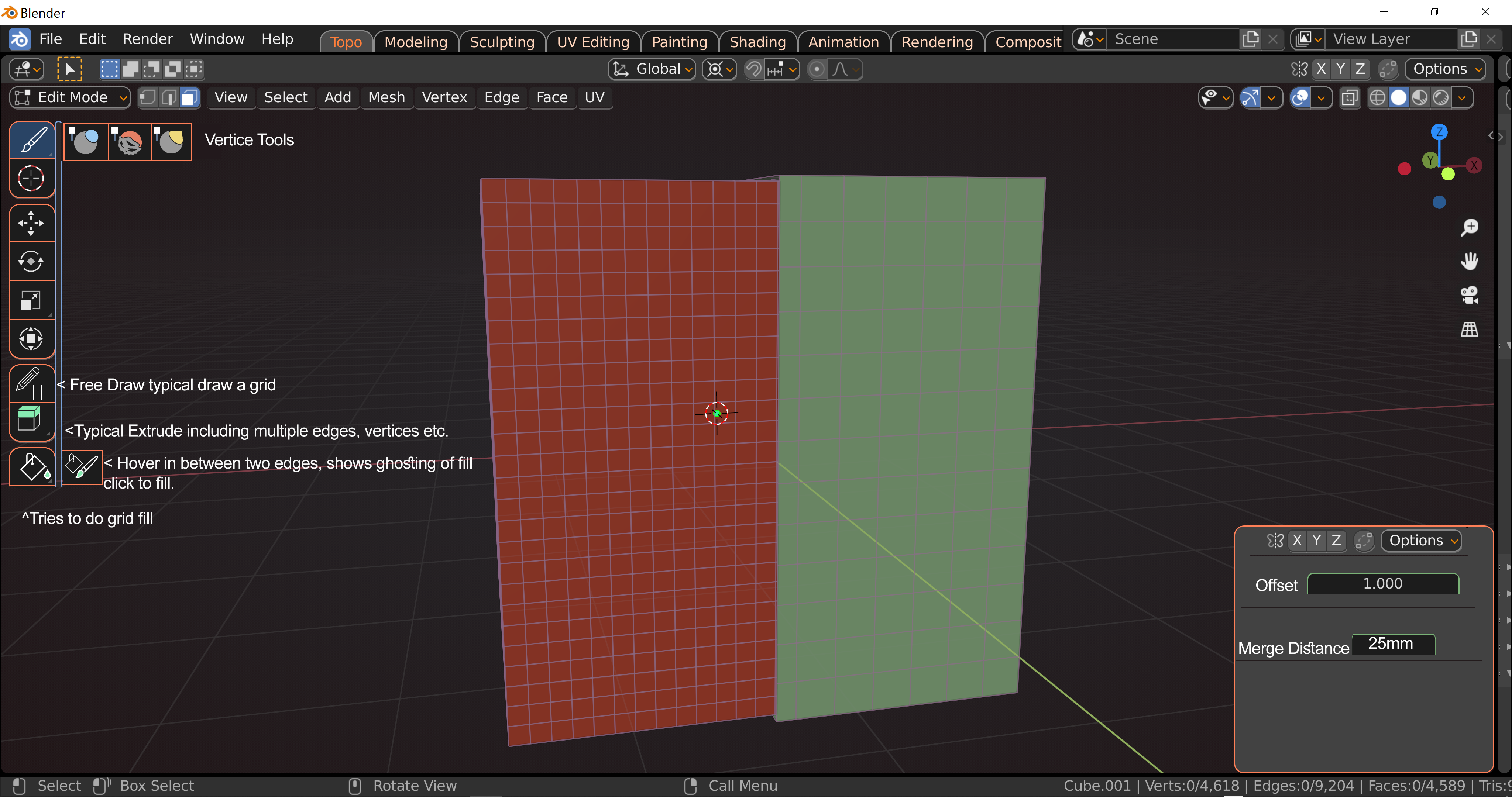
Retopo "room" idea. I probably missed things but this is a general idea. When you enter this room it asks you to choose a background object (call it what you will) or you can go with selected. Now once you enter this room you are given the typical topo mods saran wrap, displacement (shown in the picture as offset), etc.
This topo room comes with new upgrades and old ones (poly build being one I forgot).
We have vertice sculpting tools of sorts. Smooth, Grab Area, Inflate/Deflate. We have a free draw grid which if you draw a grid it tries to fill it in automatically as long as you draw it aptly. We have topo extrude which snaps it to the surface of the background model as you extrude.
We have the Grid Fill, and Brush fill tools.
Grid Fill is the typical one, but Brush fill which I could have used basically is as stated. You say extrude a vertice, and then extrude another parallel, and repeat (yes I did this on some models). Now assuming you kept the vertices the same etc you can just drag the brush around and fill them in with polys.
In topo mode. You get pretty much full screen. There is no need to worry with the rest with Topo mode (you can put an arrow there for a fold-out if need be) so you are given the tools needed with a window at the bottom right. Not fully detailed in the picture because I couldn't think of everything as seen by my many errors so far. For instance background object color, foreground object color, and so on.
Maybe add in a simple bake feature as well.
1 Comment
I see if you get comments only on something it is due to it being a negative like cool. Dunno why people hate it but whatevs.