
Material Properties panel working with Geometry Nodes
As I'm sure we all know, Geometry Nodes function differently than modeling normally. Your geometry on the editing level is the same geometry as what you started with before using Geometry Nodes.
Materials for your geometry node creation also function differently. If you've been doing modeling for a while, your first instinct is to go to the Material Properties tab, hit the New button, then do your thing in the Node Editor..
However, that does not work on meshes created with Geometry Nodes, the Node Editor only affects the original mesh geometry.
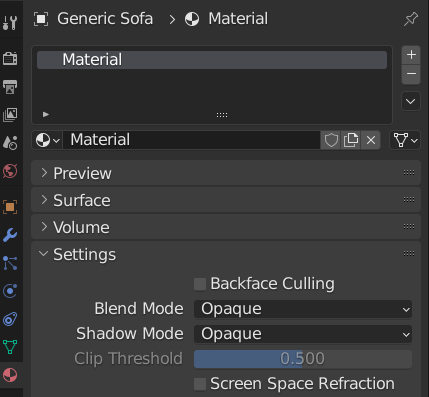
My proposed solution should be simple to implement for 3.1 or other future versions of Blender, it's basically adding a new tab for Geometry Node Materials, and making a new node editor setup for Geometry Nodes..
Although I'm aware you can do some things with materials in Geometry Nodes, your first instinct with materials is to still go to the Material Properties panel, therefore, a new tab for Geometry Nodes in the Material Properties panel would be a good choice, as well as simpler way of doing materials if you already have a huge node tree for the mesh itself.
I'd love feedback on this idea and whether it would be good for geometry node workflows or not.
1 Comment
As you said, you can "simply" add a
Set Materialnode, which is even more versatile that just one material for the whole mesh, because you can set different materials for different meshes you created in Geometry Nodes and then join them. They'll keep their materials.