
Use pie menu(QUICK PIE and SUPER PIE) to resolve hotkey conflicts thoroughly.
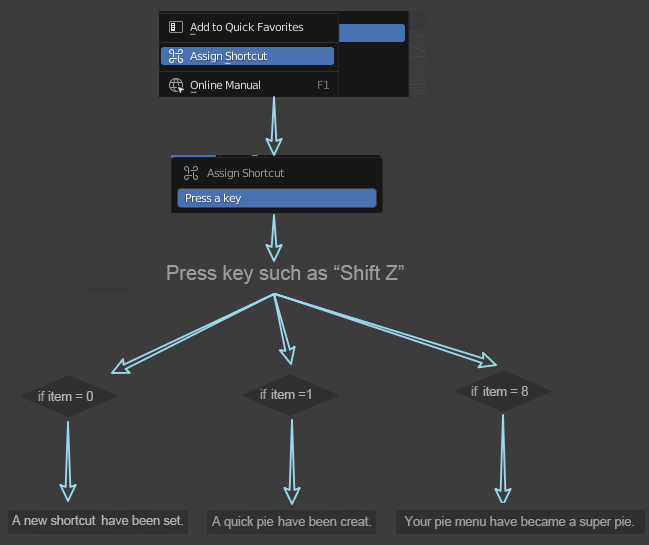 The last added item always at location 6 behind 9 on right.
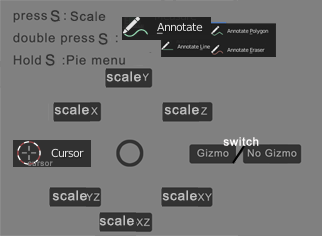
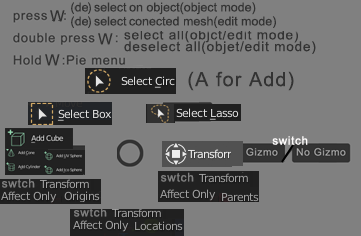
QUICK PIE: Remember the direction, execute it easily.
SUPER PIE: Remember the direction, find it easily.
Simply put SUPER PIE is a variant of list,like this...
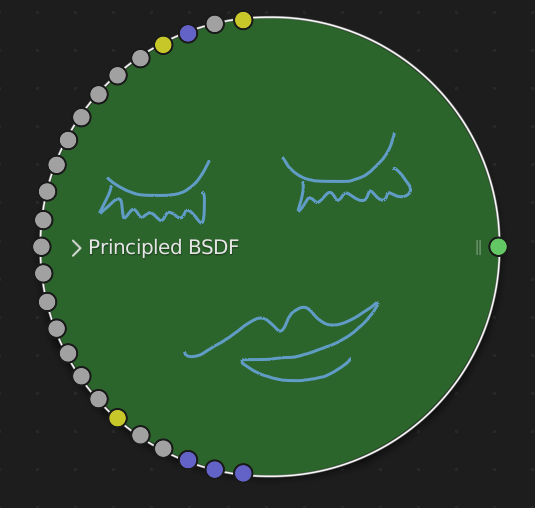
what is a SUPER PIE real like?
History
-
Change the shortcut key for playback to release the space (no other letter keys have been pressed during the hold).
-
Assign a meaning to each key, not based on the first letter of the word, but based on the position of the letter on the keyboard, refer to the layout of the editor. Different workspaces different editors and different mode may be different.
-
There is a pie menu for each letter key, and a list menu for each space+letter .
-
Unified and optimized operation mode.
-
Press the letter keys to implement the most commonly used commands.
-
Hold space bar and press letter key to realize the second commonly used commands.
-
Press and hold the letter key to open the pie menu, and release the letter key to execute the command when the cursor is on the command. You don't need to open the pie menu after remembering the direction of the command, as we have already achieved.
-
Press and hold the space bar and the letter key to open the list menu, and release the space bar and the letter key to execute the command when the cursor is on the command.
-
Double-click the letter key to execute the last executed command of the pie menu.
-
Hold down the space bar and the letter key to open the list menu, the last command executed by the menu is ready, just like we have already realized. Mouse click to execute, no need to find.
-
Alt+number on the main keyboard controls the main window menu, and space+number on the main keyboard controls the editor window menu. The menu opens and continues to select commands with numbers instead of forced letters, if you don't use the mouse.
A temporary example for
matbrady1
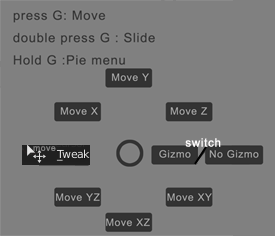 After executing the top three and bottom three items, position your cursor first, then click the mouse once to start moving. Because the distance will affect the accuracy.
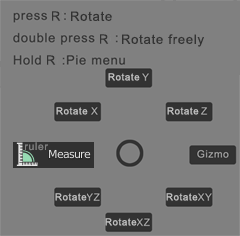
It’s best to remember the direction of the item so that you don’t have to open the pie menu, and the efficiency is almost the same as pressing a key.
(Blender already has an option:
Pie Menu on drag
)
2 Comments
press and hold, then navigate a menu.. 80% of which is probably not relevant to what I use blender for? no thanks, i'd rather just press a hotkey and have the thing I bound to that key happen immediately. If I wanted to dig through menus I'd use 3dsmax.
I arrived on this post because it seems that all the keymap is chaotic since the latest version.
In my opinion, it is a nightmare: Everything acts differently in each panel
It made more sense to keep the same behaviour in the whole software, how do you excpect anybody to remember so many shortcuts if even selection and navigation change in every panel/mode? This is a total nonsense.