
UI keyboard and mouse inconsistency
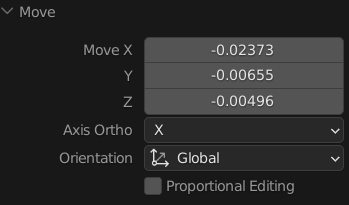
i have been modifying Rotate and Move parameters a lot lately and sometimes i do not remove my hand from the mouse. it is easier and intuitive for me click on X and type a value then click on Z and type another value
i noticed, however, that i need to double-click, instead of clicking once. i went through Discord and blender.chat to discover that this behaviour is expected but i think it is incongruent, principally after discovering that if i use TAB key, it cycles through values without a confirmation press. no one proved me why i need to confirm using the mouse beyond "it is like this for spreadsheets and any other software that i used"
why not change this behaviour when selecting with the mouse another value under the same UI?
someone pointed me that left-mouse click works as ENTER in Blender but if i click enter editing the value, it changes. if i use the mouse aiming at the string box, it does nothing and i have to move my way out of the box to make it work like ENTER.
just to repeat myself once, i am proposing this because the workflow between mouse and keyboard is different and intuitively it does not make sense (as they are about doing the same thing in this specific UI)
0 Comments