
quick Search
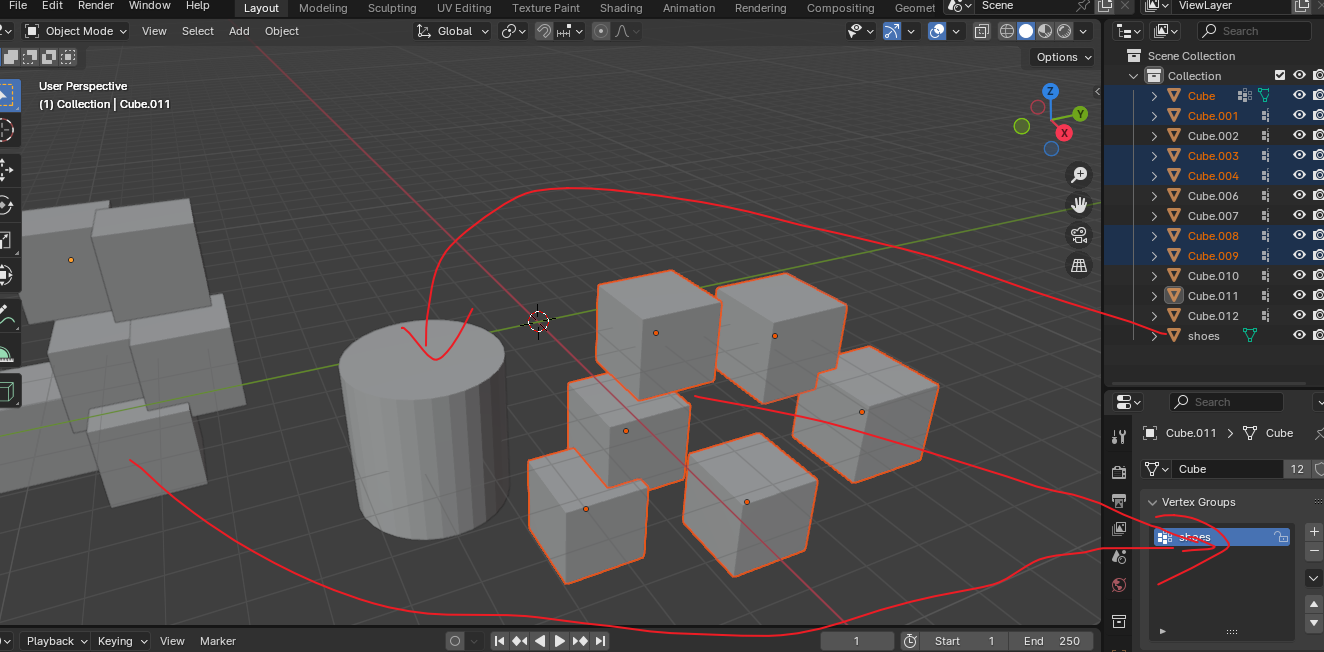
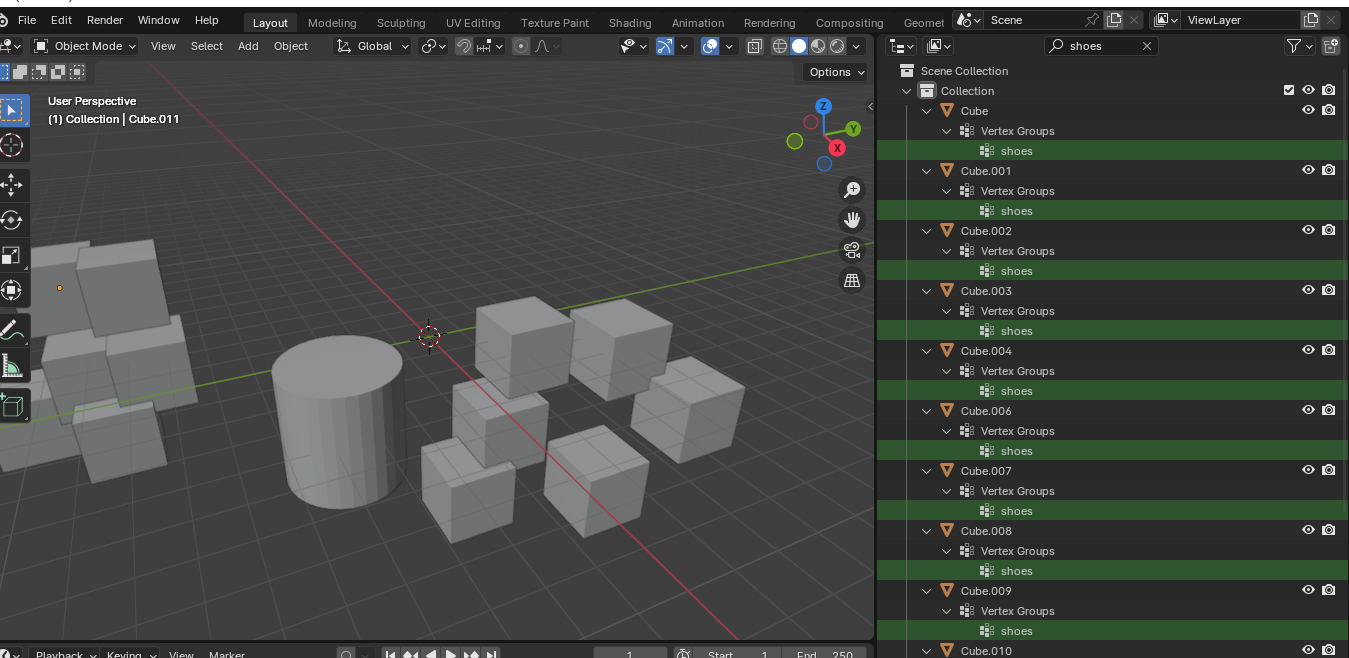
Help, can a button be added to the outline view to manually select and display vertex groups, shape keys, or simulators? It's difficult for me to find the correct mesh object. I hope to add a button that can hide vertex groups, shape keys, and simulators when searching in the outline view, For example, if there is a column named "shoes" and a cube with multiple instances and a vertex group named "shoes", a problem will occur.If I only want to search the mesh for the column named "shoes", the display results will be as shown below, and I can't hide the unnecessary vertex groups. This will greatly reduce readability and efficiency.
3 Comments
I think what would be better would be the ability to use syntax.
for example: To search for glass but ignore vertex groups i would enter:
glass !"Vertex Group"
Where the ! = is not
the reason i say this rather than a single button, because it can be used not just for vertex groups but for everything in the blend file.
for example. Carpaint !"Meshes" Plane !"Light"
this would also allow string alongs if the devs thought about it,
Carpaint !"Meshes, Vertex Group, Light, Image" that would include anything that had the name Carpaint but exclude anything in the range of whats in the " "
while its a little more typing its far more flexible. and can provide much better results than a single button.
My examples are purely speculative on how it would look to provide an example only. If implemented there would likely be a different way to reference those objects. "
And it's possible to use the syntax to create a checkbox where user can select something like "mesh, texture" and the search code will something like
glass -in"meshes, texture".
This can be added like a pop up under the search filter for example, or a closer drop down button to show it.
This pop up can be toggled by user while it's typing, something like:
mesh -in( [this should trigger the bottom pop up]
| O Meshes O Textures O Materials |
| other options |
Replace O for a checkbox value : )
sounds similar to the Houdini method of creating interfaces in vex, super useful that kind of workflow