
Offset tooltip when using pen tablet
I'm a Tablet and Pen user and sometime I really on the tooltips for information. But when the tool tip pops up, its being blocked by my pen, see image below.
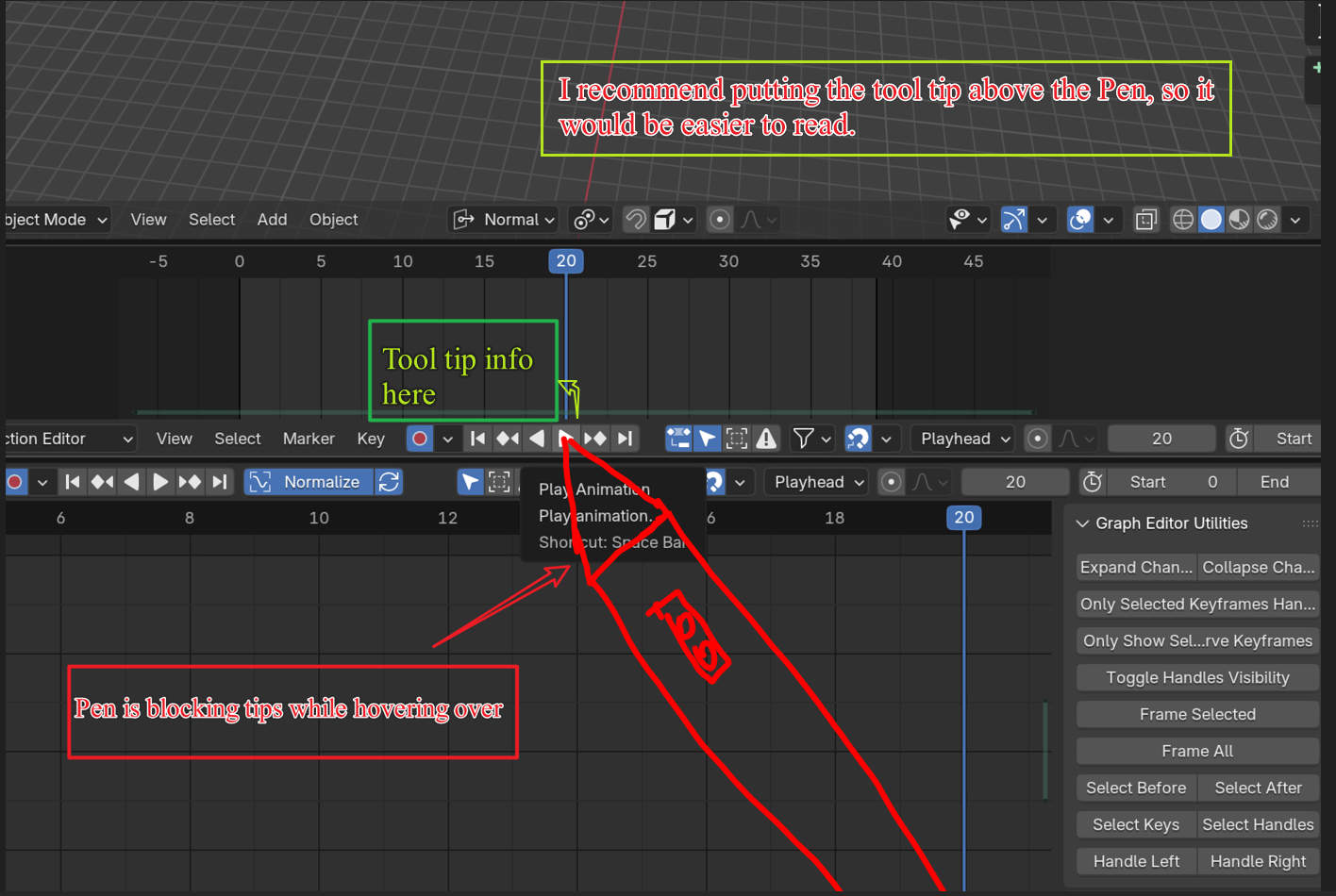
This has been pretty painful at times having to tilt my windows tablet to look under my pen to see what the information is about. I also notice some tool tips are harder to read at each corners of blender, image below.
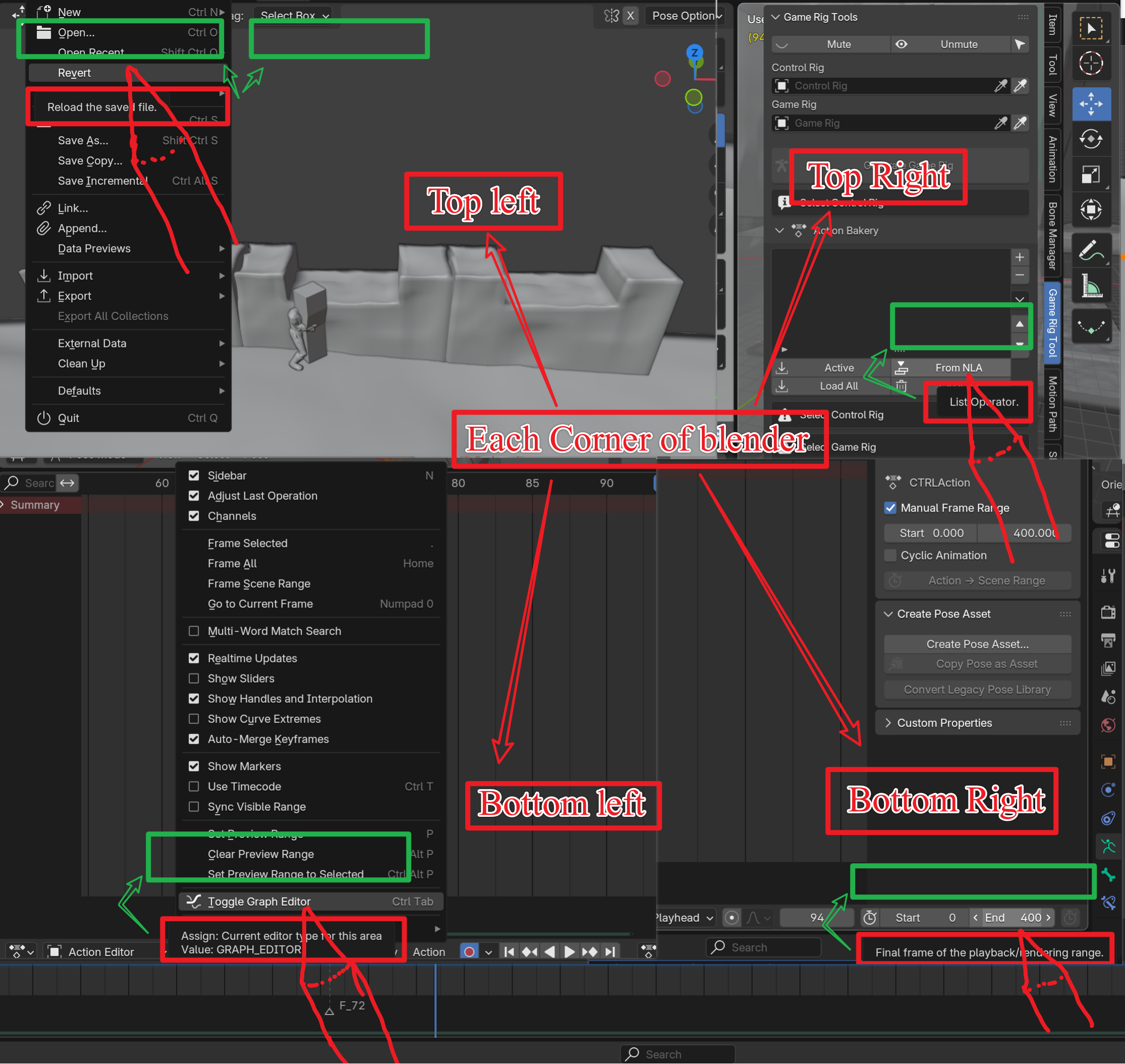 I propose having the tool tips in a location that is easy to read for Pen and tablet users. Normal Tool Tips are the Red Boxes, new locations could be the Green boxes. Since Blender is having a focus on Tablet and Pen users this could be a perfect time to upgrade the UI.
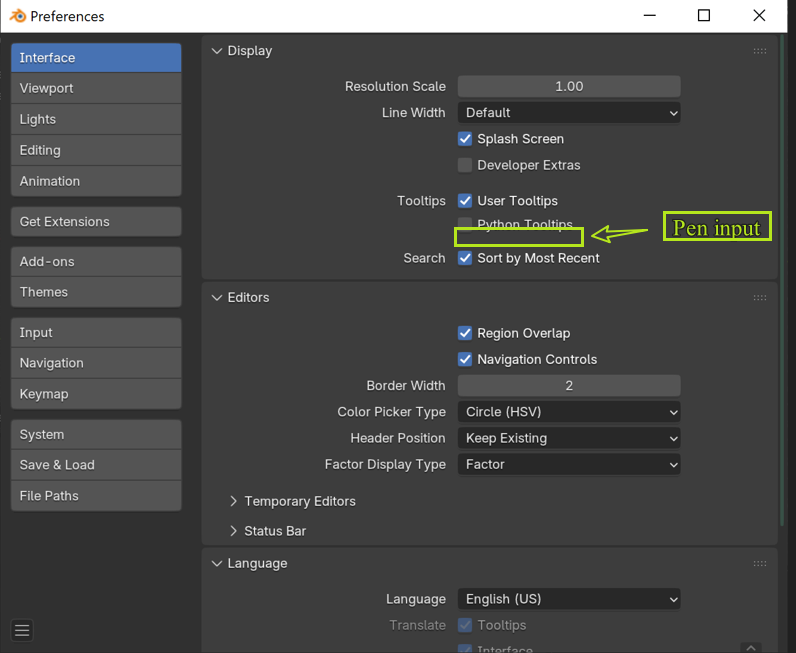
We could even have an option for this in the Interface - Displace section shown here, to have the tool tips UI adjust base on pen or tablet users. Thanks for taking the time to read my post, let me know if you guys have any questions or inputs thanks.
3 Comments
Nice one! Just made a design task for it, I think it qualifies as "Good First Issue".
projects.blender.org/blender/blender/issues/152591
Good point about tooltip placement, but it dont have to be an option - it could auto detect if pen is used (i guess).
Yes was thinking that also.