
Improve viewport roll
Rolling the viewport is useful in a lot of situations where we need to draw, like in texture painting, weight painting, grease pencil drawing, or even sculpting.
Currently, to be able to roll the viewport, you either have to fiddle with keybindings settings, use the Roll Left / Roll Right operators, or lock a camera to view and rotate that camera.
I have some suggestions that can make this easier:
- Add a button to the navigation gizmos to roll the viewport. Like the zoom in/out button, you hold it and move up and down to roll the view (to reset the roll maybe just click it without dragging)
- If this is not desirable, maybe we could add a dot or an indicator around the XYZ colored axes gizmo to indicate the roll. We can hold it and rotate it, and even hold Ctrl to snap to increments. I got this idea from krita's right click menu:
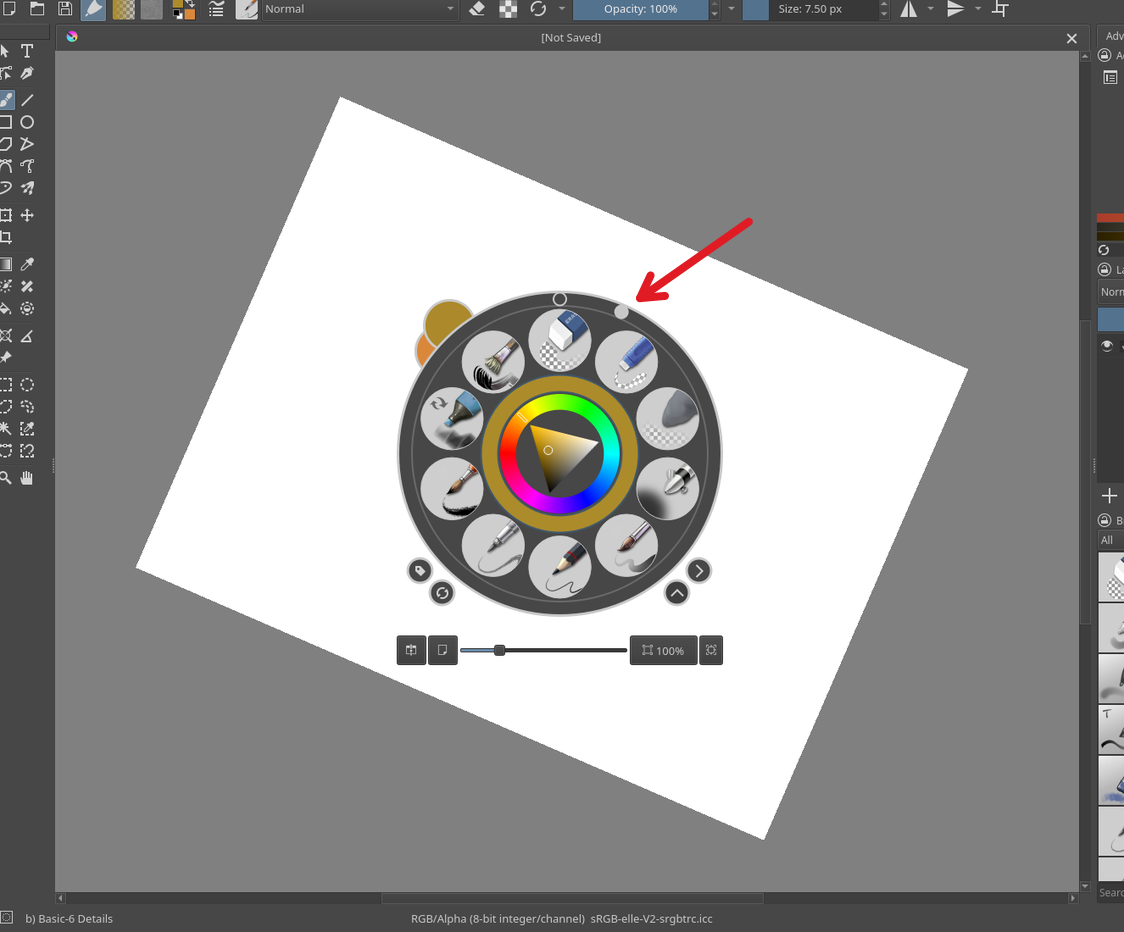
-
Add a shortcut like
Ctrl+Shift+MMBwhile moving the mouse up/down or rotating it around the center to roll the view
We would also probably need another way to reset the roll, I suggest adding a Reset Roll operator to the
View > Navigation
menu.
1 Comment
This is why i was saying The Greasepencil Add-on should be a part of blender Natively, Because it does this lol: extensions.blender.org/add-ons/grease-pencil-tools/