
Color Chart Auto Color Calibration
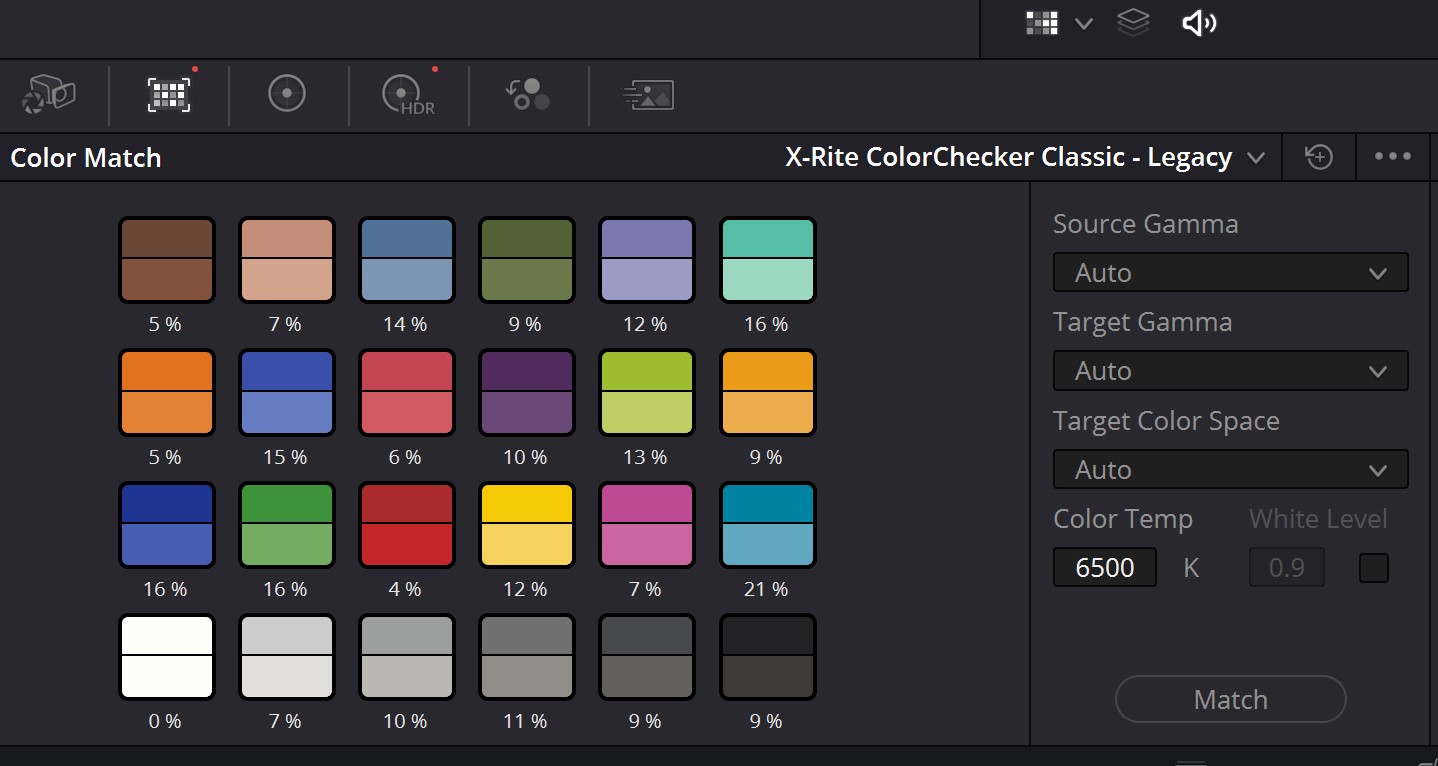
So, I am drawing on resolve for this idea. Only because I think it could greatly enhance color consistency in Blender without the need to jump to another compositor. It could work like this:
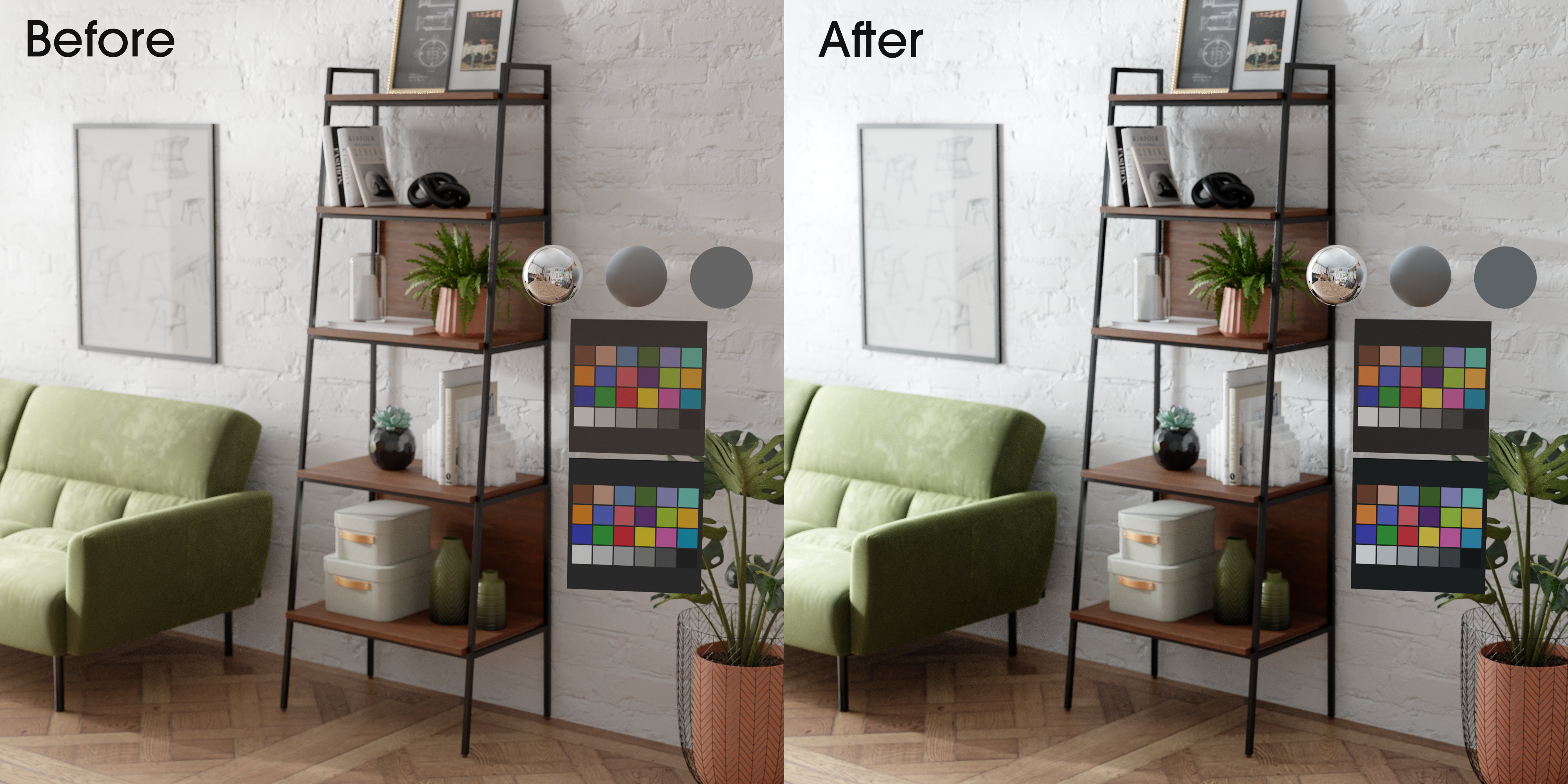
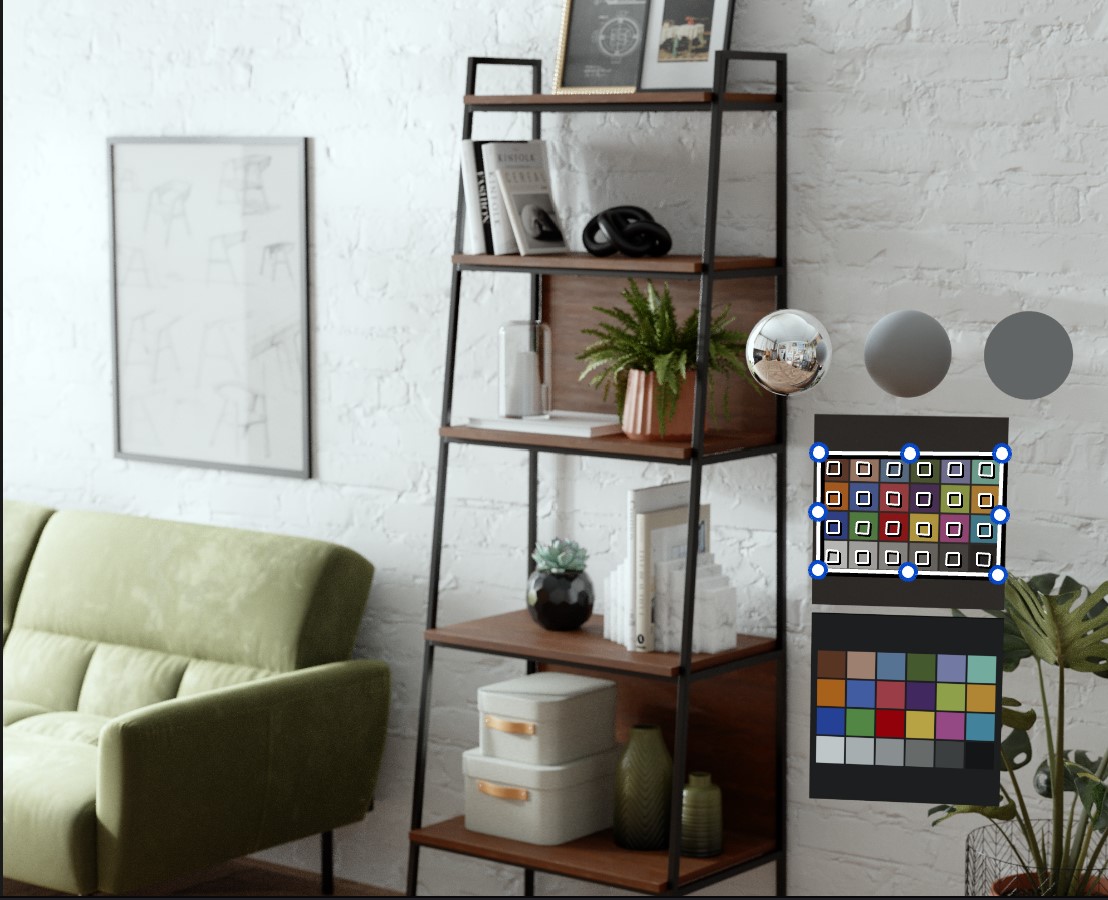
place an image file of a calibrated color chart into your scene (calibrite color checker classic is a good starting point). This chart is impacted by different variables in your scene (such as direct and indirect light). If blender knew what the accurate values "should be", and you select the chart impacted by your scene, it could automatically tweak the colors to get back to default chart values.
I would have a ton of use for this. I'm always working to visualize real-world product in 3D. I place it in a variety of scenes, but spend a ton of time in post with all sorts of guess-work trying to get the product color consistent.
This would also enhance the VFX workflow and make life a lot easier when it comes to matching blender assets with footage.
Correct me if I'm wrong but I don't know of any other 3D software out there with this functionality? It could really give Blender that much more of an edge.
Thank about it!
3 Comments
I believe this should be created as an asset that you could add to your scene. It has to be part of the 3D scene as otherwise it has to make to much of assumptions about the location, what would make this feature less useful. This asset could be added to an asset pack and doesn’t require any changes to the software.
With this in mind what kind of tools do you miss to make this workflow even better. In a compositor workflow I often use a white/black correction with the existing nodes. But how would that work for Color’s.
seems simple & helpful and might push b3d in the direction that the Foundation is aiming ;)
great idea, would be very useful for me as well. what software is it in 2nd/middle screenshot?