
Cursor to Selected - with rotation
Current issue
Right now, if you want to move the cursor to a selection and have it pick up the rotation of it, it's quite a mess... By default, it will always snap its orientation to the viewpoint, and there is no easy way to go against that.
Example
To snap your cursor and its rotation to an object.
You could try ⇧ Shift S > Cursor to Selected, it will snap to the location, but not the rotation.
You could try moving the cursor with ⇧ Shift Right 🖱️ combined with some global snapping options.
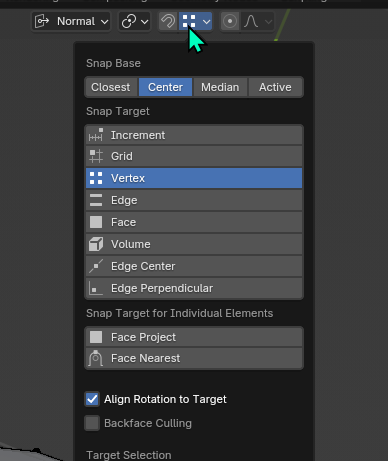
The current snap options have an "Align Rotation To Target", you would think that you could use that to align the cursor to a snap target. But we lack a snap option to objects' origins so it's definitely not a solution for objects. And even for mesh elements, it doesn't align all axes how you would expect:
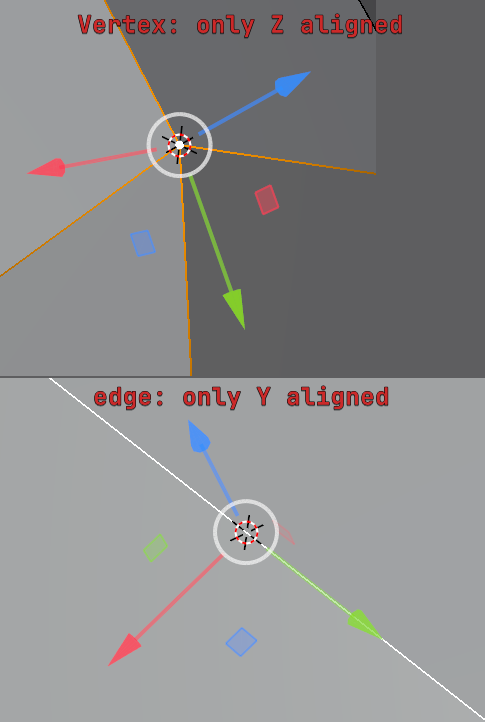
So in the end, the only functional way I found for this one is:
-
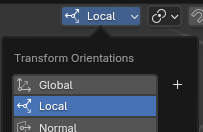
Change your transform orientation to Local
-
Select the object you want to snap to
-
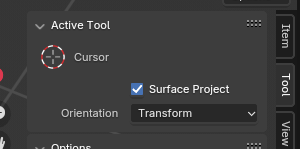
Select the cursor tool in the toolbar

-
Change its orientation setting from None to Transform
-
Click anywhere in the viewport to move the cursor, which will align its orientation with the selected object's.
-
Press ⇧ Shift S > Cursor To Selected to snap the cursor location to the object origin.
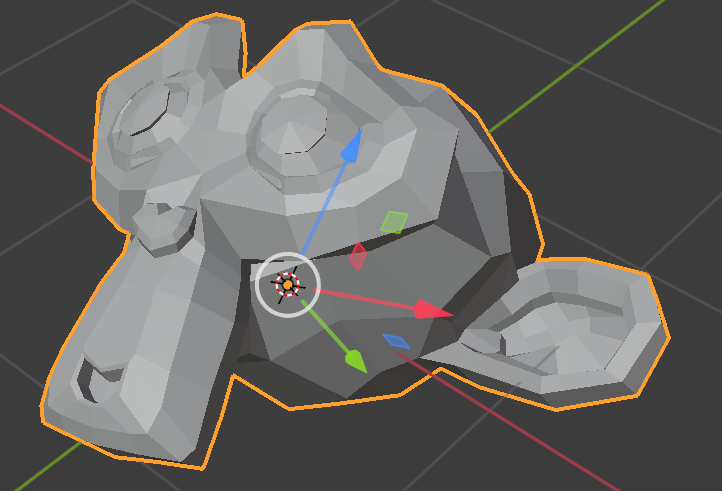
I think this shows that this is quite tedious, but also that a lot of ways you'd think make sense and should work, and yet don't deliver.
Solutions
A few solutions I propose with the current state of things. IMHO it would be best if we could have them all, to give flexibility in solutions for the user and avoid the issue of the user trying to do something that makes sense but doesn't work.
Cursor Snap Operators
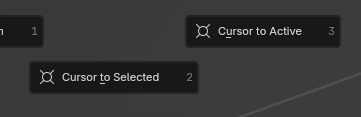
Give the cursor to selected/active operators the option to chose how to orient the cursor. Allowing for example to just press ⇧ Shift S > Cursor To Selected > chose the orientation to active selection in the edit last operator panel
Global snap options
- add the object origin target
- when snapping on mesh elements, align all axes just as the normal gizmo.
9 Comments
Isn't this addressed in Blender 4.5 LTS by projects.blender.org/blender/blender/pulls/134963 ?
Unfortunately no : this commit will apply the Cursor's orientation to the processed Object via "Selection to Cursor"
This feature proposal is about the reverse : applying the Object's orientation to the 3D Cursor via "Cursor to Selected".
This would be incredibly useful to easily create new 3D objects with the same location and rotation as previous objects for example.
Good thing I cycle through my posts manually once in a while, because i never was notified of those comments 🥲
Indeed, that's a good step forwarb but it's the opposite that i requested: being able to snap the cursor with rotation onto components.
it's been WAY too long, this still bugs me. If i want to rotate the cursor to a specific bone, for when im snapping stuff there is no easy way to do it
This is a critical issue. I'm using Blender for the first time for a professional project, which is precise low-poly modelling, and need to pick transform coords all the time, from elements. I have a 3ds max background, where things like this are straightforward by using snapping.
This alignment algorithm in Blender that is seemingly used by various tools (interactive primitive placement, interactive cursor placement to geometry, and 'cursor to selected'), is pretty unusable as it is.
My workaround for now: keKit addon, which has a 'Cursor Fit and Align' feature that works just fine with faces, edges, and verts (for verts, their local normal is taken).
Hoping for a timely fix! Thanks!
yeah, it's awkward now, align rotation should be part of Shift+S
I agree. lately I wanted to use this several times to place an empty with the exact same location AND rotation as the selected, but that wasn't working using the 3d cursor snapping workflow. Really miss this!
(BTW at the moment I wouldn't even know what an alternative workflow for this would be)
In other programs (3DSMax) there are features like Snap to Position (or something that sounds like that). You select an object/element and shift select another object/element, then hit a button and the last selection snaps to the same location (and rotation) as the first selection.
It's VERY handy.
This seems like an alternative of what you're asking for.
I agree, this would be pretty useful.