
Auto draw plane switching between normal to surface and tangent to surface
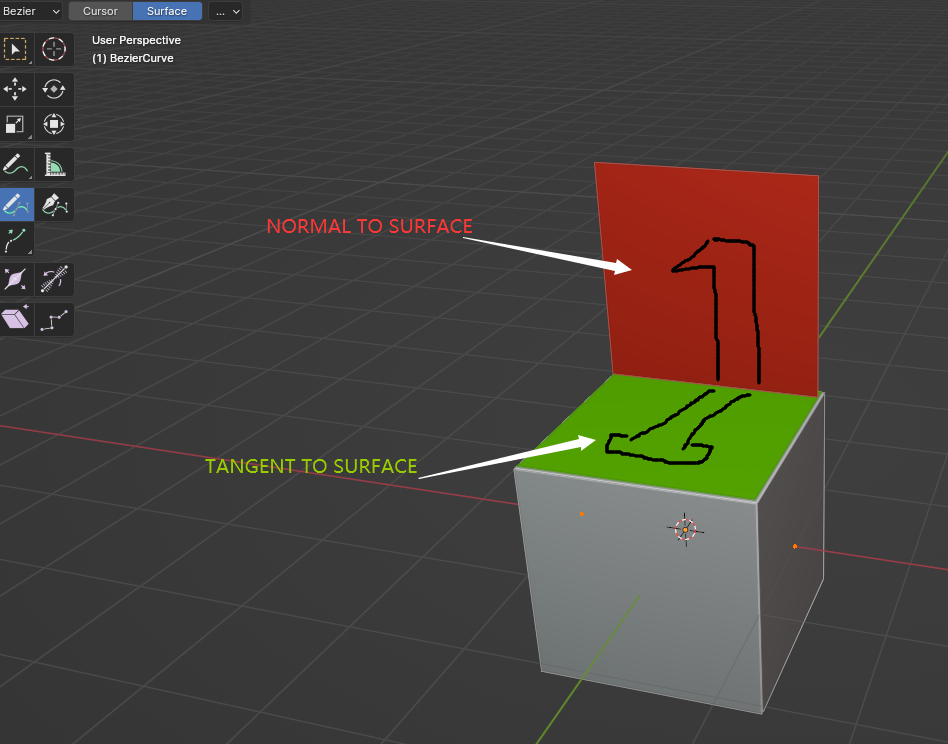
when we draw 2D on blender viewport, we can choose draw on a 3D object surface , once you doing that and choose "ONLY FIRST", there is only two drawing plane for you to draw on : 1 -- normal to surface 2--tangent to surface
what i think is that it is possible to guess which plane is more likely the user expect to pick .
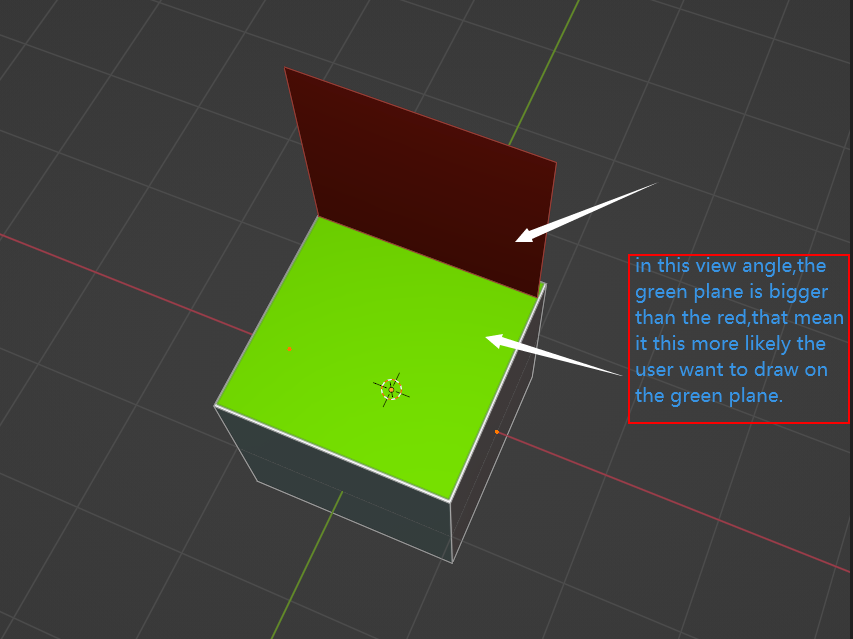
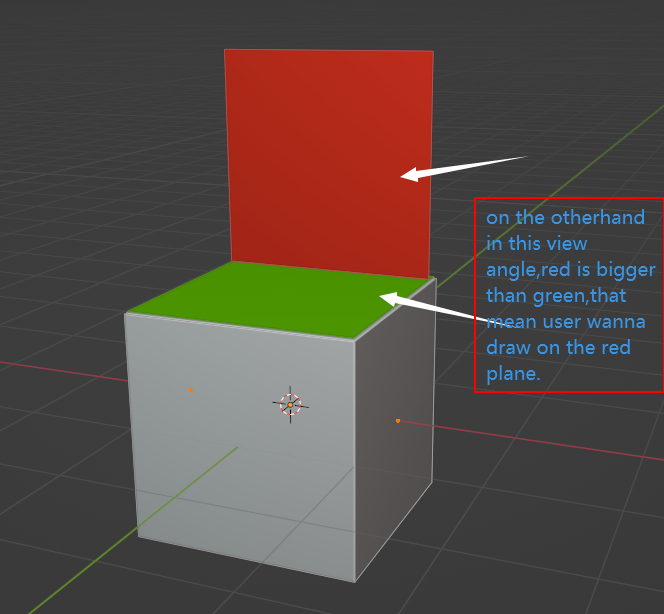
please take a look on those images .
in different view angle, those TWO planes have different size, we can guess that the bigger plane is more likely the user want to draw with.
note that the viewport in this example have ONLY one cube on it , the red and greed plane is not a real mesh which are only for reference.
1 Comment
I would think comparing the normals to the camera would be better than screen area.