
Portal Node (New Solution)
DevTalk: devtalk.blender.org/t/portal-links-exploration/21306
The subject has been covered many times, and I wanted to propose an elegant solution that can integrate node portals in a user-friendly way.
As a reminder, the idea is to avoid this type of configuration. Where links interfere with readability and prevent the user from arranging different parts of his geometry node as he wishes.
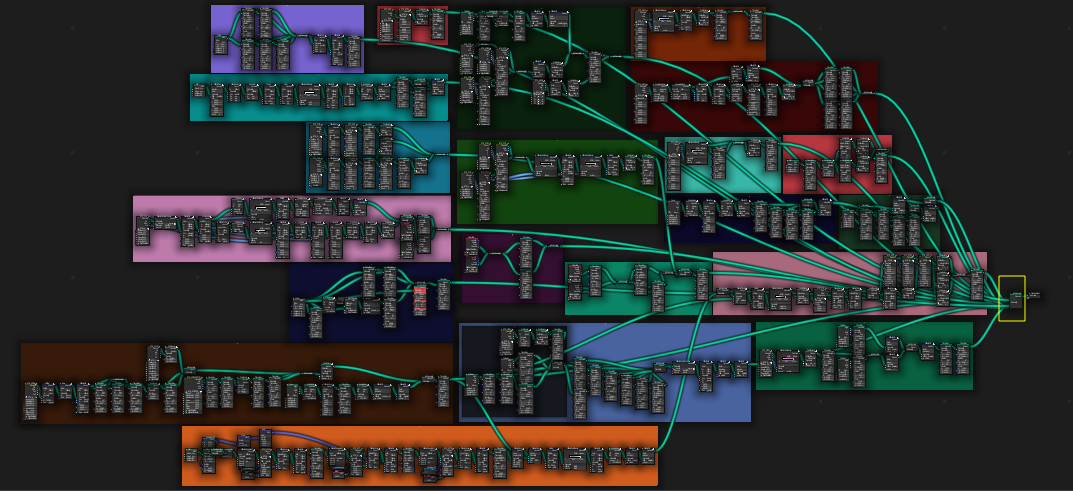 With Portal to "teleport" values, you no longer have this problem.
The idea is to add a Portal Input and a Portal Output, which would work in the same way as the group input and ouput.
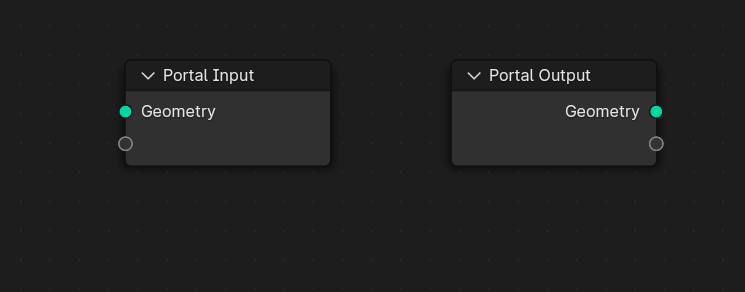 In the same way as for output and input, there is only one portal per group.
But you can add as many inputs as you like, as with the input/output group.
In the same way as for output and input, there is only one portal per group.
But you can add as many inputs as you like, as with the input/output group.
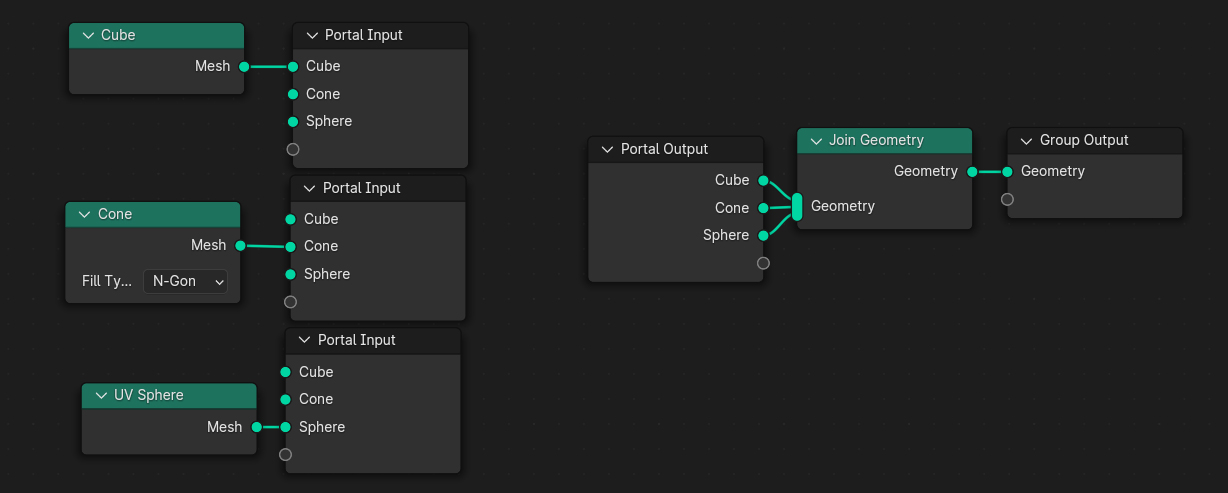 I have deliberately left all entries visible to help you better understand the concept.
You should begin to appreciate the subtlety of such a system. The Input portal is dupplicable!
I have deliberately left all entries visible to help you better understand the concept.
You should begin to appreciate the subtlety of such a system. The Input portal is dupplicable!
For this to work correctly, the user must not connect the same input to several different nodes.
The most elegant solution I've found is to make the input used disappear.
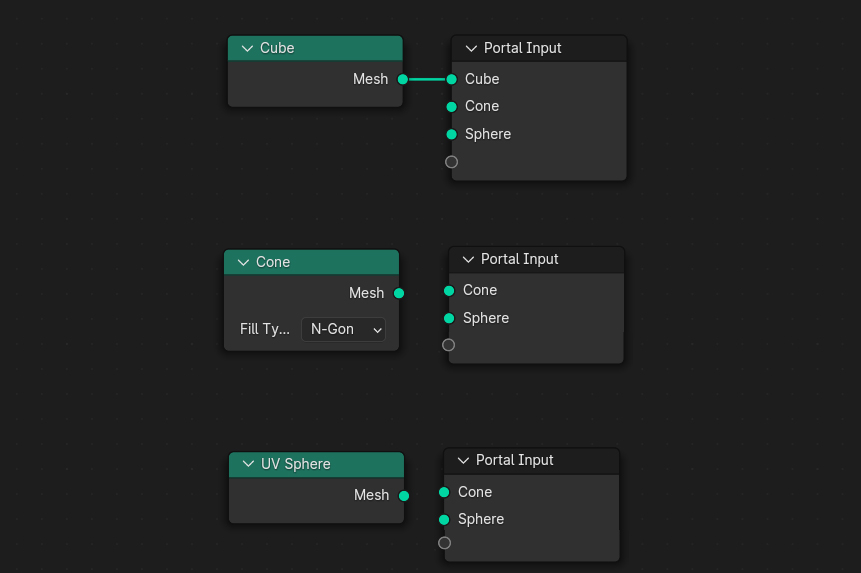 One way of displaying the values used would be to add an option to the portal input parameters. They would then be visible but unusable.
I haven't thought about their design in the "already used" state.
In the input portal parameters, you can click on your input and use functions to locate the location of the input used in the node graph. You also have the option of deleting all unused inputs.
Field values can also be teleported.
In this example, I have a kind of UV function that I'm going to reuse several times in my geometry.
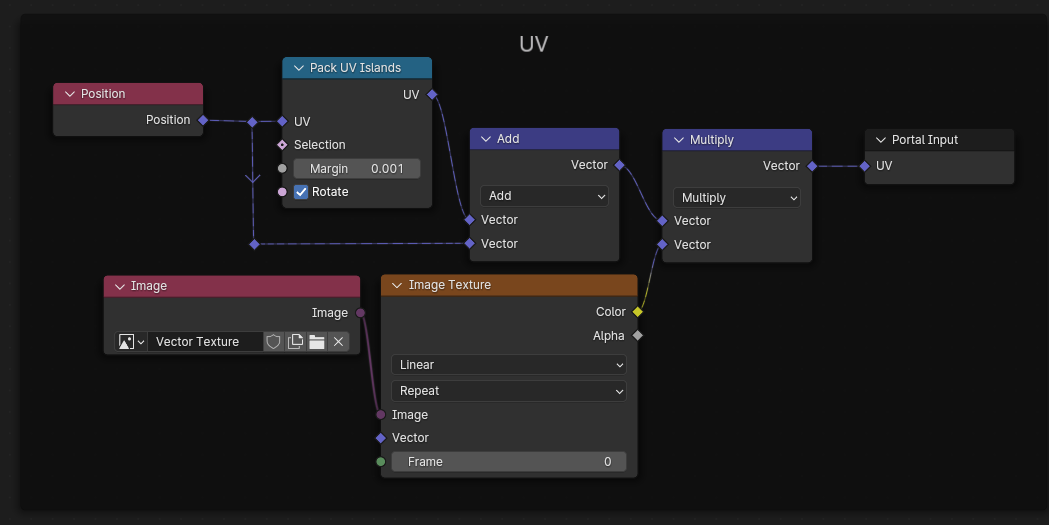 (The example may be too abstract, but I hope it's enough)
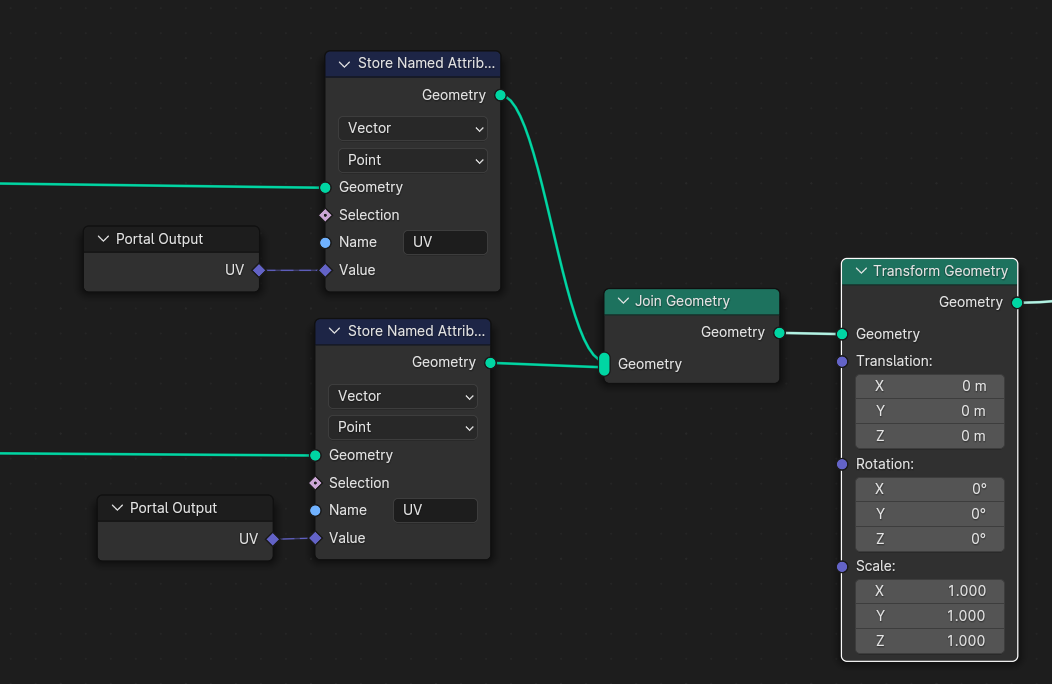 Even if this can be done with a node group, a flat design where elements are on the same level can be much easier to read when you share your geometry nodes.
Thanks for reading all the way through, I'm really curious to hear your opinion on this solution for integrating portals into Blender.
7 Comments
these is really a useful thing that should come to blender, because wires scattering here and there is really. U need to share link in other platforms like reddit and quora, so that you get votes, lot of people who are interested in this idea might not be aware about it.
This would be super helpful for my mostly geo-nodes based workflow. Named node groups, and the ability to mark node groups as assets has helped, but this will still cut down on my spaghetti, and help with debugging, as I may not need to nest node groups so heavily.
I think it would be better to have the names of the already-used ports visible but greyed out. So the actual port would disappear but its name would still be there, in grey text.
Otherwise I think it would be quite confusing, since multiple ports will often have the same name, and if they keep disappearing and reappearing it won't be obvious which one you're connecting to.
There would also need to be a way to rename the ports. (Otherwise in your example they would all either be called "Mesh" or "Geometry", depending on whether the input or output was connected first.) I guess that would be in an extra tab in the N menu?
I think hans goody was planning something like this a few years ago for values, but I guess it became unnecessary once named attributes were available. Would definitely be great for geometry outputs though.
I think named attributes node need to declared by stored named attributes node first. That so not convenient enough , It can't store anonymous attributes or non-numberic such as string, geometry, material, image to named attributes node.
You're right, it's important to specify that field values are also relevant to teleport. I'll add an example.