
Empty keyframe indication in Grease Pencil
In Adobe Animate (and other software like Harmony) there is a visual indicator if the keyframe does not contain a drawing, making the circle hollow and a slight color change. Blender does not contain an indicator like this and I feel like there should be a slight visual change to the keyframe if the keyframe is empty, like a hole in the middle, which should work on all keyframe types like breakdowns and such. Anything that would be distinguishable from a keyframe with a drawing in it.
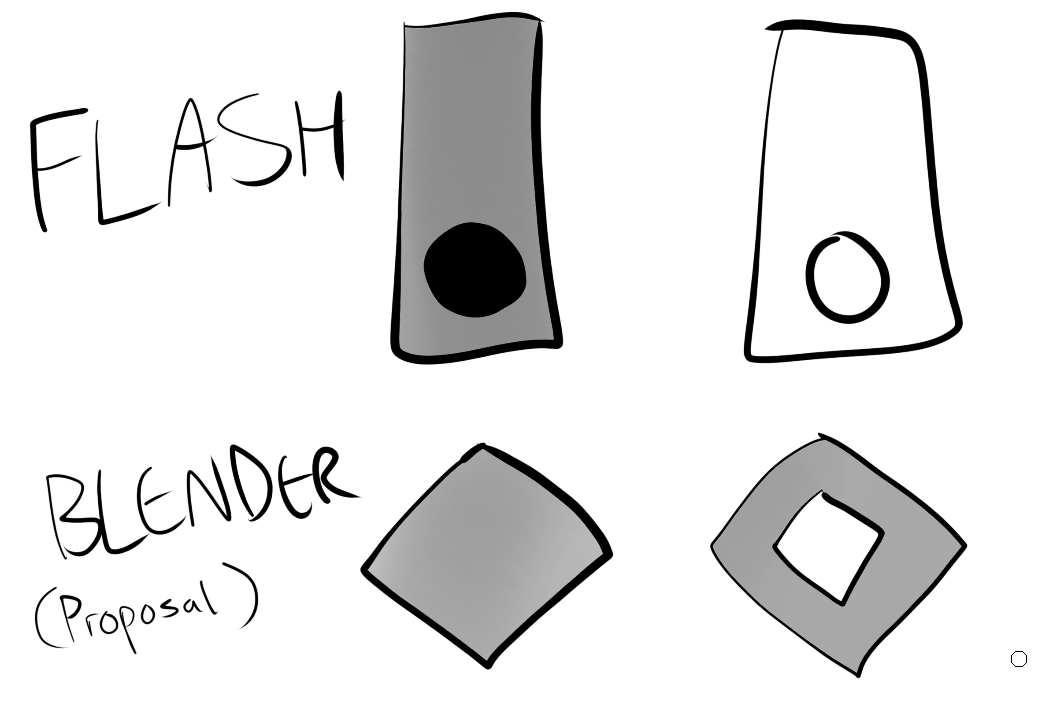
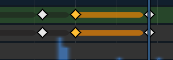
An extra bonus would be if the black line extending from the keyframe (shown below) would be a slightly different shade depending on if the keyframe before the line is empty or contains a drawing. In this image it is black when unselected and yellow when the keyframe preceding it is selected, however I think an empty keyframe should be white or something distinguishable.
1 Comment
I also think that instead of a hollowed keyframe, the keyframe can turn into a square or circle which could recycle those keyframes shapes from regular keyframes (used to indicate Bézier curves if I recall correctly) and use them here as an indication that the keyframe has no drawing.