
Grease Pencil panel: Lines as vectors to be interpolated
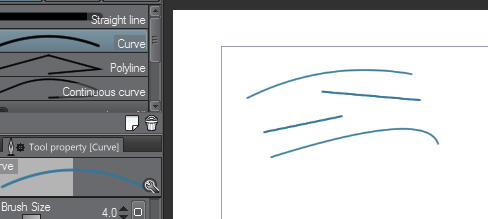
Hi. I´ll keep this to the point: We can already do lines on grease pencil but simplify won´t reduce the amount of (vertices) the line has. We already have Circle and square shapes on blender 2.8.5 compiler tools and, it would be a huge advantage to have lines with few points to interpolate (like vector applications do). Long lines with fewer vertices can later be "sculpted" to bend them. Really necessary to do animation. (Hair animation for stylized look for example): recordit.co/a9x03XpXWM
3 Comments
If that's the type of controls you want, why not just use proper Bezier curves?
@Jason van Gumster: I think what he is getting @; is that there could be an option to make grease pencil curves smooth by using Bezier curve/Polyline NURBS data underpinning options visible to the User.
I used to use a piece of software called: Autodesk Sketchbook Designer. (Also known as "Alias Sketch".) I loved this software and was very upset when they retired it. It pretty much used this paradigm. It allowed a user to interact with a tablet/stylus; laying down sketch curves, (think Sketchbook Pro). Except the user could go back and edit the curve points and control before and after creation how many points they wanted the curve to have. It also included auto-trimming features; as well as paint-bucket fill of solid colors as well as vector patterns & gradients.
I would fully support this; as it would make a great sketching platform within blender. Not only that; but it could be used to create smooth curves for animations in an intuitive way as well.
Since version 2.92 we have a Curve edit mode to tweak strokes like bezier