
Auto-set VSE Frame Range End using strip properties
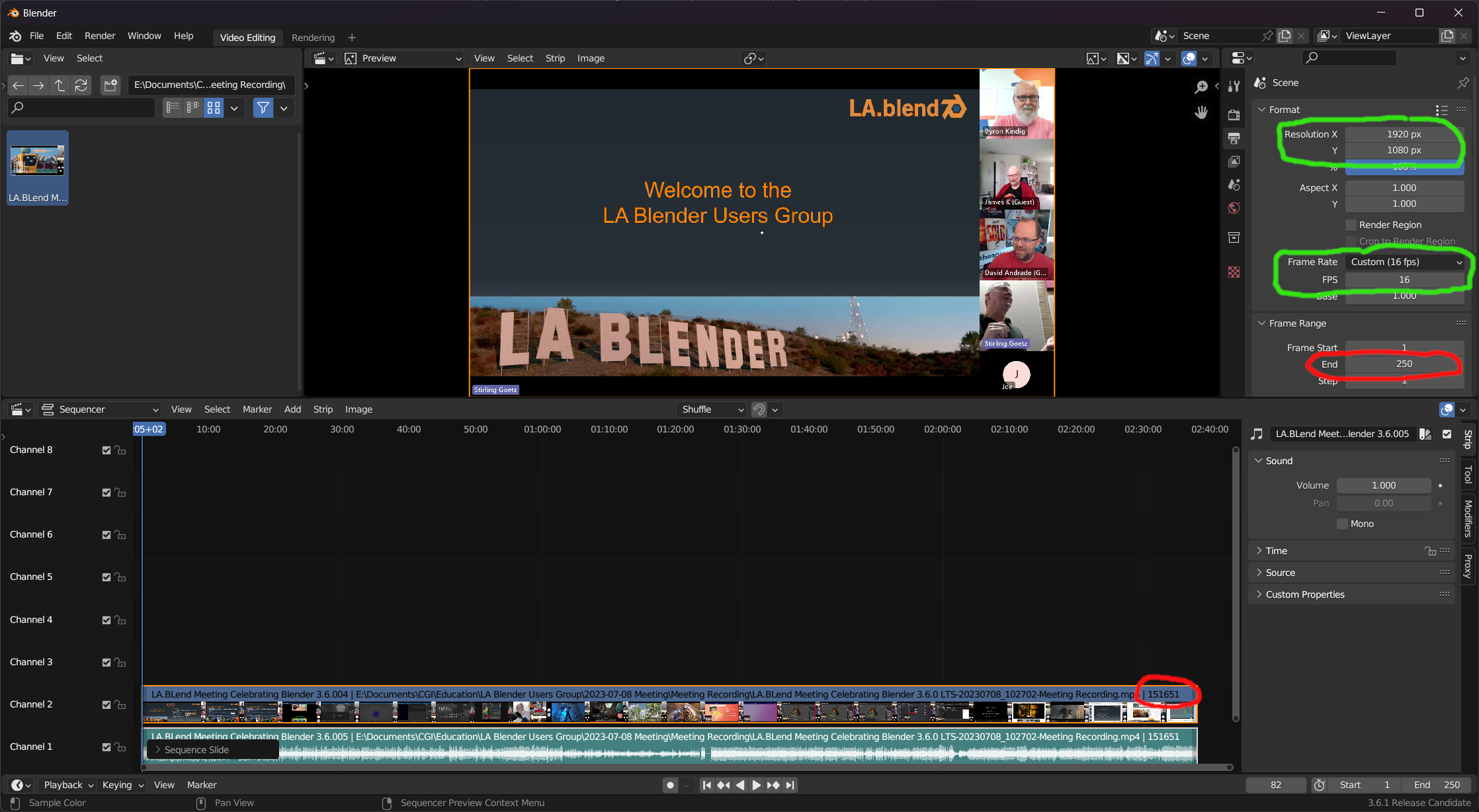
When inserting a video strip, Blender helpfully reads properties of the strip and automatically sets the Format Resolution and Frame Rate. However, the Frame Range End remains at 250 regardless of how many frames are in the inserted strip.
Suggestion: Set Frame Range End property automatically based on strip properties.
5 Comments
Since in video editing you are more likely to have multiple strips than one, I don't think that it should automatically set the start and end frame to a strip you add to the VSE.
That being said, we should definitely have an operator that can set the start/end frames from a selection of strips, and have an option to perform that when browsing for a media to add in the VSE.
Isn't what the "set frame range to strips" operator does?
but yeah, the first clip dropped should define the start and end frame range automatically imo...
Damn, I tried to look it up in the strip menu like a fool x)
I agree, there should be an option to auto set the range. Or even better, an operator to auto set the range to the full strip range, like this workaround script: github.com/tin2tin/Auto_Range
Thanks for the workaround link. The default VSE behavior should be to automatically set the range to the entirety of strips similar to that workaround script to support the many occasional Blender VSE users who are not professional video editors.